10 Website Statistic Tools
Keeping track of visitors to your website is vital, and these ten tools can allow you to monitor and review traffic in different ways. Some are free, some require a small charge – all of them will help you optimize your website and know exactly who is passing eyes over your design.
2 Million+ Digital Assets, With Unlimited Downloads
Get unlimited downloads of 2 million+ design resources, themes, templates, photos, graphics and more. Envato Elements starts at $16 per month, and is the best creative subscription we've ever seen.






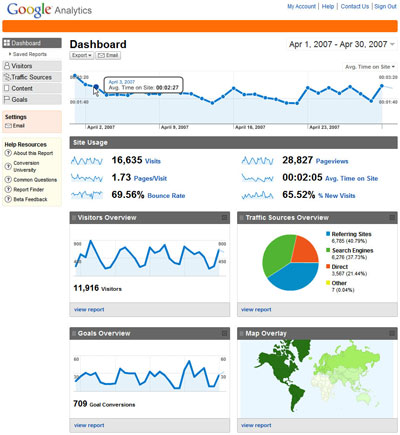
Analytics is a great word, meaning “sophisticated data analysis and modeling, including developing customer profiles, determining customer and merchandise price profitability”. Google Analytics is certainly a great statistical tool, and is completely free. It integrates into your website using a small piece of code and is hosted by Google so it doesn’t require you to install anything. The downside is the inability to install plug-ins to track extra aspects of your site.
2. Mint
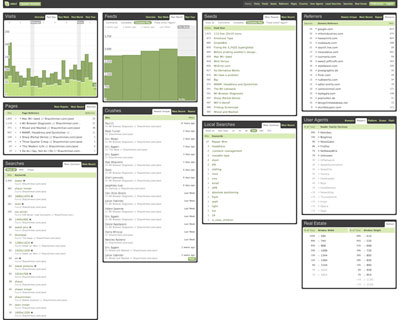
Mint is a tool created by a designed called Shaun Inman (who has a great personal site design to boot). It is a locally run piece of software, which means installing it on your web server. The advantages are that it is very customizable and looks great. ‘Pepper’ can be used to add plug-ins and extra features not included by default, created using the Mint API. Mint costs $30, which is a small price to pay for an in-depth knowledge of your visitors.
3. AWStats
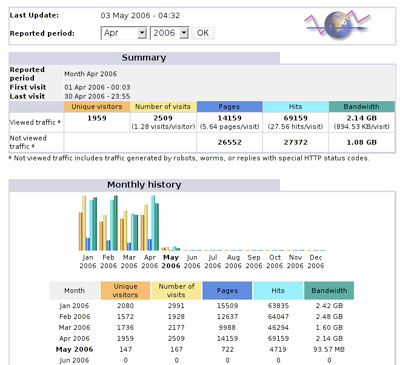
AWStats is a different style of tool as, rather than tracking hits in real-time through a piece of code on your site, it reads web server log files to generate statistical reports. There is a good chance that your web server already has AWStats installed and it may just need turning on. A degree of technical knowledge is required to install and configure AWStats yourself, but it can be a useful tool for another perspective on your traffic.
4. StatCounter
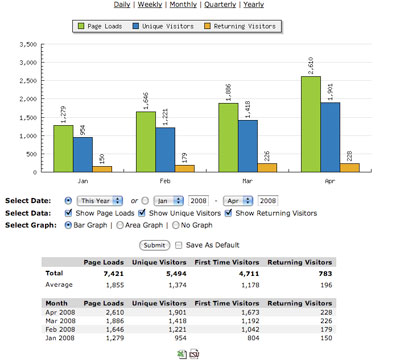
StatCounter comes highly recommended by many people as a free, hosted tracking service. They offer a huge variety of different statistics, from entry and exit pages to country/state/city information. It is completely free, so may be worth giving a try to see if it fits well with your tracking needs.
5. Urchin
6. Webalizer
7. The Counter
8. Going Up
9. Omniture
10. Webtrends
We would recommend only using one or (at the most) two of these tools at a time. Most of them slow the loading of your page to an extent, and adding several at a time could impact the experience of a visitor.