FontDeck: Exclusive Sneak Peek
Today we have an exclusive pre-release sneak peek into an exciting new choice for using different fonts on the web.
Below we’ll briefly discuss what FontDeck is and how easy it is to get setup on your site. Let’s get started!
What is FontDeck?
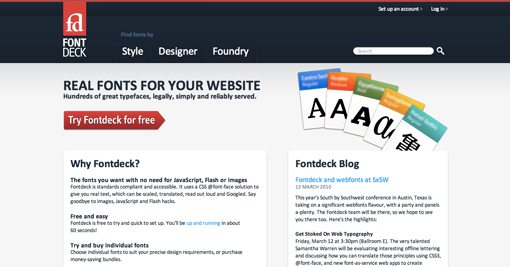
FontDeck is another entry into the foray of sites that use the @font-face CSS selector to allow you to easily embed attractive, web-safe fonts into your sites.
FontDeck uses pure CSS to accomplish its magic so you don’t have to mess around with JavaScript, Flash or any other additional technologies like you do with TypeKit and a few others.
Unfortunately, FontDeck is in such an early state that I can’t show you too much because the current fonts in the system are subject to change. So forgive any selective blurring as it represents content that isn’t yet final.
Setup & Font Selection
FontDeck makes it extremely easy to get attractive fonts implemented on your site in no time. Below we’ll walk through the basic process of getting everything up and running.
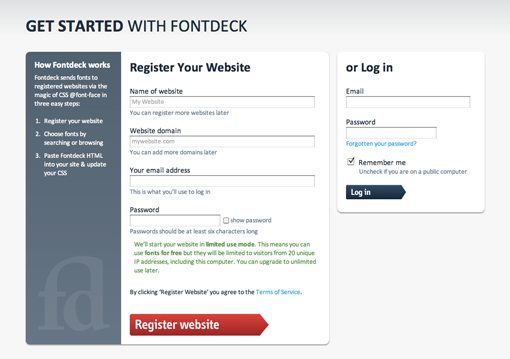
Signing up for FontDeck is as easy as typing in your email address and assigning a domain. Once this step is finished you are ready to start browsing fonts.
FontDeck gives you several ways to browse and search fonts. First is the option to view by style. The current categories are Serif, Sans Serif, Slab Serif, Script, Blackletter, Display, Symbol and Non-latin.
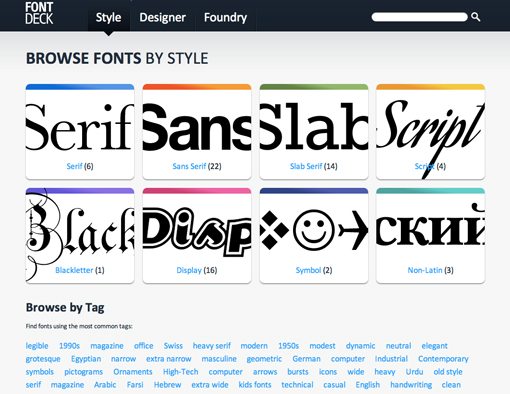
Additionally, you can enter a search string or browse by foundry, designer or tag.
Activating & Installing Fonts
Once you find a font that you like, simply click the activate button and select the site that you’d like to install the font on.
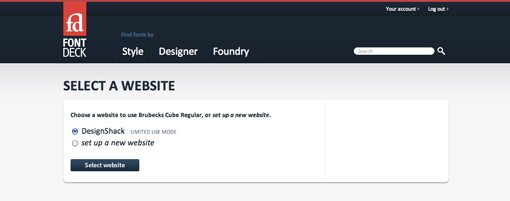
Now you will receive two snippets of code that will allow you to implement the font on your site. The first is a simple stylesheet link (ex: link rel=”stylesheet” href=”http://”) to paste into the header portion of your HTML.
The second snippet is a CSS font-family that you can paste into your stylesheets anywhere you want the FontDeck font to appear (ex: font-family:”Font name”, sans-serif; font-weight:bold; font-style:normal; }).
As you can see, the CSS for the font-family is exactly like you would use normally; you don’t even have to use @font-face. That’s because the @font-face code is automatically generated in the external stylesheet that you link to in the header. You can even insert FontDeck font names into existing font-families that you’ve already setup, giving you complete control over the fallback scenarios.
Licensing
Every font you install will initially be activated within “Limited Use Mode.” Limited use mode means you can use the font for free, but it will only be visible to visitors from 20 unique IP addresses. This is perfect for testing and design so you can get a feel for what a font will look like on your site before you have to purchase it.
When you decide that you like a particular font, you can choose to buy that specific font for use on the site you have registered.
Closing Thoughts
Having tried a few other similar solutions, I found FontDeck to be one of the easiest systems developed thus far for embedding premium fonts into web pages. In all honesty, it probably took you a lot longer to read this article than it would to select a font and grab the code for your design using FontDeck.
Solutions like FontDeck hopefully hint at a bright, hassle-free future for advanced typography on the web. For now it’s still in private beta but we’ll keep you updated and let you know when it launches.