Search Results For: tutorial

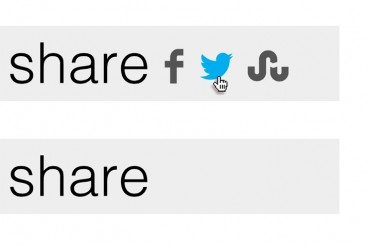
Create an Animated Share Menu With CSS

CSS / 18 Dec 2012

Create an Animated Share Menu With CSS

Sharing is an integral part of the web experience and designers are always looking for new and interesting ways to highlight or show off the sharing portion of their pages.

Today, we’re going to build a simple sharing menu that integrates an icon font as well as some animations. The final product is inspired by Disqus, but has a unique twist of its own. Let’s jump in and see how it works.
7 Awesome Emmet HTML Time-Saving Tips

CSS / 17 Dec 2012

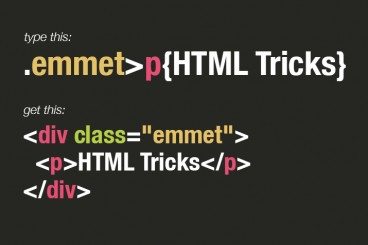
7 Awesome Emmet HTML Time-Saving Tips

Emmet, formerly Zen Coding, is one of the most downright practical and productive text editor plugins that you will ever see. With its ability to instantly expand simple abbreviations into complex code snippets, Emmet makes you feel like a powerful coding wizard with the world at your fingertips.

Today we’re going to dive into seven awesome tips to help you become a true Emmet pro.

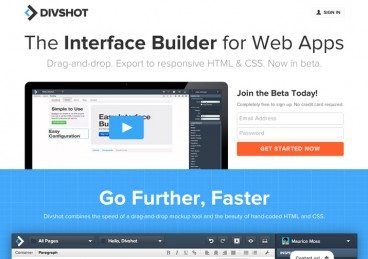
Divshot: An Awesome Way to Design and Build Bootstrap Pages

CSS / 11 Dec 2012

Divshot: An Awesome Way to Design and Build Bootstrap Pages

Recently, we took a close look at Easel, a web-based site builder that leverages Twitter Bootstrap. Today we’re following that up with a tour of a very similar tool: Divshot.

With Divshot, you can quickly and easily build clean, responsive web page layouts using a combination of visual tools and hand coding. It’s a really slick tool and I think you’re going to enjoy using it.

Build an Adaptive CSS Modal Window

CSS / 5 Dec 2012

Build an Adaptive CSS Modal Window

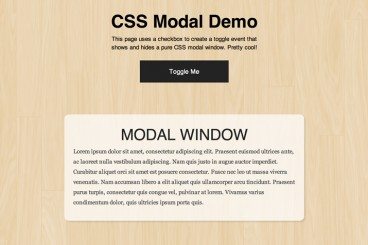
This tutorial is yet another fun CSS project that helps you build something that you may have thought was only possible with JavaScript. We’re going to create a modal window that can be shown and hidden with a click that’s powered by a CSS checkbox.

To sweeten the deal, we’re also going to use a media query to ensure that the modal screen adapts well to smaller screen sizes. Let’s jump in and see how it all works!

7 Great Tools to Help You Build Your Own HTML5 Forms

HTML / 27 Nov 2012

7 Great Tools to Help You Build Your Own HTML5 Forms

Forms can be one of the most complex aspects of your front-end development work. They’re far more complicated than most of the items that you’ll work with from both an HTML and CSS perspective.

If you’ve been frustrated with forms in the past, don’t worry, there is hope! Today we’re going to go over some tools and frameworks that help you get the job done without the headaches.

Easel: A WYSIWYG Bootstrap Page Builder

CSS / 20 Nov 2012

Easel: A WYSIWYG Bootstrap Page Builder

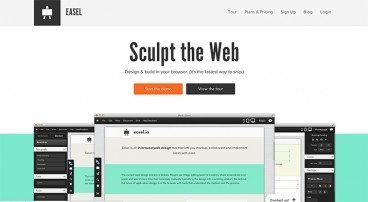
Twitter Bootstrap makes creating complex page layouts a breeze. Drop in a few lines of HTML, apply a few classes and you’ve got yourself a decent looking, minimal working mockup.

Wouldn’t it be nice if things were even easier though? What if Bootstrap had a visual interface? What if you could build Bootstrap pages by dragging and dropping elements onto an empty canvas? With Easel.io, you can do exactly that. Let’s see how it works.

Hammer & Anvil: Two Unbelievably Awesome New Web Development Tools

Software / 19 Nov 2012

Hammer & Anvil: Two Unbelievably Awesome New Web Development Tools

Riot is a small software company currently comprised of only five people. Out of nowhere, this team has dropped two web development apps for Mac users that have blown me away. This is an app category that, in my opinion, hasn’t received much true innovation in recent years and apparently the good people at Riot are out to change that, because their ideas are truly unique and incredibly useful.

Today we’ll take a brief look at both Hammer and Anvil to see what each does and how they can collectively improve your workflow, particularly if you’re a front end developer working with static sites.

How to Create a Visual Brand for Yourself

Business / 13 Nov 2012

How to Create a Visual Brand for Yourself

Getting work is about more than your portfolio. Designers must also know a bit about marketing. This is especially true for freelancers. Your marketable self can, and will, help you land (or lose) work before it even hits your radar.

It is important to create a consistent brand for yourself today. Look at the channels you are using and how you are identified online, decide how you want to be identified and what your name and image should be, and then go out and make it happen. Here are a few tips to get you started.

A Beginner’s Guide to Zurb Foundation 3: The Grid

CSS / 8 Nov 2012

A Beginner’s Guide to Zurb Foundation 3: The Grid

In the past, we’ve discussed Twitter Bootstrap quite a bit. Much more so than its most worthy competitor: Zurb’s Foundation. Now on its third iteration, Foundation is a robust and responsive front end framework used by hundreds of developers every day.

Over the course of several articles, we’re going to jump in and take a look at its various aspects from a complete beginner’s perspective. Today’s topic is my favorite part: the grid. Follow along to see how it works!

The New Wendy’s Logo: What Went Right

Inspiration / 30 Oct 2012

The New Wendy’s Logo: What Went Right

Logo updates are a precarious business. One wrong move and you’ll have an angry mob calling for your head. This is especially true with brands that people have literally interacted with for the majority of their lives.

Today we’re going to take a look at just such a brand. Wendy’s, the self-proclaimed old fashioned hamburger joint, has a brand new logo. Spoiler alert: it’s great, especially when compared to the recent Arby’s update. So what went right here compared with what we saw with Arby’s? Let’s take a look.

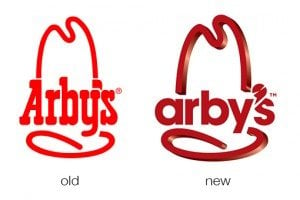
The New Arby’s Logo: Better or Boring?

Inspiration / 15 Oct 2012

The New Arby’s Logo: Better or Boring?

Everyone’s favorite roast beef sandwich fast food chain (ok, maybe the only roast beef fast food chain anyone can name) just jumped headlong into a brand refresh. Their new logo, menu and website is meant to bring the admittedly old-timey restaurant into the 21st century.

The question of course is, did they succeed? Follow along as we take a look at the logo and website to see what we think.