
Search Results For: non-destructive

Lightroom vs Photoshop: Which Is Right for You?

Software / 21 Jan 2020

Lightroom vs Photoshop: Which Is Right for You?

Adobe Photoshop and Lightroom are both amazing apps that designers and photographers can’t live without. However, since both apps have similar qualities, it can be confusing to decide which app is best for your work. We’ll help you make that decision.

Adobe Creative Cloud offers a special “Photography” plan that gives you access to both Photoshop and Lightroom apps for a single price. But it only comes with 20GB of cloud storage.

These two apps have very different functionalities when it comes to editing and composing photos and graphics. It’s important that you choose the right app depending on the type of work you do to make the most of the software. Plus, if you choose to buy a single app, you get 1TB of cloud storage and more great features as well.

Needless to say, there are many benefits to finding the right tool for your work. In this guide, we look at some of the key features of both Photoshop and Lightroom. And find out which app is right for you.

Sketch Templates

Sketch templates can kick-start a user interface or design project with packs of pre-made elements for different types of web and app layout. These templates often have a theme – such as a dashboard app or wireframing kit – with dozens or even hundreds of components that are ready to use.

Sketch templates allow for customization as well so that you can start fast with a base design and change color, fonts, styles, and incorporate your branding. Templates can be a real lifesaver when you need to get a project moving fast.

Thankfully for you, there are plenty of Sketch templates out there to choose from and work with. Not sure where to start? Then you are in the right place.

Read the Feature →

The Master Guide to the Photoshop Layers Panel

Software / 10 Sep 2012

The Master Guide to the Photoshop Layers Panel

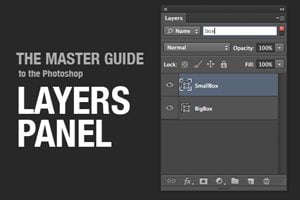
The Layers Panel in Photoshop is one of the single most important aspects of the software’s UI. Odds are, you’ve spent a good chunk of your life staring at and interacting with the Layers Panel, but how well do you really know it?

Today we’re going to take a deep dive into what the Layers Panel has to offer and how to make the most of it in your workflow. We’ll learn about everything from keyboard shortcuts to obscure customization features. Whether you’re a beginner or a pro, you’re bound to learn a few new tricks!

How to Turn Photographic Textures Into Masks in Photoshop

Software / 30 Jul 2012

How to Turn Photographic Textures Into Masks in Photoshop

Texture is a key element of design. Learning how to wield and apply textures effectively will really open up your level of skill and proficiency in Photoshop.

Today we’re going to learn about a super quick and easy way to take a photographic texture and turn it into a mask that affects the transparency of a layer. No matter how proficient you are with Photoshop, you should be able to pick up this technique and begin using it on your projects today.

Graphics / 7 Apr 2011

A Complete Beginner’s Guide to Masking in Photoshop

Several years ago a friend of mine asked me to teach him how masks work in Photoshop. This is my incredibly late response.

We’ll go over the basics of what masks are, what they’re used for and how wielding them properly will take your Photoshop skills to an entirely new level.

Graphics / 19 Jan 2011

Photoshop Reflections 101

Today we’re going to learn all about how to make convincing reflections in Photoshop. Text reflections, 3D reflections, product shot reflections, all kinds of crazy reflections. We’ll discuss everything from custom transforms to blending modes and beyond. Whether you’re a beginner or a pro, you’ll probably learn a thing or two.

You might be thinking that reflections were all the rage a few years ago, but are currently losing a bit of steam, and you’d be right. However, you can still see plenty of them in practice on Apple.com and other sites. You should definitely beware of over-using them and adding to bad web 2.0 trends, but also know that once in a while they can add class to a boring item.