Search Results For: paint

Graphics / 9 Mar 2011

5 Quick and Easy Photoshop Textures You Can Make From Scratch

The web is full of free texture resources. Unfortunately, we’ve all used them before and hate all the inherent restrictions that come as a result of using borrowed art. For your next project, why not just use textures that you make yourself from scratch? You skip the restrictions and the end product is much more unique because you’re not using the same resources used by everyone else.

Today we’re going to get you started by teaching you how to use a couple of basic Photoshop filters to create five completely different textures. Each texture should only take you anywhere from one to three minutes to bust out and can therefore be quickly applied without eating up your crucial design time. Let’s get started!
Business / 25 Feb 2011

10 Expert Tips for Selling Your Designs on Etsy

Etsy is a community that fascinates me. Thinking it was limited to scrapbooks and crafts I paid little attention to the site for years, but recently I discovered that there’s a lot more to this group than meets the eye. It turns out there are several very talented designers on Etsy making a decent amount of cash selling stock designs.

Today we’re going to take a closer look at some of the successful sellers of graphic design templates on Etsy to see if we can glean any trends and tips from them.

Graphics / 19 Jan 2011

Photoshop Reflections 101

Today we’re going to learn all about how to make convincing reflections in Photoshop. Text reflections, 3D reflections, product shot reflections, all kinds of crazy reflections. We’ll discuss everything from custom transforms to blending modes and beyond. Whether you’re a beginner or a pro, you’ll probably learn a thing or two.

You might be thinking that reflections were all the rage a few years ago, but are currently losing a bit of steam, and you’d be right. However, you can still see plenty of them in practice on Apple.com and other sites. You should definitely beware of over-using them and adding to bad web 2.0 trends, but also know that once in a while they can add class to a boring item.

Business / 14 Jan 2011

Design Meets Psychology: Putting Maslow’s Hierarchy of Needs to Work

In the past, we discussed at length Why Designers Can’t Ignore Marketing. For the most part, commenters agreed with idea that designers should familiarize themselves with basic marketing principles.

Today, we’re going to put this idea into practice and discuss Maslow’s Hierarchy of Needs, a model born in humanistic psychology and adopted by many marketing professionals as a way to understand consumer behavior. We’ll go over what the model is, how popular companies like Coco-Cola put it into practice and why any of this is relevant to you as a designer.

Graphics / 27 Oct 2010

Photoshop Blending Modes: Beginner’s Tips and Tricks

Photoshop’s blending modes are a source of constant confusion for many designers. There aren’t really any sort of built-in examples for you to see and the blending mode names are no where near intuitive suggestions of what the effect actually does to the appearance of your document.

Today we’ll help remove a little of the mystery by discussing how a few key blending modes work in addition to some hints for how to use them effectively.

Layouts / 15 Oct 2010

Create a Stunning Wooden Website Template in Photoshop

Today we’re going to build an awesome website template in Photoshop utilizing a number of advanced techniques.

I’ll take you through the entire process in ten easy steps and provide you with a link to download the finished template. Let’s begin!

Graphics / 24 Sep 2010

How to Make Your Spreadsheets Less Lame

Spreadsheets are lame. There’s no two ways about it. We designers hate spreadsheets because they’re a shining example of boring data presented in a boring manner.

Unfortunately for designers, spreadsheets are a necessary evil and could even be called a great and essential tool in the business world. Today we’re going to see how to improve both the aesthetics and readability of your spreadsheets with a few super basic design principles that literally anyone can follow. Let’s get started!

Designing a Professional Business Card

Business Card Templates / 14 Sep 2010

Designing a Professional Business Card

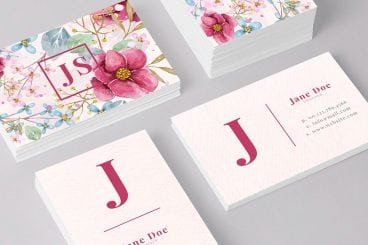
Before websites, email blasts and banner ads, business cards were the central piece of design work for countless small businesses. This simple little piece of cardstock was a major representation of your company. In China, business cards are so highly regarded that it’s considered poor etiquette to write on someone’s card or even put it in your wallet! Typically upon exchange business cards will be placed into a small card case.

Though the digital age has dawned, business cards remain a fairly popular way to quickly provide someone with information about how to reach you or find out more information about your company. Today we’ll go over some common mistakes in business card design and explore a few practical techniques you can use to bring style and professionalism to your cards.

Software / 9 Sep 2010

Mastering Photoshop History and Layer Comps

Sometimes the key to moving ahead in Photoshop is to look back.

There are a number of different tools, features and methods in Photoshop that you can and should be using to track and manipulate the history of your designs as they progress.

Today we’ll take an in-depth look at the Photoshop history palette and how it can help you diversify your designs and keep track of various ideas. We’ll also learn how to use the History Brush and those incredibly handy but difficult to figure out Layer Comps.

10 Tips for Designing Presentations That Don’t Suck

Keynote Templates / 3 Sep 2010

10 Tips for Designing Presentations That Don’t Suck

PowerPoint has produced more bad design in its day that perhaps any other digital tool in history with the possible exception of Microsoft paint.

In this post we’re going to address the epidemic of bad presentation design with ten super practical tips for designer better looking and more professional presentations. Along the way we’ll see a number of awesome slide designs from Note & Point along with some custom examples built by yours truly. Let’s get started!

Layouts / 13 Jul 2010

Rapid Blueprint CSS Layout With Boks

Today we’ll take a look at Boks, an awesome little tool that will help you spec out a basic site layout in no time flat.

We’ll go through what it is and how you can use it to speed up your development as well as what the limitations and downsides are that you’ll want to be aware of before you download the app.

Graphics / 2 Jun 2010

Create Stunning 3D Text Free With SketchUp

Everyone loves 3D text.

Unfortunately, not everyone can afford the 3D modeling software necessary to build it. Today I’ll teach you how to create some awesome 3D text using only Photoshop and a free app from Google. Intrigued? Read on!