Search Results For: text

How to Turn Photographic Textures Into Masks in Photoshop

Software / 30 Jul 2012

How to Turn Photographic Textures Into Masks in Photoshop

Texture is a key element of design. Learning how to wield and apply textures effectively will really open up your level of skill and proficiency in Photoshop.

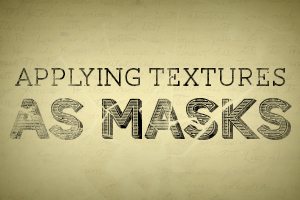
Today we’re going to learn about a super quick and easy way to take a photographic texture and turn it into a mask that affects the transparency of a layer. No matter how proficient you are with Photoshop, you should be able to pick up this technique and begin using it on your projects today.


Brackets: Adobe’s Innovative Text Editor Project

Software / 27 Jun 2012

Brackets: Adobe’s Innovative Text Editor Project

Unlike Apple, Adobe seems to love sharing its product ideas when they’re in their infancy. This is both a good and a bad thing. As a user, it’s fun to see what Adobe has up its sleeve. Admittedly though, it’s frustrating to spend time working with a project only to see it vanish completely, never to come to full fruition. There’s also the frustration involved with using any sort of early beta project. Allowing users to check out the barely functioning version of your product might dissuade them from ever trying the finished one.

For better or worse, Adobe often shows its burgeoning products to the public, and the latest app in this trend is a text editor called Brackets. Adobe claims this new text editor will be innovative, open, focused and extensible. Will brackets live up to these lofty promises? Read on to find out.

Think About Images and Text Together

Layouts / 28 May 2012

Think About Images and Text Together

Good design centers on good content. Good content needs good design to survive and stand out among all the other choices out there. The most successful design projects come together because of content-driven design.

It is easy though for designers get stuck in an image or text rut. This frequently happens because people tend think about text and images on their own. What we should be doing is writing copy with images in mind and preparing design projects with the text in mind. Think about how images and text will work together as you plan your next project.

Super Sweet CSS 3D Text Effects With Sass and LESS

CSS / 27 Feb 2012

Super Sweet CSS 3D Text Effects With Sass and LESS

I was recently discussing the merits and various features of CSS preprocessors with a colleague. We covered all of the basics: how it’s great to have variables and how mixins can save you an incredible amount of coding time. When the conversation turned to some of the more obscure features though things got interesting. When I brought up the various color operations, my colleague boldly proclaimed that no “real designer” could ever find a legitimate excuse for using this feature and not picking his own colors manually.

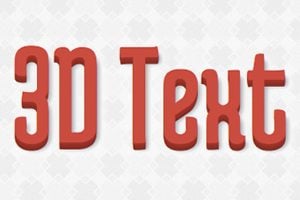
In the words of Barney Stinson, “challenge accepted!” Today we’re going to create an awesome faux 3D text effect with pure CSS and then see why it’s a lot easier to do it with the color operations in Sass or LESS.

Practical Tips for Utilizing Columns of Text in Your Layouts

Layouts / 10 Feb 2012

Practical Tips for Utilizing Columns of Text in Your Layouts

Designing around large blocks of type can be tough and more designers are taking the “fewer-is-better” approach when working with columns and large blocks of text. When using a mass of type, such as in a book, text-laden website or print project, much of the emphasis is more on the readability than the actual look of the type.

Typefaces are important but even more important can be the number of columns used in combination with the words. The number of columns you use in a project can vary depending on a number of factors such as typeface and style used, type of project, font size and gutter width and proportion of other elements.

Graphics / 28 Jul 2011

Three Quick Design Tricks: Sliced Text, Metal Knobs and Curled Stickers

Today we have a small collection of completely random but very useful design tricks that you should keep in the back of your mind the next time you need a new idea.

We’ll be showing you how to slice up some text in Illustrator to give it an edgy feel and how to build a metal slider and a curled sticker in Photoshop.

Software / 31 Mar 2011

Apply Graphics to Textured Surfaces With Displacement Maps

Do you ever wonder how Photoshop masters create such realistic compositions? Seemingly simple tasks such as throwing some text onto a brick wall can easily lead to lackluster results if you don’t know what you’re doing.

So what sets you apart from the pros? Why are their final results so believable while yours reek of Photoshop? The simple answer is that they know more tricks than you! Let’s fix that.

Graphics / 9 Mar 2011

5 Quick and Easy Photoshop Textures You Can Make From Scratch

The web is full of free texture resources. Unfortunately, we’ve all used them before and hate all the inherent restrictions that come as a result of using borrowed art. For your next project, why not just use textures that you make yourself from scratch? You skip the restrictions and the end product is much more unique because you’re not using the same resources used by everyone else.

Today we’re going to get you started by teaching you how to use a couple of basic Photoshop filters to create five completely different textures. Each texture should only take you anywhere from one to three minutes to bust out and can therefore be quickly applied without eating up your crucial design time. Let’s get started!

Graphics / 2 Jun 2010

Create Stunning 3D Text Free With SketchUp

Everyone loves 3D text.

Unfortunately, not everyone can afford the 3D modeling software necessary to build it. Today I’ll teach you how to create some awesome 3D text using only Photoshop and a free app from Google. Intrigued? Read on!

Graphics / 13 May 2010

Create Seamless Web Background Textures in Minutes

Ever wondered how some web designers come up with such great background textures? It’s actually way easier than you might think. It only takes a few minutes and a single Photoshop filter that you’ve probably never used.

Intrigued? Read on to see the step by step instructions for creating tileable textures out of almost any image.

CSS / 9 May 2008

Introduction to CSS3 – Part 3: Text Effects

The third part in this series on CSS3 will be delving into the new text effects. Typography is, without any doubt, one of the most important aspects to get right when designing a layout. Type can draw the reader through a page, give a certain impression, provide impact, be subtle, or aid in separating content.

CSS is already reasonably versatile in the way in which text can be displayed, but still constricts design in quite a few areas. CSS3 goes some way towards removing those limitations.

20+ Cool Hybrid Fonts for Modern Branding

Font Collections / 15 Jun 2026

20+ Cool Hybrid Fonts for Modern Branding

Modern branding often needs fonts that can adapt to diverse visual contexts, and hybrid typefaces do just that.

This roundup highlights hybrid fonts created to support both expressive headlines and structured body copy with seamless cohesion.

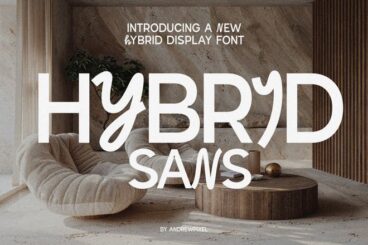
Each typeface mixes design traits in ways that feel intentional and stylish. Some fonts balance >serif and sans-serif traits for a refined yet contemporary feel. Others introduce unique shaping or subtle contrast to add character while maintaining usability across platforms.

Perfect for brand guides, packaging, web interfaces, and print materials, these fonts help unify varied design elements into a cohesive visual language.

When paired with thoughtful typography hierarchy and thoughtful spacing, they elevate every touchpoint in your brand system.