
1. Authors
  2. David Appleyard

David Appleyard

David Appleyard

David Appleyard helps to build fun things for the design community, including Design Shack, Theme Junkie, and Creative VIP.

Current Color Trends: Muted Pastels

Graphics / 30 Jul 2013

Current Color Trends: Muted Pastels

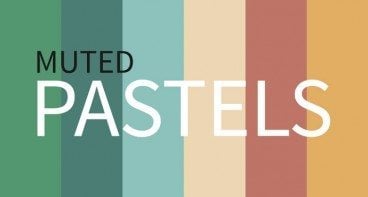
Of late, you may have noticed a crop of new site designs have a softer and lighter look. After all the rainbow brights and even neon or fluorescent hues that have been so popular of late, it seems that some designers are taking a more subtle approach by using lighter or muted colors.

Although the same basic treatments are still being utilized — like colorized photography or color blocking — the new hues are making for a more refined and understated variation on these themes. Today we’re going to delve into this trend a little more, and explore various design examples and approaches.

Using Moo.com for Your Wedding Stationery

Graphics / 8 Jul 2013

Using Moo.com for Your Wedding Stationery

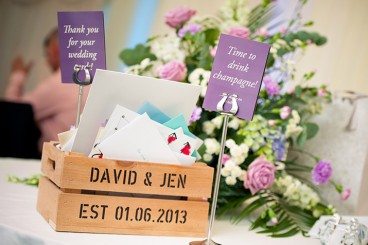
Weddings can be an expensive business. Photographers, venues, food, drink, entertainment, and all manner of other things to consider. But it’s also a fun opportunity for some design work! Wedding “branding” and stationery has the potential to be another big wedding expense, but by thinking a little creatively, you can not only give your special day a personal touch, but also cut down on the cost.

Today I’ll be sharing a little insight into how you can use your copy of Photoshop, and Moo.com, to create a fantastic array of different wedding stationery. We did it for our wedding a couple of weeks ago, and it went down brilliantly.

Understanding Agile Design and Why It’s Important

Business / 19 Jun 2013

Understanding Agile Design and Why It’s Important

It’s no secret that the agile development process has been hurtling through the development world for several years now, swatting aside the older, clunkier waterfall development method. To be fair, whether it was agile or something else, waterfall really had it coming, as its risk-averse, top down approach just can’t keep pace with the demands of today’s marketplace.

While similar changes are occurring in the design world, the agile design process should necessarily look and feel a little different than agile development; they are, after all, different disciplines. Let’s take a deeper look first at what agile development is, and then at a few great ways to adapt the process to the design world.

How to Choose Effective and Attractive Icons in Your Designs

Graphics / 20 May 2013

How to Choose Effective and Attractive Icons in Your Designs

Icons can be considered one of the universalities of web design; almost any website benefits from the addition of at least a few of them. So it’s tempting to assume that if you sprinkle in a handful of these little pictures, your job is done. But there’s a lot more to it than that: good icons should feel like they’re visually integrated into the group of images that they’re in, as well as into the site design as a whole. They need to have a conceptual clarity and purpose that goes beyond being mere eye candy. Any icon that doesn’t serve a stated purpose, or doesn’t convey the right concept in its imagery, is one that needs to be reconsidered.

Of course, there’s room for interpretation and generalization with any kind of imagery, but icons are not mere illustrations that are used purely to break up space and add interest: they’re visual metaphors that can invest meaning into a subject at a single glance; and as such, they’re a powerful tool for improving user experiences.

How to Creatively Market Yourself as a Designer


Business / 27 Mar 2013

How to Creatively Market Yourself as a Designer


Sometimes it seems like every time you jump online, you read about a talented new designer who’s making it big with their latest project. There are a lot of wonderful designers out there, and the constant showcasing of others’ skills makes it feel all the more like you’re lost in the crowd. It’s not enough anymore to have a solid portfolio and work experience; if you really want to stand out in today’s market, going the extra mile in marketing yourself can make all the difference in landing the perfect job, or getting some great freelance projects going.

When you’re considering all the ways that you could market yourself, the most important thing to take into account is how much of a time commitment you can realistically make. Don’t overstretch yourself with a daily blog entry or illustration unless you think you’ll be able to do a great job on it. There are many different levels of requirement for projects that can make a difference in your career; choose what works for you.

CSS / 26 Feb 2009

Correctly Displaying Your Logo With CSS

Every site has a logo, and whether it’s a page filling feature or a small design element, it often forms the primary title feature of your page. This article will show you how to implement a logo using correct semantic markup and simple HTML code, with all the presentation done via CSS.

It’ll ensure that those browsing your site without images will see a decent alternative, and provide search engines with a correct representation of your page title.

The Footer Copyright Notice

HTML / 8 Jul 2008

The Footer Copyright Notice

Almost all websites contain some sort of copyright notice in their footer (e.g. Copyright © 2008 Apple Inc. All rights reserved.). But what’s the best way to do this? We’re going to take you through the requirements for your copyright notice, and a nifty JS (or PHP) trick for ensuring that your copyright year is always up to date.

CSS / 27 May 2008

Introduction to CSS3 – Part 6: Backgrounds

For the last part of our introductory series to CSS3, we will be taking a look at the new background properties. These include background size, using more than one background for an element, and background origin (which effects the position of a background).

CSS / 19 May 2008

Introduction to CSS3 – Part 5: Multiple Columns

Multiple columns are a major facet of laying out text – newspapers have used them for decades. So important are they that it is amazing that the current way to achieve a multi column layout is one of the most complex techniques for a new designer to grasp.

CSS / 13 May 2008

Introduction to CSS3 – Part 4: User Interface

This tutorial will be taking a look at some of the new ways you can manipulate user interface features in CSS3. But what do we mean by “user interface”?

CSS3 brings some great new properties relating to resizing elements, cursors, outlining, box layout and more. We’re focusing on three of the most significant user interface enhancements in this tutorial.

CSS / 9 May 2008

Introduction to CSS3 – Part 3: Text Effects

The third part in this series on CSS3 will be delving into the new text effects. Typography is, without any doubt, one of the most important aspects to get right when designing a layout. Type can draw the reader through a page, give a certain impression, provide impact, be subtle, or aid in separating content.

CSS is already reasonably versatile in the way in which text can be displayed, but still constricts design in quite a few areas. CSS3 goes some way towards removing those limitations.

CSS / 7 May 2008

Introduction to CSS3 – Part 2: Borders

For the second part of our series on CSS3, we’ll be taking a look at borders. Everyone who uses CSS is familiar with the border property – it’s a great way to structure content, create effects around images and improve page layout.

CSS3 takes borders to a new level with the ability to use gradients, rounded corners, shadows and border images. We are going to look at each of these in a bit more detail, using examples where possible.