CSS - Page 6

Learn the latest tips, techniques, and approaches for laying out your websites with CSS and stylesheets.

Use Pseudo Elements to Create an Image Stack Illusion

CSS / 12 Mar 2012

Use Pseudo Elements to Create an Image Stack Illusion

Today we’re going to see if we can take a single image inserted via HTML and make it look like a messy stack of images using only CSS. The key: pseudo elements.

Along the way we’ll see how embarking on a project like this can quickly lead to some messy code and how we can combat that with some awesome DRY coding practices.

What’s the Deal With Display: Inline-Block?

CSS / 29 Feb 2012

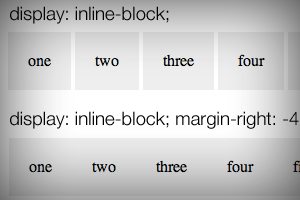
What’s the Deal With Display: Inline-Block?

We’ve been using floats for layout pretty much since we left tables behind. It’s a quirky solution that can often cause troubles, but if you know what you’re doing, it works.

One interesting alternative to floats that people are turning to more and more lately is to set the display value of an element to inline-block. What does this do exactly? How is it like a float? How is it different? Let’s dive in and see what we can discover.

Super Sweet CSS 3D Text Effects With Sass and LESS

CSS / 27 Feb 2012

Super Sweet CSS 3D Text Effects With Sass and LESS

I was recently discussing the merits and various features of CSS preprocessors with a colleague. We covered all of the basics: how it’s great to have variables and how mixins can save you an incredible amount of coding time. When the conversation turned to some of the more obscure features though things got interesting. When I brought up the various color operations, my colleague boldly proclaimed that no “real designer” could ever find a legitimate excuse for using this feature and not picking his own colors manually.

In the words of Barney Stinson, “challenge accepted!” Today we’re going to create an awesome faux 3D text effect with pure CSS and then see why it’s a lot easier to do it with the color operations in Sass or LESS.

Do We Still Slice PSDs?

CSS / 24 Feb 2012

Do We Still Slice PSDs?

The other day a friend of mine said something that caught my attention, “I’m trying to learn how to slice a PSD.” It’s a simple enough statement. As soon as he said it, I knew exactly what he was talking about, and yet, there was something in there that didn’t quite set right.

Upon seeing my hesitation my friend responded with a question, “Do we still slice PSDs?” Great question! For beginners, jargon isn’t merely jargon, it implies a process and suggests a method of action. For this reason, it’s often helpful for more advanced developers to define their terms in a way that is meaningful to others. Today we’ll dive into the theory behind the process of converting a PSD to to a web page and end with a discussion on the ups and downs of designing in the browser.

4 Fun CSS Image Effects You Can Copy and Paste

CSS / 16 Feb 2012

4 Fun CSS Image Effects You Can Copy and Paste

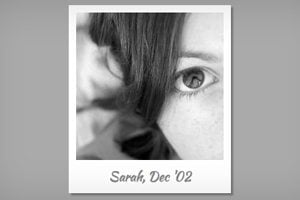
Once upon a time we relied purely on Photoshop to create fancy image effects. These days though we’re turning more and more to pure CSS to add eye candy to our images. Applying custom image treatments using code makes for an infinitely flexible workflow that’s easy to tweak at any time.

Today I’ll walk you through creating some extremely simple and fun CSS image tricks. From polaroids to vignettes, you won’t believe what we can pull off.

Twitter Bootstrap 2: Bootstrap Goes Responsive

CSS / 15 Feb 2012

Twitter Bootstrap 2: Bootstrap Goes Responsive

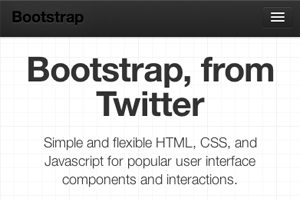
Recently, we published a piece titled 5 Incredibly Useful Tools Built Into Twitter Bootstrap, which took a look at the basic structure of Twitter’s Bootstrap framework and walked you through implementing some of the major components.

Twitter just released Bootstrap 2.0, an update so large it equates to a near full rewrite. There are quite a few new features and toys to play with, but the real headliner is that the framework is now fully responsive. Join us as we dig in to see how the new grid works and what other cool new features have been added. You’ll learn how to implement Bootstrap in your projects and will also pick up some extremely handy CSS techniques that you can use anywhere.

Three Super Easy Ways to Pull Off a Masonry Layout

CSS / 8 Feb 2012

Three Super Easy Ways to Pull Off a Masonry Layout

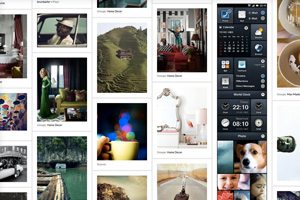
Masonry style layouts push the boundaries of creative layout techniques. I personally love how capable they prove to be at maximizing the efficiency of galleries containing items with varying heights. Every bit of screen space is used and the result can be downright mesmerizing.

Today we’re going to dive into the concept, ideas and popular techniques that are currently prevalent in masonry style layouts. We’ll learn three different methods for pulling off a masonry layout, discuss the ins and outs of each and make sure that the result is beautifully responsive and reflows based on browser width.

Convert a Pricing Table PSD to HTML and CSS

CSS / 7 Feb 2012

Convert a Pricing Table PSD to HTML and CSS

Today we’re going to grab some PSD pricing tables from Design Curate and try to convert them to pure CSS so you can easily drop them into your site.

It’ll be a super basic but fun exercise in bringing a static design to the web and you’ll learn plenty of fun stuff along the way such as how to style hr tags a create a superscript effect.

5 Online Playgrounds for HTML, CSS and JavaScript Compared

CSS / 3 Feb 2012

5 Online Playgrounds for HTML, CSS and JavaScript Compared

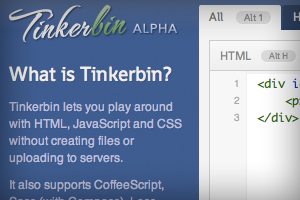
Local coding environments are great, but it’s often the case that I don’t want to crack open Espresso and spend a few minutes setting up to code when all I really want is to test out an idea or work on a bug. Also, sharing options for most local coding apps are limited and typically require integrating an outside app like Dropbox.

Online playgrounds or sandboxes such as jsFiddle solve this problem by providing you with an instantly ready coding environment for you to begin experimenting in as soon as the page loads. These tools let you combine CSS, HTML and often even JavaScript to create and share coding examples. I’m completely addicted to these things and have extensively tested every one I can get my hands on. Today I’ll go over my five favorites and discuss not only why what I like about each option, but also where they fall short.

Code an Awesome Animated Download Button With CSS3

CSS / 30 Jan 2012

Code an Awesome Animated Download Button With CSS3

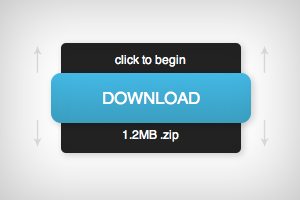
Follow along as we create a simple and fun download button using some fancy CSS3. Our button will use lots of fun goodies including border-radius, box-shadow, linear-gradients, z-index and transitions to achieve a unique double sliding drawer effect on hover.

As we go, I’ll discuss why some techniques that you might think to use should be avoided. Transitions are tricky to work with and are quite prone to refuse to work with certain properties. Read on to find out more.

Nailing Browser Support in CSS3 and HTML5: Invaluable Resources to Use Today

CSS / 23 Jan 2012

Nailing Browser Support in CSS3 and HTML5: Invaluable Resources to Use Today

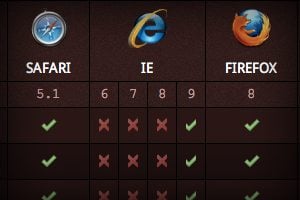
New technologies are making web development more exciting than ever before. HTML5 and CSS3 provide a double dose of modern practices that are absolutely refreshing and empowering. Unfortunately, utilizing these technologies can considerably complicate your quest for cross browser compatibility.

How can you know which techniques are safe to use now and which you should either provide alternatives to or avoid altogether? Join us as we take a look at a handful of our favorite resources that quickly and easily help you make informed decisions about real world HTML5 and CSS3 implementation.

Beating Borders: The Bane of Responsive Layout

CSS / 18 Jan 2012

Beating Borders: The Bane of Responsive Layout

Responsive design often requires setting your widths using percentages. This is easy enough to accomplish, that is until you start throwing borders into the mix. If your columns and total width are set using percentages, a static border size wreaks havoc on your layout.

Today we’re going to look at a couple of different ways to beat this problem. You’ll learn how to create a completely fluid layout that doesn’t mind extra borders or padding one bit.