Articles - Page 107

Browse hundreds of articles, tips, and inspiring design collections. Find helpful design advice, or the perfect resource for your next project.

9 Reasons Why You Should Use Open-Source Fonts

Typography / 12 Oct 2020

9 Reasons Why You Should Use Open-Source Fonts

This is a love letter of sorts to an underrated design tool: open source fonts. Open source fonts are licensed in such a way that anyone can use them for any project at no cost.

Many open source fonts come with the standard Open Font License (you can find it here), and it gives you huge flexibility in how you can use them, the types of projects they are suitable for, and how they can be distributed.

There are plenty of reasons to try open source fonts for projects online and in print. And every typeface featured in this post is open source!


8 Best Company Rebranding Designs & Examples

Inspiration / 30 Sep 2020

8 Best Company Rebranding Designs & Examples

In order to stay relevant, many businesses have to reinvent themselves when the time comes. In recent years, we saw even some of the biggest brands making the tough decision to rebrand their identities completely.

Some were successful at rebranding while many failed miserably. Needless to say, it’s a risk you take when changing the face of a company, especially when it’s done for the wrong reasons.

In this post, we take a look at some of the best and successful rebranding stories with the main focus on rebranding designs. If you’re planning on rebranding your own business, you could learn a thing or two from these companies.

How Many Slides to Use in a Presentation? 5 Tips

PowerPoint Templates / 30 Sep 2020

How Many Slides to Use in a Presentation? 5 Tips

There’s nothing worse than a presentation that goes over time or poorly-designed slides that cram too much information onto the screen at once.

While there are a lot of things that can dictate how many slides to use in a presentation, key factors include how long you have to speak, what content you are presenting, and the visual nature of the content. (Some speakers don’t need slides at all to keep audiences engaged!)

Here, we’re breaking down common presentation times with a guide for how not to overload slides, and use them well—no matter what type of talk you are giving.

15+ Best Sketch Tutorials (Sketch App for Beginners)

Sketch Templates / 29 Sep 2020

15+ Best Sketch Tutorials (Sketch App for Beginners)

If you have been waiting to experiment with Sketch, there’s never a better time to dive in than right now. The Mac-based vector graphics editing tool for user interface and experience design has become a go-to tool for many designers and developers.

If you haven’t started using it yet, or already downloaded the software and are feeling a little overwhelmed, then you are in the right place.

Here, we’re going to look at some of the best Sketch tutorials to help you jumpstart your familiarity and skill level with the software, whether you’re completely new, or looking to level up your skillset.

How to Create & Save a Preset in Lightroom

Lightroom Presets / 2 Sep 2020

How to Create & Save a Preset in Lightroom

If you’re an Adobe Lightroom user, learning how to save a preset can make your workflow much smoother. Today we’re going to teach you how to create your own Lightroom presets in a few quick steps.

A Lightroom preset is a “package” of settings that can speed up the photo-editing process. Presets can be reused to create the same effects over and over again. Using them can take a lot of time out of the editing process for repetitive actions.

We have a full guide to Lightroom Presets if you want to learn more, or find presets that you can download and use right away.

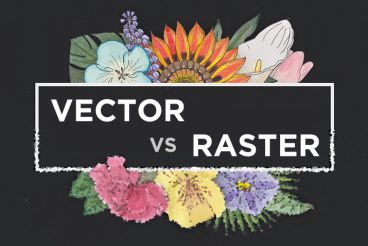
Vector vs. Raster: What Do I Use?

Layouts / 26 Aug 2020

Vector vs. Raster: What Do I Use?

With all of the image options and file formats out there, it can be a little overwhelming when you are choosing what file type to use (and send to clients). Compatibility is always a concern when you are working with different file types, but when it comes to graphics and images the type of computer graphic format you use is essential to how the image renders.

There are two types of digital graphics files – vector and raster. Vector images are made of hundreds of thousands of tiny lines and curves (or paths) to create an image. Raster images are composed of pixels. But how do you know what format is best for your next project?

Is Your Design Inclusive? (And How to Make It More Inclusive)

UX Design / 18 Aug 2020

Is Your Design Inclusive? (And How to Make It More Inclusive)

Is your design for everyone? We talk a lot about creating with an audience in mind, but it’s important to understand that audience can identify in several ways.

Now more than ever before, it is important to create designs and visuals that are inclusive of that entire audience segment. An inclusive aesthetic will make users feel like they are part of the design and that a company, organization, or product is for them.

Inclusivity is more than just accessibility. It’s a combination of function and visual design that creates something that people identify with and want to be a part of.

It’s time to check yourself and your designs, put aside your biases and take a hard look at projects to ensure they are as all-encompassing as they can be. Let’s get started.

How to Use & Install Photoshop Actions

Photoshop Actions / 13 Aug 2020

How to Use & Install Photoshop Actions

If you aren’t taking advantage of Photoshop actions for editing and image effects, you’re missing out on one of Photoshop’s best features. Here, we’ll take you through how to use Photoshop Actions, and the best steps to install and apply them in seconds.

Photoshop actions can save you time when it comes to repeated tasks, and condense entire paths of editing into a single click. (While it might sound too good to be true, Photoshop actions are a very real thing.) We’ve previously hand-picked the best Photoshop actions out there, and today we’re explaining how to use them!

Should You Design Your Brand Based on Digital Marketing Needs?

Business / 11 Aug 2020

Should You Design Your Brand Based on Digital Marketing Needs?

What comes first: branding or strategy? It’s an age-old question for designers and marketers and today extends to digital marketing as well. Should your brand design be based on digital marketing needs?

In today’s marketplace, the answer is overwhelmingly yes. You’ll be hard-pressed to find a brand that isn’t leveraging some type of digital marketing, including social media, to communicate with audiences.

Here’s why.

How to Design a Presentation for Screen Viewing

PowerPoint Templates / 10 Aug 2020

How to Design a Presentation for Screen Viewing

Given how the world is changing, you are probably presenting more commonly on screens in virtual conference or webinar settings. That can impact the design of presentations, and you’ll need to think about what to change to make it work well.

There are multiple considerations when designing PowerPoint, Keynote or Google Slides templates for screen viewing versus when you are presenting live.

Here, we’ll walk through key considerations to help you make the most of designing presentations for screen viewing.

Final Cut vs. Adobe Premiere Pro (Which to Choose? Pros & Cons)

Premiere Pro Templates / 21 Jul 2020

Final Cut vs. Adobe Premiere Pro (Which to Choose? Pros & Cons)

Almost everyone is shooting video these days. From social media clips to full feature moving images for websites and more. But you have to do more than just take video, to get the right finish requires a solid video editing tool.

Two of the best options available are Final Cut Pro and Adobe Premiere Pro. These solid video editors are packed with features and can help you polish video clips for a more professional feel.

But which one is right for your projects? Here, we’re taking a look at each tool and key pros and cons to help you choose the video tool that’s best for your daily workflows (and budget).

Design Trend: Strong Hero Images With Subtle Text

Trends / 14 Jul 2020

Design Trend: Strong Hero Images With Subtle Text

This website design trend is all about contrast… or the lack thereof. More designs are popping up that have large and stunning hero image areas, but text elements are much more subtle. This is a shift from oversized hero area text that has been big (literally) for some time.

These designs make you look because of this difference. It establishes a sense of contrast with other websites, while maybe not creating so much contrast in the design itself.

Let’s take a look at websites with strong hero images and subtle text to help you generate inspiration for your next project.