Search Results For: 3d

Photoshop to CSS Conversion: 3 Methods Compared

CSS / 3 Jan 2013

Photoshop to CSS Conversion: 3 Methods Compared

Converting Photoshop mockups to live web code is an extremely common practice among web designers. We’ve all done it a million times by hand, so it’s pretty exciting when we start seeing solutions pop up that will help us automate this process.

The latest version of Creative Cloud Photoshop CS6 has a built-in feature for converting Photoshop styles to CSS, and if you need another solution, there are two solid extensions that you can check out. Today we’ll compare the results of all three methods: Photoshop, CSS3Ps and CSSHat to see which is best.

The New Wendy’s Logo: What Went Right

Inspiration / 30 Oct 2012

The New Wendy’s Logo: What Went Right

Logo updates are a precarious business. One wrong move and you’ll have an angry mob calling for your head. This is especially true with brands that people have literally interacted with for the majority of their lives.

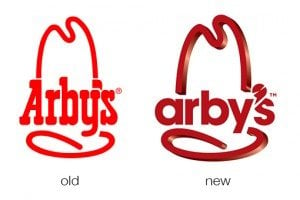
Today we’re going to take a look at just such a brand. Wendy’s, the self-proclaimed old fashioned hamburger joint, has a brand new logo. Spoiler alert: it’s great, especially when compared to the recent Arby’s update. So what went right here compared with what we saw with Arby’s? Let’s take a look.

The New Arby’s Logo: Better or Boring?

Inspiration / 15 Oct 2012

The New Arby’s Logo: Better or Boring?

Everyone’s favorite roast beef sandwich fast food chain (ok, maybe the only roast beef fast food chain anyone can name) just jumped headlong into a brand refresh. Their new logo, menu and website is meant to bring the admittedly old-timey restaurant into the 21st century.

The question of course is, did they succeed? Follow along as we take a look at the logo and website to see what we think.

Battle of the LESS Mixin Libraries: LESS Elements vs. LESS Hat vs. Bootstrap

CSS / 8 Oct 2012

Battle of the LESS Mixin Libraries: LESS Elements vs. LESS Hat vs. Bootstrap

LESS is a friendly, easily-approachable CSS preprocessor. Though ultimately, Sass and Stylus are more powerful and robust, LESS has a certain charm that keeps it as a forerunner in the battle of the preprocessors.

If you’re a Sass fan, then you can take advantage of Compass, an incredible framework that makes coding with complex CSS3 properties a breeze. But what about LESS users? Where’s their Compass? Today we’ll look at three awesome mixin libraries that will help fill that void.

CSS Hat: A Magic Button That Turns Photoshop Styles Into CSS

CSS / 13 Jun 2012

CSS Hat: A Magic Button That Turns Photoshop Styles Into CSS

Taking a design from Photoshop to the web in a click is not even a remotely new idea. For as long as there have been “web designers” there has been the dream of such a workflow. Today we’re going to look at yet another tool that makes this promise: CSS Hat.

CSS Hat is different than other apps that you’ve seen though. It’s not a full blown WYSIWYG aimed at allowing you to build an entire site without writing code, rather it’s a way to bust out a few quick CSS3 styles on a single element using the process that you’ve used for the past decade or more, right in Photoshop. Spoiler alert: it’s good. Really good. Read on to see why.

Create Stunning Effects With CSS Transition Delays

CSS / 8 May 2012

Create Stunning Effects With CSS Transition Delays

I’m a huge fan of CSS transitions. Sure, they can be abused but on the whole they’re a really great and easy way to add a little life to your web pages. And let’s face it, they’re flat out fun to play with.

I’ve covered transitions a million different ways, but there’s one feature that I hardly ever touch: transition delays. Why would you want to delay your transition? It turns out that the effects that you can achieve become much more complex and impressive when you incorporate this one extra parameter. Let’s jump in and build some cool demos to show off how it works.

Are Hover Events Extinct?

Mobile / 26 Apr 2012

Are Hover Events Extinct?

Odds are, :hover was the very first pseudo class selector that you ever learned. Heck, it might be the only one you ever learned. We all love this lovely little feature and use it constantly as a way to create enriched user experiences.

My question today could change the way you think about hover forever: “Does the ubiquity of touchscreens render hover events obsolete?” Put another way, did the iPhone kill :hover? Read on to see how iOS handles a CSS hover event, what that means for you as a developer, and how you should or shouldn’t be using hover events in your designs.

Use Pseudo Elements to Create an Image Stack Illusion

CSS / 12 Mar 2012

Use Pseudo Elements to Create an Image Stack Illusion

Today we’re going to see if we can take a single image inserted via HTML and make it look like a messy stack of images using only CSS. The key: pseudo elements.

Along the way we’ll see how embarking on a project like this can quickly lead to some messy code and how we can combat that with some awesome DRY coding practices.

Convert a Pricing Table PSD to HTML and CSS

CSS / 7 Feb 2012

Convert a Pricing Table PSD to HTML and CSS

Today we’re going to grab some PSD pricing tables from Design Curate and try to convert them to pure CSS so you can easily drop them into your site.

It’ll be a super basic but fun exercise in bringing a static design to the web and you’ll learn plenty of fun stuff along the way such as how to style hr tags a create a superscript effect.

Typography With Perspective: Learn to Wield Illustrator’s Perspective Grid Tool

Typography / 4 Jan 2012

Typography With Perspective: Learn to Wield Illustrator’s Perspective Grid Tool

Today we’re going to take a look at how to use the Perspective Grid in Adobe Illustrator. This awesome and fairly new tool allows you to automatically flow vector elements onto a prebuilt three dimensional grid.

You might think that you need to be an artist to use this tool but there are in fact all kinds of practical uses for it in every day design. We’ll use it to lay out some type like in the example above.

The Ultimate Beginner’s Guide to Using Scatter Brushes in Photoshop

Software / 28 Dec 2011

The Ultimate Beginner’s Guide to Using Scatter Brushes in Photoshop

In web design we often focus on using Photoshop to create pixel perfect designs that are meticulously shaped and layered until they’re absolutely pristine. Repeated patterns, tiny strokes, complex gradients and reflections are trademarks of this design style.

But what if you’re going for something more organic? How can we use Photoshop to create complex and random particle arrangements that don’t look cheesy and contrived? The answer of course is to utilize scatter brushes. This awesome tool seems fairly simple on the surface but there’s a ton functionality and limitless possibilities to explore so even if you’re a Photoshop pro, read on to see some great ideas for how to use scatter brushes in your work.

Four Simple and Fun CSS Button Hover Effects for Beginners

CSS / 14 Dec 2011

Four Simple and Fun CSS Button Hover Effects for Beginners

Today we’re going to take a step back from advanced discussions about CSS preprocessors and return to some good old basics. We’ll work up four super simple CSS buttons, each with a unique animated hover effect.

Follow along with me and create your own fun button styles. Also feel free to grab my code and use it on your projects. If you’re a CSS newbie looking for a good way to make your buttons more interesting, this article is for you!