Search Results For: photoshop

Flex Your Design Muscles With These 10 Creative Exercises

Business / 23 Jan 2017

Flex Your Design Muscles With These 10 Creative Exercises

Are you already over all those New Year’s resolutions? Now that we are a little further into the year, it’s time to pause and refresh in a way that will last longer than a fad diet or 30-day gym membership. You need to flex your creative muscles.

You might be surprised at the value of simple design workouts. They can help you forget problems you are actually working on (maybe helping you solve those design dilemmas), and even learn something new.

It only takes a few minutes a week to work through an exercise or two, and really stretch those creative muscles. Pick an exercise from our collection below – each one includes just three steps — and make a date to get in design shape!

Duotone Color: Tips & Examples for This Vibrant Trend

Graphics / 28 Sep 2016

Duotone Color: Tips & Examples for This Vibrant Trend

The next big web design image trend is here, and it’s vibrant, colourful, and beautiful!

Thanks to Spotify, duotone is growing in popularity almost daily. The effect, which uses a pair of colors over a photo is striking, fun and vibrant. It’s also quite trendy, with new sites changing to a duotone format almost daily. Here are a few ways to make the most of this hot design technique.

20+ Stunning Hero Images for a Creative Website

Inspiration / 20 Sep 2016

20+ Stunning Hero Images for a Creative Website

What do Salesforce, TaskRabbit, Tesla, and Pocket websites have in common? They all rock hero images.

Make no mistake, the hero image web design trend is still very much alive. What is a hero image? Well, it’s basically a giant banner-style image that takes over the top half of the page. The main goal of this design strategy is to quickly grab the user’s attention while showcasing some of the features of a product or a service at the same time.

According to research, colored visuals increase people’s willingness to read a piece of content by 80%. It’s one of the reasons why placing a hero image above the fold has been found to be quite effective in increasing website engagement.

Everything You Need to Know About HD Design

Graphics / 28 Mar 2016

Everything You Need to Know About HD Design

If you haven’t already taken note, the web is going high def. From images to backgrounds to user interface elements, high definition is the new normal.

It started with some of the retina and high-resolution screens, but access to faster connections has also emphasized this phenomenon, providing greater access to HD websites from any device. Are you thinking about and designing in high definition? Here are a few things to consider.

Design Theory: The Rule of Three

Graphics / 21 Mar 2016

Design Theory: The Rule of Three

One. Two. Three. Now stop counting and think about how elements grouped in threes can work for your projects. It’s an interesting concept but one that crosses multiple disciplines.

In public speaking, three points in sequence are crafted to drive home a point. In photography and art, the rule of thirds helps you visualize the canvas differently. Even the American Declaration of Independence is rooted in three rights: life, liberty and the pursuit of happiness. How can you think more about groupings of three and implement this magic number into your projects? We have a few suggestions.

Use Abstract Geometry to Create Stunning Designs

Inspiration / 24 Sep 2015

Use Abstract Geometry to Create Stunning Designs

If you’ve ever found yourself in a design rut, wondering how to come up with some fresh ideas, then you’ve no doubt experienced how refreshing it can be to experiment with a new design style that’s completely outside of what you typically produce.

Today we’re going to do exactly that. I’ve been fascinated with a particular style lately and just itching to give it a test drive. We’ll start by analyzing this style’s characteristics through the work of others and then proceed to building something on our own using what we learn. Read on to see the step by step process.

Are You a Right-Brained or Left-Brained Designer?

Business / 17 Sep 2015

Are You a Right-Brained or Left-Brained Designer?

Colors, pictures, creativity; designers are quite obviously a group of people that tend to gravitate towards using the right sides of their brains… right? Or is this simply a stereotype that doesn’t necessarily ring true?

Is design exclusively artistic talent put to productive use or is it possible that the industry is equally full of analytical problem solvers? Let’s take a look at how designers think, whether you’re a right brainer or a left brainer, and how I’ve struggled through being a left brainer in an industry of right brainers.

Blurred Images in Web Design: How to Make Them Work

Graphics / 10 Aug 2015

Blurred Images in Web Design: How to Make Them Work

It’s an undeniable fact: using blurred images is a trending web design technique in 2015. It seems like everywhere you look there’s some element of blur.

But this is not a solution to some of your photo problems. It’s a distinct technique that takes practice to perfect and attention to detail to get it right. So before you jump on the trend, think about the options for using blurred images to decide if it is right for you and how you can make the best use of this technique in your projects.

Kinetic Typography: An Introductory Guide

Typography / 5 Aug 2015

Kinetic Typography: An Introductory Guide

Kinetic typography seems to be everywhere these days. From television commercials to website landing pages, movable type is a popular visual tool. This popularity could come from a number of reasons but one obvious factor is that it catches your attention. People tend to be drawn to words and want to read them.

Kinetic typography puts this together with some simple animations to create words that move on the screen, grabbing your attention and engaging the senses. So let’s take a look at kinetic typography and how you can integrate it into some of your design projects. (Note: The examples in this article include animation; click the images for links to the original sources to see them in action.)

Google Material Design: Everything You Need to Know

UX Design / 24 Feb 2015

Google Material Design: Everything You Need to Know

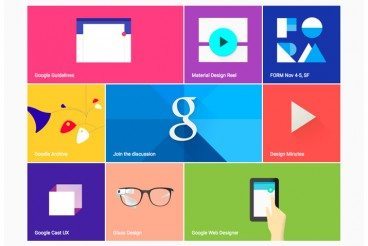
You probably keep hearing the phrase “material design” popping up in conversations. The concept is pretty new; it was introduced in the summer and references a new design language from the folks at Google.

But material design is more than just an idea; it is likely to cause designers to completely rethink web and app design processes. Sites are already beginning to role out design schemes using Google’s material design documentation. So now is the time to learn what it’s all about and if a material design framework is in your future.

Looking at Images: Phi Grid vs. Rule of Thirds

Layouts / 9 Feb 2015

Looking at Images: Phi Grid vs. Rule of Thirds

When you are thinking about images, do you consider framing and the shape of the crop? The answer does not lie in the shape of the box you just created on a design canvas. It has a lot to do with the content of the image itself.

How you frame and crop images can impact engagement and even how a person looking at the image feels about it (whether they know it or not). Here, we’re going to look at two different ways of thinking about images – using the phi grid and rule of thirds — and how you can apply them to your work.

Designing Hover Styles and the Future of the Technique

UX Design / 24 Dec 2014

Designing Hover Styles and the Future of the Technique

Despite arguments that hover styles are dead, these small boxes that pop-up over images, text or other elements on websites are still found all over the web. Designers like them for an added bit of style and information; users like them for functionality. (They are only “dead” because hover styles don’t work without a mouse-over).

The UI function is still there for now. And if you opt to use it, you’ll want to create well-designed hover styles that engage users. You’ll also want to think about how to alter these areas of your website for responsive sites.