Search Results For: effect

Parallax Effects Compared: 5 Choices to Consider

Layouts / 13 Nov 2017

Parallax Effects Compared: 5 Choices to Consider

Parallax effects remain one of the hottest web design trends. This animated scrolling technique happens when background and foreground move at different speeds while the user scrolls so that there are two independent layers moving at the same time.

This effect can be used for any number of website types and is a fun way to create – and increase – user engagement. The nice thing about parallax effects is that you don’t have to use them on every page of a design; parallax scrolling is a great homepage technique to help drive users to calls to action or other content.

Parallax effects create an element of depth and distance and a greater sense three-dimension than some other techniques, making users feel like part of the design.

The downside to parallax effects is that they don’t always work on mobile devices. (But there are some workarounds for that as well in the tutorial at the end of this article.)

Here are five parallax effects and styles to consider. (Make sure to click through the links to see exactly how each animation works.)
Tiny Text: 6 Ways to Use It Effectively in Web Design

Typography / 24 Jul 2017

Tiny Text: 6 Ways to Use It Effectively in Web Design

One of the biggest trends in web design right now is super small. “Tiny” text elements have become a popular idea, but it’s a design trend that has spurred some debate.

There’s no doubt that small text sizes can cause some readability concerns. But when done well, a small block of tiny text can actually help create a point of visual emphasis and draw users into certain parts of the design.

Join us as we take a look at the tiny text trend, with examples to provide some design inspiration.

5 Rules for Designing an Effective Ad Campaign

Business / 27 Mar 2017

5 Rules for Designing an Effective Ad Campaign

Designers have to wear a lot of hats these days. You might create a website one day, a brochure the next, and an ad campaign for print or social media after that.

And while many of these projects all rely on the same theories of design and an eye for what looks good, there are some differences that can impact the success of certain projects. Designing ad campaigns can be tricky if you haven’t done a lot of it. The canvas is often small and doesn’t give you a lot of room for error. You get just one chance to hook a user with design and information. Here’s how to do it.

Design Trend: Innovative Hover Effects

Graphics / 6 Mar 2017

Design Trend: Innovative Hover Effects

Everywhere you look, there’s a cool new animated effect. If animation was the must-have design element of 2016, then innovated hover effects are the up and coming design trend of 2017.

Thanks in part to the popularity of Material Design and Apple’s animation guidelines with a focus on small movements, hover effects are making a comeback. But instead of the tacky, flashing, bouncing and spinning effects of the past, animations are simple, sharp and delightful. The best hover effects help the user and enhance the experience.

Hover effects can range from motion that has an impact on the entire screen to something as small as a directional cue or navigation element.

7 Tips for Effective Use of Icons in Design Projects

Graphics / 11 Jan 2017

7 Tips for Effective Use of Icons in Design Projects

Designing icons can be a lot of fun. But once you have a good set, what do you do with them?

Icons are not just miniature links for Facebook or Instagram — they can be fully interactive cues that help lead users through a design and provide extra visual spark. Icons can be small or large, black and white or colored, flat or intricate. No matter what style appeals to you, effective use of icons can enhance usability and the aesthetic value of almost any design project.

Monochromatic Color: How to Use It Effectively

Inspiration / 19 Aug 2015

Monochromatic Color: How to Use It Effectively

While the thought of completing a design project with only one color might be intimidating, it can actually result in a pretty awesome aesthetic. Monochromatic color options are also a hot concept and can work for a lot of project types.

Monochromatic color is rooted in color theory and takes more than just picking a color and designing everything with it. You’ll want to consider the meaning and associations of the color you choose and how to make that hue work with other components in the page. Here, we’ll explore ways to help you better understand and effectively use monochromatic color in any of your design projects.

The Complete Guide to an Effective Card-Style Interface Design

Layouts / 18 Mar 2015

The Complete Guide to an Effective Card-Style Interface Design

Card-style architecture is one of the biggest things in web design, and mobile design in particular. From apps to responsive websites, the card-style format is popping up everywhere.

And for good reason. Mobile card design looks nice, works well on a variety of devices and creates distinct organization and a method for content delivery. That’s why many large, well-known brands are using the card format and many smaller design and development groups are following suit.

How to Pull Off a Tilt Shift Effect With Webkit CSS Filters

CSS / 11 Oct 2013

How to Pull Off a Tilt Shift Effect With Webkit CSS Filters

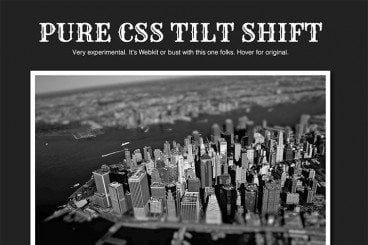
Thanks to mobile image editing apps like Instagram, the faux tilt shift fad seems to be at its height. But why should we let iPhones have all the fun? Let’s bust out a tilt shift effect using pure CSS.

In this tutorial, we’ll learn all about the new CSS filters in Webkit and how to implement an image mask in CSS. We’ll then use these techniques for our final tilt shift effect. We’re going to hit on all kinds of crazy stuff so read on and we’ll have some fun.

10 Easy Image Hover Effects You Can Copy and Paste

CSS / 16 Aug 2013

10 Easy Image Hover Effects You Can Copy and Paste

Hover effects are always a fun topic to explore. In the past, we’ve built some awesome examples of CSS hovers that were easy to copy and paste right into your code.

Today, we’re going to follow that up with ten new effects specifically built for use with images. Each example comes with an HTML and CSS snippet that you can steal and a live demo so you can see it in action.

How to Choose Effective and Attractive Icons in Your Designs

Graphics / 20 May 2013

How to Choose Effective and Attractive Icons in Your Designs

Icons can be considered one of the universalities of web design; almost any website benefits from the addition of at least a few of them. So it’s tempting to assume that if you sprinkle in a handful of these little pictures, your job is done. But there’s a lot more to it than that: good icons should feel like they’re visually integrated into the group of images that they’re in, as well as into the site design as a whole. They need to have a conceptual clarity and purpose that goes beyond being mere eye candy. Any icon that doesn’t serve a stated purpose, or doesn’t convey the right concept in its imagery, is one that needs to be reconsidered.

Of course, there’s room for interpretation and generalization with any kind of imagery, but icons are not mere illustrations that are used purely to break up space and add interest: they’re visual metaphors that can invest meaning into a subject at a single glance; and as such, they’re a powerful tool for improving user experiences.

Pull Off Awesome Scroll Effects With Stroll.js

CSS / 26 Jun 2012

Pull Off Awesome Scroll Effects With Stroll.js

Scrolling effects are all the rage these days. As the user moves down the page, content does more than move up the screen, it comes alive and becomes more interesting. Unfortunately, there’s no easy way to pull these effects off with pure CSS. If you don’t know JavaScript, you’re out of luck.

That’s where Stroll.js comes in. It’s a super easy to implement library that makes applying mind-boggling scroll effects a breeze. All you have to do is paste in a couple of brief lines of JavaScript, the rest is all handled with HTML and CSS. Keep reading and I’ll show you how it works.

Code a Simple Folded Corner Effect With CSS

CSS / 30 May 2012

Code a Simple Folded Corner Effect With CSS

This week we have yet another fun and simple CSS project for you to hone your coding chops on. This time around we’ll be creating the illusion of a page with one corner that has been folded over.

With the power of pseudo elements, we’ll create some CSS triangles that we can then push into place to create our page fold. Once we’re all finished, you’ll be able to simply apply a class to any div to add in the effect.