Search Results For: effect

Use Pseudo Elements to Create an Image Stack Illusion

CSS / 12 Mar 2012

Use Pseudo Elements to Create an Image Stack Illusion

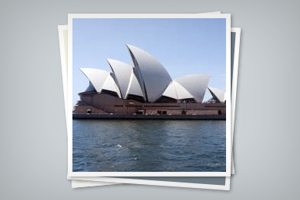
Today we’re going to see if we can take a single image inserted via HTML and make it look like a messy stack of images using only CSS. The key: pseudo elements.

Along the way we’ll see how embarking on a project like this can quickly lead to some messy code and how we can combat that with some awesome DRY coding practices.

Mastering Multiple Photo Layouts

Layouts / 2 Mar 2012

Mastering Multiple Photo Layouts

Working with multiple photos and images can be a tricky prospect. Done carefully, the use of multiple images can help create an effective and masterful design for both print and web design projects. Some of the best examples of design using multiple photos can be found in the websites of professional photographers.

Consider dominance, number of photos, color, grouping and image quality when working with a variety of photos. Look at details and consider the feel of a project to get the best results when using many images in your project.

Do We Still Slice PSDs?

CSS / 24 Feb 2012

Do We Still Slice PSDs?

The other day a friend of mine said something that caught my attention, “I’m trying to learn how to slice a PSD.” It’s a simple enough statement. As soon as he said it, I knew exactly what he was talking about, and yet, there was something in there that didn’t quite set right.

Upon seeing my hesitation my friend responded with a question, “Do we still slice PSDs?” Great question! For beginners, jargon isn’t merely jargon, it implies a process and suggests a method of action. For this reason, it’s often helpful for more advanced developers to define their terms in a way that is meaningful to others. Today we’ll dive into the theory behind the process of converting a PSD to to a web page and end with a discussion on the ups and downs of designing in the browser.

Developing a Color Scheme and Color Management Tips

Inspiration / 17 Feb 2012

Developing a Color Scheme and Color Management Tips

Building a website can come with a few unexpected hiccups, one of those being color. Understanding color choices, and how colors may render on different computers is the first step to ensuring that your site has the look you intended.

In addition to finding and selecting colors that work for you, it is wise to develop and manage a color scheme for your project. It is simple to create a set of swatches in common image software such as Adobe’s Photoshop or Illustrator and organize colors in such a way that they are easy to find and use.

Practical Tips for Utilizing Columns of Text in Your Layouts

Layouts / 10 Feb 2012

Practical Tips for Utilizing Columns of Text in Your Layouts

Designing around large blocks of type can be tough and more designers are taking the “fewer-is-better” approach when working with columns and large blocks of text. When using a mass of type, such as in a book, text-laden website or print project, much of the emphasis is more on the readability than the actual look of the type.

Typefaces are important but even more important can be the number of columns used in combination with the words. The number of columns you use in a project can vary depending on a number of factors such as typeface and style used, type of project, font size and gutter width and proportion of other elements.

Three Super Easy Ways to Pull Off a Masonry Layout

CSS / 8 Feb 2012

Three Super Easy Ways to Pull Off a Masonry Layout

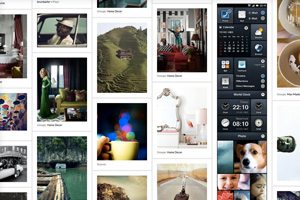
Masonry style layouts push the boundaries of creative layout techniques. I personally love how capable they prove to be at maximizing the efficiency of galleries containing items with varying heights. Every bit of screen space is used and the result can be downright mesmerizing.

Today we’re going to dive into the concept, ideas and popular techniques that are currently prevalent in masonry style layouts. We’ll learn three different methods for pulling off a masonry layout, discuss the ins and outs of each and make sure that the result is beautifully responsive and reflows based on browser width.

Convert a Pricing Table PSD to HTML and CSS

CSS / 7 Feb 2012

Convert a Pricing Table PSD to HTML and CSS

Today we’re going to grab some PSD pricing tables from Design Curate and try to convert them to pure CSS so you can easily drop them into your site.

It’ll be a super basic but fun exercise in bringing a static design to the web and you’ll learn plenty of fun stuff along the way such as how to style hr tags a create a superscript effect.

5 Online Playgrounds for HTML, CSS and JavaScript Compared

CSS / 3 Feb 2012

5 Online Playgrounds for HTML, CSS and JavaScript Compared

Local coding environments are great, but it’s often the case that I don’t want to crack open Espresso and spend a few minutes setting up to code when all I really want is to test out an idea or work on a bug. Also, sharing options for most local coding apps are limited and typically require integrating an outside app like Dropbox.

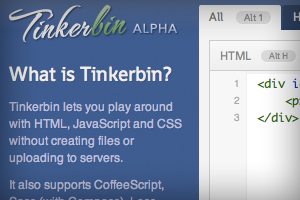
Online playgrounds or sandboxes such as jsFiddle solve this problem by providing you with an instantly ready coding environment for you to begin experimenting in as soon as the page loads. These tools let you combine CSS, HTML and often even JavaScript to create and share coding examples. I’m completely addicted to these things and have extensively tested every one I can get my hands on. Today I’ll go over my five favorites and discuss not only why what I like about each option, but also where they fall short.

Why Almost Is a Dirty Word in Design

Graphics / 31 Jan 2012

Why Almost Is a Dirty Word in Design

Almost. It seems innocent enough right? Surely there’s no evil lurking in those six letters. You might even see this as a positive word. However, as a designer, you should always be on guard when this word can describe certain aspects of your work.

Read on to see why “almost” can be a dirty word and how it just might be bringing down the quality of your work. We’ll also take a look at two underlying foundations of good design that provide ready solutions to solve your “almost” design woes.

Code an Awesome Animated Download Button With CSS3

CSS / 30 Jan 2012

Code an Awesome Animated Download Button With CSS3

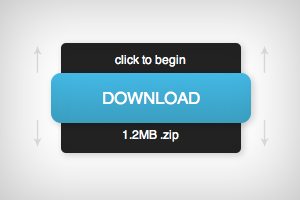
Follow along as we create a simple and fun download button using some fancy CSS3. Our button will use lots of fun goodies including border-radius, box-shadow, linear-gradients, z-index and transitions to achieve a unique double sliding drawer effect on hover.

As we go, I’ll discuss why some techniques that you might think to use should be avoided. Transitions are tricky to work with and are quite prone to refuse to work with certain properties. Read on to find out more.

Pick the Right Typefaces for Your Project

Typography / 26 Jan 2012

Pick the Right Typefaces for Your Project

Sometimes the most daunting part of a new project can be the brainstorming phase. Thinking of color schemes and font selections can be inspiring in your head, but really tough when you start mixing and matching elements on paper or for your website.

Understanding some of the history of fonts and typography can help make any project a little easier. Learn how to pair different typefaces to get desired effect every time and learn what things to avoid. Sharp typography and font selections can really make or break just about any project.

Beating Borders: The Bane of Responsive Layout

CSS / 18 Jan 2012

Beating Borders: The Bane of Responsive Layout

Responsive design often requires setting your widths using percentages. This is easy enough to accomplish, that is until you start throwing borders into the mix. If your columns and total width are set using percentages, a static border size wreaks havoc on your layout.

Today we’re going to look at a couple of different ways to beat this problem. You’ll learn how to create a completely fluid layout that doesn’t mind extra borders or padding one bit.