Search Results For: event

Create an Animated Share Menu With CSS

CSS / 18 Dec 2012

Create an Animated Share Menu With CSS

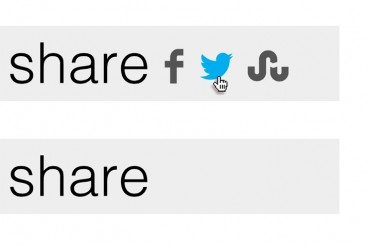
Sharing is an integral part of the web experience and designers are always looking for new and interesting ways to highlight or show off the sharing portion of their pages.

Today, we’re going to build a simple sharing menu that integrates an icon font as well as some animations. The final product is inspired by Disqus, but has a unique twist of its own. Let’s jump in and see how it works.
7 Awesome Emmet HTML Time-Saving Tips

CSS / 17 Dec 2012

7 Awesome Emmet HTML Time-Saving Tips

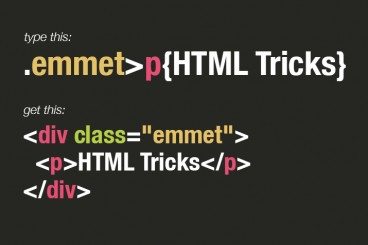
Emmet, formerly Zen Coding, is one of the most downright practical and productive text editor plugins that you will ever see. With its ability to instantly expand simple abbreviations into complex code snippets, Emmet makes you feel like a powerful coding wizard with the world at your fingertips.

Today we’re going to dive into seven awesome tips to help you become a true Emmet pro.

Build an Adaptive CSS Modal Window

CSS / 5 Dec 2012

Build an Adaptive CSS Modal Window

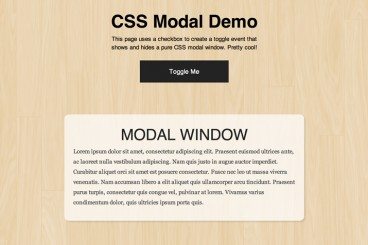
This tutorial is yet another fun CSS project that helps you build something that you may have thought was only possible with JavaScript. We’re going to create a modal window that can be shown and hidden with a click that’s powered by a CSS checkbox.

To sweeten the deal, we’re also going to use a media query to ensure that the modal screen adapts well to smaller screen sizes. Let’s jump in and see how it all works!

7 Great Tools to Help You Build Your Own HTML5 Forms

HTML / 27 Nov 2012

7 Great Tools to Help You Build Your Own HTML5 Forms

Forms can be one of the most complex aspects of your front-end development work. They’re far more complicated than most of the items that you’ll work with from both an HTML and CSS perspective.

If you’ve been frustrated with forms in the past, don’t worry, there is hope! Today we’re going to go over some tools and frameworks that help you get the job done without the headaches.

The New Wendy’s Logo: What Went Right

Inspiration / 30 Oct 2012

The New Wendy’s Logo: What Went Right

Logo updates are a precarious business. One wrong move and you’ll have an angry mob calling for your head. This is especially true with brands that people have literally interacted with for the majority of their lives.

Today we’re going to take a look at just such a brand. Wendy’s, the self-proclaimed old fashioned hamburger joint, has a brand new logo. Spoiler alert: it’s great, especially when compared to the recent Arby’s update. So what went right here compared with what we saw with Arby’s? Let’s take a look.

How to Avoid Stupid Screw-Ups With Adobe Template Files

Software / 1 Oct 2012

How to Avoid Stupid Screw-Ups With Adobe Template Files

Don’t you hate it when you use some important file as a template and then accidentally save over it? I used to do this all the time and it frustrated me to no end.

Fortunately, Adobe has invented these great little template file types that fundamentally function differently than your normal files to make sure you don’t screw anything up. Read on to see how they work.

How to Design the Perfect Twitter Header Image

Graphics / 20 Sep 2012

How to Design the Perfect Twitter Header Image

Twitter recently rolled out an updated design for profile pages, which allows you to insert a new “header photo” that sits on top of your feed, much like Facebook’s timeline cover image.

Today we’re going to dive in and see some examples of good Twitter profile images and discuss how you can design your own. I’ll even toss in a free template so you can get started right away.

The Master Guide to the Photoshop Layers Panel

Software / 10 Sep 2012

The Master Guide to the Photoshop Layers Panel

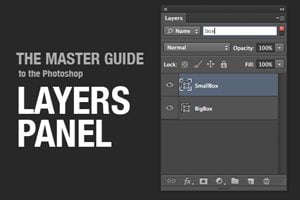
The Layers Panel in Photoshop is one of the single most important aspects of the software’s UI. Odds are, you’ve spent a good chunk of your life staring at and interacting with the Layers Panel, but how well do you really know it?

Today we’re going to take a deep dive into what the Layers Panel has to offer and how to make the most of it in your workflow. We’ll learn about everything from keyboard shortcuts to obscure customization features. Whether you’re a beginner or a pro, you’re bound to learn a few new tricks!

Build a Fun Photo Swap Animation With CSS Keyframes

CSS / 5 Sep 2012

Build a Fun Photo Swap Animation With CSS Keyframes

CSS keyframe animations open up a vast range of possibilities for what can be accomplished with CSS. Much more than simple, one-step transitions, keyframes can be used to achieve complex, multi-step animations that are quite impressive.

In today’s project, we’re going to start from scratch and build a stack of two photos that spread out and swap their stacking order when you hover over them. Along the way we’ll learn all about how to wield keyframes like a pro and juggle all of those head-spinning prefixes!

Brackets: Adobe’s Innovative Text Editor Project

Software / 27 Jun 2012

Brackets: Adobe’s Innovative Text Editor Project

Unlike Apple, Adobe seems to love sharing its product ideas when they’re in their infancy. This is both a good and a bad thing. As a user, it’s fun to see what Adobe has up its sleeve. Admittedly though, it’s frustrating to spend time working with a project only to see it vanish completely, never to come to full fruition. There’s also the frustration involved with using any sort of early beta project. Allowing users to check out the barely functioning version of your product might dissuade them from ever trying the finished one.

For better or worse, Adobe often shows its burgeoning products to the public, and the latest app in this trend is a text editor called Brackets. Adobe claims this new text editor will be innovative, open, focused and extensible. Will brackets live up to these lofty promises? Read on to find out.

Pull Off Awesome Scroll Effects With Stroll.js

CSS / 26 Jun 2012

Pull Off Awesome Scroll Effects With Stroll.js

Scrolling effects are all the rage these days. As the user moves down the page, content does more than move up the screen, it comes alive and becomes more interesting. Unfortunately, there’s no easy way to pull these effects off with pure CSS. If you don’t know JavaScript, you’re out of luck.

That’s where Stroll.js comes in. It’s a super easy to implement library that makes applying mind-boggling scroll effects a breeze. All you have to do is paste in a couple of brief lines of JavaScript, the rest is all handled with HTML and CSS. Keep reading and I’ll show you how it works.

Meet CodePen: Dribbble for Coders

CSS / 20 Jun 2012

Meet CodePen: Dribbble for Coders

If you follow Chris Coyier on Twitter, then you have no doubt seen quite a few mentions go by in recent months of a not so secret project called CodePen. Chris promised us that this new tool would join the ranks of jsFiddle and Tinkerbin, serving as a sort of online playground to experiment with and share CSS, HTML and JavaScript demos.

Like a kid in December anxiously awaiting Christmas day, I’ve been dying to see what Chris and his team would come up with. Fortunately, Christmas has arrived. CodePen is a live project and I can’t wait to tell you all about it.