Search Results For: cover

Graphics / 24 Mar 2011

Pepsi vs Coke: The Power of a Brand

Today we’re going to jump into an age old rivalry between the two biggest soft drink companies on the planet and their flagship products: Pepsi and Coca-Cola.

The main theme will be brand evolution. We’ll take a look at how both brands have changed over the years and which seems to have the better strategy.

Graphics / 23 Mar 2011

Effective Package Design Does More Than Look Good on the Shelf

Package design is deceptively simple. Many designers wrongfully approach this task as merely a matter of aesthetics and give no thought to the fact that packaging has to succeed on many variables.

Today we’ll go over some basic principles to keep in mind the next time you’re designing either the package itself or merely the artwork. Along the way we’ll see a few amazing and not-so-great examples to learn from.

Business / 25 Feb 2011

10 Expert Tips for Selling Your Designs on Etsy

Etsy is a community that fascinates me. Thinking it was limited to scrapbooks and crafts I paid little attention to the site for years, but recently I discovered that there’s a lot more to this group than meets the eye. It turns out there are several very talented designers on Etsy making a decent amount of cash selling stock designs.

Today we’re going to take a closer look at some of the successful sellers of graphic design templates on Etsy to see if we can glean any trends and tips from them.

Graphics / 17 Feb 2011

How to Make Slicing Suck Less: Tips and Tricks for Slicing a PSD

I have a dirty little secret, I hate slicing Photoshop files. By that I don’t mean that I hate turning PSD comps into websites, I mean that I hate Photoshop’s slicing tools. The whole process makes my PSD look busy, cluttered and overly complicated so I usually skip it altogether and instead opt to manually crop and save out images individually as needed.

In order to fight this tendency and attempt to see the true usefulness of Photoshop’s slicing tools, I embarked on a mission to learn all the intricacies of how slicing works. Below is a collection of tips and tricks that resulted from this journey. Hopefully, you’ll learn a thing or two you never knew!

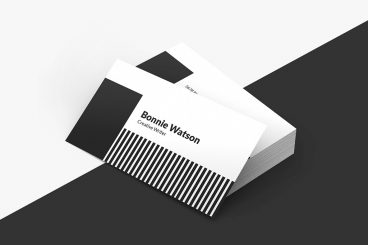
50 Incredibly Clever Business Card Designs

Business Card Templates / 11 Feb 2011

50 Incredibly Clever Business Card Designs

Business cards are a constant point of creativity for designers. This little personalized piece of marketing holds an impressive amount of potential for capturing the attention of potential customers and many businesses are willing to spend plenty of money to make sure their cards make a lasting statement.

Today we’ve collected over fifty business card designs and concepts that not only have aesthetic appeal, but really go that extra mile to increase impact. Some pop up into 3D shapes, others glow in the dark or even serve a lasting useful purpose. All of them are sure to inspire you in your own endeavors to create amazing business cards.

Graphics / 5 Jan 2011

Illustrator Typography: Using the Appearance Palette

Adobe Illustrator is a fantastic app for creating complex vector typographical arrangements. The application is so big and complicated though that it can take years to figure out how to recreate some of the cool effects that you’ve seen elsewhere without coming up with complicated workarounds.

Today we’ll remove some of the mystery of working with strokes and fills by diving into the appearance palette to see not only how it works, but how to manipulate the items within to create some really cool effects.

Typography / 8 Dec 2010

12 Stylish and Free Slab Serif Fonts

Slab serif fonts are quite stylish and attractive and are versatile enough to be used in many different contexts. They’re also currently very popular among web designers everywhere.

If you’ve been wondering where other designers are snagging these great slab serifs, look no further than the collection of twelve free fonts below.

Graphics / 27 Oct 2010

Photoshop Blending Modes: Beginner’s Tips and Tricks

Photoshop’s blending modes are a source of constant confusion for many designers. There aren’t really any sort of built-in examples for you to see and the blending mode names are no where near intuitive suggestions of what the effect actually does to the appearance of your document.

Today we’ll help remove a little of the mystery by discussing how a few key blending modes work in addition to some hints for how to use them effectively.

10 Tips for Designing Presentations That Don’t Suck

Keynote Templates / 3 Sep 2010

10 Tips for Designing Presentations That Don’t Suck

PowerPoint has produced more bad design in its day that perhaps any other digital tool in history with the possible exception of Microsoft paint.

In this post we’re going to address the epidemic of bad presentation design with ten super practical tips for designer better looking and more professional presentations. Along the way we’ll see a number of awesome slide designs from Note & Point along with some custom examples built by yours truly. Let’s get started!

HTML / 10 Jun 2010

HTML and CSS Debugging Tools

Whether you’re a beginner or a pro, troubleshooting your HTML and CSS can be a real pain if you’re not equipped properly. Today we’ll look at a few tools to help you force that pesky web page into submission.

JavaScript / 27 May 2010

Create an Awesome 3D Slideshow With Cu3er: Part 1

Today we’re going to build a simple web page with an amazing and free tool: Cu3er.

Cu3er is a really neat 3D image slider with crazy visual transitions and lots of customization options. Though it’s built with Flash and JavaScript, you don’t really need to know either of these to use it.

In this article, we’ll get the page built and the slideshow up and running. Next time we’ll return and see how to customize some of Cu3er’s many features and variables.