Search Results For: images

Create Stunning Effects With CSS Transition Delays

CSS / 8 May 2012

Create Stunning Effects With CSS Transition Delays

I’m a huge fan of CSS transitions. Sure, they can be abused but on the whole they’re a really great and easy way to add a little life to your web pages. And let’s face it, they’re flat out fun to play with.

I’ve covered transitions a million different ways, but there’s one feature that I hardly ever touch: transition delays. Why would you want to delay your transition? It turns out that the effects that you can achieve become much more complex and impressive when you incorporate this one extra parameter. Let’s jump in and build some cool demos to show off how it works.


Are Hover Events Extinct?

Mobile / 26 Apr 2012

Are Hover Events Extinct?

Odds are, :hover was the very first pseudo class selector that you ever learned. Heck, it might be the only one you ever learned. We all love this lovely little feature and use it constantly as a way to create enriched user experiences.

My question today could change the way you think about hover forever: “Does the ubiquity of touchscreens render hover events obsolete?” Put another way, did the iPhone kill :hover? Read on to see how iOS handles a CSS hover event, what that means for you as a developer, and how you should or shouldn’t be using hover events in your designs.

Everything You Never Knew About CSS Floats

CSS / 18 Apr 2012

Everything You Never Knew About CSS Floats

What do floats really do anyway? How do they affect the box model of the elements involved? How do floated elements differ from inline elements? What are the specific rules governing the position of floated elements? How does the clear property work and what is it for?

Floats can trip up even experienced developers and understanding their behavior can really set you free from many of the woes that you face with CSS. Even if you think you already know all about floats, we’ll dive deep enough that you just might learn something new!

What’s the Deal With :target in CSS?

CSS / 10 Apr 2012

What’s the Deal With :target in CSS?

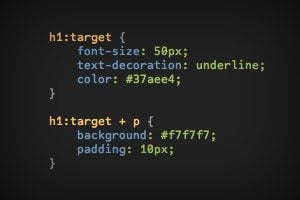
I’ve been seeing a lot of tutorials lately that utilize :target in CSS to perform some fancy feat so I thought I’d take the time to really dig in and discuss how and why this syntax works. Instead of blindly following someone else’s code, you should be able to wield this tool with the knowledge of what’s happening how it affects browser support.

Read on to learn all about the basic functionality associated with the :target pseudo class and how you can stretch that ability to perform all kinds of crazy stuff with pure CSS. Along the way we’ll build some great navigation and slideshow examples for you to learn from.

Build an Infinite Scrolling Photo Banner With HTML and CSS

CSS / 3 Apr 2012

Build an Infinite Scrolling Photo Banner With HTML and CSS

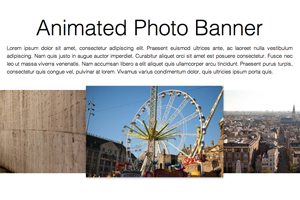
Today we’re going to embark on the challenge of creating an animated banner of photos that automatically scrolls horizontally through an infinite loop. The best part: we’re going to do it without a single line of JavaScript.

To make this banner truly useful, our goal will be to use individual photos dropped into our HTML, not simply one long CSS background that repeats. This is pretty tricky but we’ll walk you through exactly how it works. Let’s get started!

Have a More Successful Brainstorming Session

Business / 30 Mar 2012

Have a More Successful Brainstorming Session

One of the most important aspects of the creative and design process is the sharing and development of ideas. Seldom does a first draft of anything — from an ad concept to a new web layout — see the light of day without planning and revision. Jumpstart the process with more productive and creative brainstorming sessions for your team. The concept sounds simple, right?

The best planned brainstorming sessions take some work. As the leader of the group you must decide how many people to invite and what ground rules will be set. Most of all you want to help bring something positive away from the meeting. Try these tips to spice up your next brainstorming session.

Style Tiles: The Flip Side of Wireframes

Graphics / 29 Mar 2012

Style Tiles: The Flip Side of Wireframes

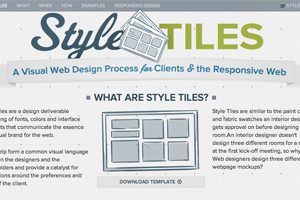
Style Tiles provide a fresh and productive way to approach the design process. They allow you to specifically hone in and focus on a project’s personality and mood without worrying about specific layout decisions.

Today we’re going to show you exactly what Style Tiles are, why you should use them and how to incorporate them into your design process. Follow along and you just might change the way you design forever.

Big Design in Small Spaces

Layouts / 23 Mar 2012

Big Design in Small Spaces

It’s easy to get caught up in the big picture sometimes – what your whole site looks like or the message it conveys. Just as important though, are the small spaces. The look of your banner, sidebars and even the dreaded-in-some-circles above the scroll presentation can bring people into or turn people away from your site.

Effective design in restricted, and even constricted spaces can be the key to adding just the right flair to your site. Simple design tools such as cropping, color, text display and contrast can make all the difference when planning the design for the boxed-in spaces of your next project.

Ready or Not, Here Comes HD Web Design

HTML / 22 Mar 2012

Ready or Not, Here Comes HD Web Design

Apple is pushing the tech industry forward by increasing the pixel density on iPhone and iPad screens. This is great from a user’s perspective, but as a web designer or developer it literally threatens to completely change the way you build websites.

Are you ready for HD web design? Do you know how your sites will look on a new generation of high resolution screens? What steps can you take to prepare yourself and what skills will you need to stay relevant in the years to come? Read on to find out.

5 Gorgeous Note & Point Presentations You Have to See

Graphics / 16 Mar 2012

5 Gorgeous Note & Point Presentations You Have to See

One of my favorite sites for design inspiration is Note & Point, which is a fantastic curator of great looking presentation decks (Keynote + PowerPoint = Note & Point). Not only is this site chock full of awesome design examples, most of their presentations are actually design and development related so you learn some great stuff along the way!

Today we’re going to look at five of my favorite Note & Point decks, which will teach us a ton of great stuff about presentation design.

Use Pseudo Elements to Create an Image Stack Illusion

CSS / 12 Mar 2012

Use Pseudo Elements to Create an Image Stack Illusion

Today we’re going to see if we can take a single image inserted via HTML and make it look like a messy stack of images using only CSS. The key: pseudo elements.

Along the way we’ll see how embarking on a project like this can quickly lead to some messy code and how we can combat that with some awesome DRY coding practices.

Mastering Multiple Photo Layouts

Layouts / 2 Mar 2012

Mastering Multiple Photo Layouts

Working with multiple photos and images can be a tricky prospect. Done carefully, the use of multiple images can help create an effective and masterful design for both print and web design projects. Some of the best examples of design using multiple photos can be found in the websites of professional photographers.

Consider dominance, number of photos, color, grouping and image quality when working with a variety of photos. Look at details and consider the feel of a project to get the best results when using many images in your project.