Search Results For: images

Do We Still Slice PSDs?

CSS / 24 Feb 2012

Do We Still Slice PSDs?

The other day a friend of mine said something that caught my attention, “I’m trying to learn how to slice a PSD.” It’s a simple enough statement. As soon as he said it, I knew exactly what he was talking about, and yet, there was something in there that didn’t quite set right.

Upon seeing my hesitation my friend responded with a question, “Do we still slice PSDs?” Great question! For beginners, jargon isn’t merely jargon, it implies a process and suggests a method of action. For this reason, it’s often helpful for more advanced developers to define their terms in a way that is meaningful to others. Today we’ll dive into the theory behind the process of converting a PSD to to a web page and end with a discussion on the ups and downs of designing in the browser.
Using Pinterest for Design Inspiration

Layouts / 23 Feb 2012

Using Pinterest for Design Inspiration

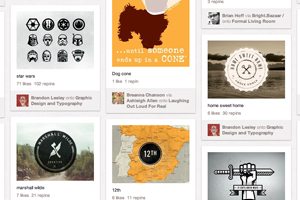
Although Pinterest launched nearly two years ago, it has really hit the mainstream in the last couple months and is cracking top 10 website lists. The site, which allows users to “pin” or save their favorite images and videos on virtual boards by topic, had 40 times the number of visits in December than it did at mid-year, according to Mashable.

The site though can be a great place for designers to organize their thoughts and cobble together bits of inspiration. But you have to have a method to all the pinning so it does not become a time hog.

Developing a Color Scheme and Color Management Tips

Inspiration / 17 Feb 2012

Developing a Color Scheme and Color Management Tips

Building a website can come with a few unexpected hiccups, one of those being color. Understanding color choices, and how colors may render on different computers is the first step to ensuring that your site has the look you intended.

In addition to finding and selecting colors that work for you, it is wise to develop and manage a color scheme for your project. It is simple to create a set of swatches in common image software such as Adobe’s Photoshop or Illustrator and organize colors in such a way that they are easy to find and use.

4 Fun CSS Image Effects You Can Copy and Paste

CSS / 16 Feb 2012

4 Fun CSS Image Effects You Can Copy and Paste

Once upon a time we relied purely on Photoshop to create fancy image effects. These days though we’re turning more and more to pure CSS to add eye candy to our images. Applying custom image treatments using code makes for an infinitely flexible workflow that’s easy to tweak at any time.

Today I’ll walk you through creating some extremely simple and fun CSS image tricks. From polaroids to vignettes, you won’t believe what we can pull off.

Twitter Bootstrap 2: Bootstrap Goes Responsive

CSS / 15 Feb 2012

Twitter Bootstrap 2: Bootstrap Goes Responsive

Recently, we published a piece titled 5 Incredibly Useful Tools Built Into Twitter Bootstrap, which took a look at the basic structure of Twitter’s Bootstrap framework and walked you through implementing some of the major components.

Twitter just released Bootstrap 2.0, an update so large it equates to a near full rewrite. There are quite a few new features and toys to play with, but the real headliner is that the framework is now fully responsive. Join us as we dig in to see how the new grid works and what other cool new features have been added. You’ll learn how to implement Bootstrap in your projects and will also pick up some extremely handy CSS techniques that you can use anywhere.

Three Super Easy Ways to Pull Off a Masonry Layout

CSS / 8 Feb 2012

Three Super Easy Ways to Pull Off a Masonry Layout

Masonry style layouts push the boundaries of creative layout techniques. I personally love how capable they prove to be at maximizing the efficiency of galleries containing items with varying heights. Every bit of screen space is used and the result can be downright mesmerizing.

Today we’re going to dive into the concept, ideas and popular techniques that are currently prevalent in masonry style layouts. We’ll learn three different methods for pulling off a masonry layout, discuss the ins and outs of each and make sure that the result is beautifully responsive and reflows based on browser width.

Convert a Pricing Table PSD to HTML and CSS

CSS / 7 Feb 2012

Convert a Pricing Table PSD to HTML and CSS

Today we’re going to grab some PSD pricing tables from Design Curate and try to convert them to pure CSS so you can easily drop them into your site.

It’ll be a super basic but fun exercise in bringing a static design to the web and you’ll learn plenty of fun stuff along the way such as how to style hr tags a create a superscript effect.

5 Online Playgrounds for HTML, CSS and JavaScript Compared

CSS / 3 Feb 2012

5 Online Playgrounds for HTML, CSS and JavaScript Compared

Local coding environments are great, but it’s often the case that I don’t want to crack open Espresso and spend a few minutes setting up to code when all I really want is to test out an idea or work on a bug. Also, sharing options for most local coding apps are limited and typically require integrating an outside app like Dropbox.

Online playgrounds or sandboxes such as jsFiddle solve this problem by providing you with an instantly ready coding environment for you to begin experimenting in as soon as the page loads. These tools let you combine CSS, HTML and often even JavaScript to create and share coding examples. I’m completely addicted to these things and have extensively tested every one I can get my hands on. Today I’ll go over my five favorites and discuss not only why what I like about each option, but also where they fall short.

How to Create a Facebook Timeline Cover Photo: Examples and Best Practices

Layouts / 2 Feb 2012

How to Create a Facebook Timeline Cover Photo: Examples and Best Practices

Facebook announced Jan. 24 that it will be moving all users to the timeline format in the next few weeks. Although the change will be mandatory soon, you can make it early as some users have been doing since it was launched in September. Timeline is the new Facebook “wall” and highlights your personal information based on when it happened.

The biggest visual change included in Facebook timeline is creation of a cover photo. When someone lands on your page they not only see a small square profile image but also a large photo that you have selected for the top of your page. The shape can a little intimidating and includes a hole where the profile image rests. But you can crop or create your own timeline cover photo in just a few minutes. Follow along as we take a look at some great examples and advice for creating the perfect cover photo.

Addictive UX: Why Pinterest Is So Dang Amazing

Business / 25 Jan 2012

Addictive UX: Why Pinterest Is So Dang Amazing

Today we’re going to examine a very specific example of good design and discuss what makes it so successful. Along the way we’ll discover the importance of good design and how to structure experiences that turn users into addicts.

We’ll hone our sights in on Pinterest and perform a seriously in-depth analysis to see why this seemingly generic idea seems to stand so far out from the competition. The ultimate conclusions will equip you to design experiences that your users will absolute love.

When the Photo Doesn’t Fit the Space: Tips and Tricks for Making It Work

Graphics / 12 Jan 2012

When the Photo Doesn’t Fit the Space: Tips and Tricks for Making It Work

You’ve been there a thousand times, staring at a big empty canvas that simply doesn’t seem to work with the photo that the client has provided. Perhaps you have a vertical space and a horizontal photo (or vice versa), or maybe the image is simply too small to resize without unacceptable quality loss. What now?

Today we’ll go over some tricks of the trade and teach you how to cope with images that don’t fit where you need them to. The next time you run into a problem, you’ll be ready!

Build a Fun Trivia Game With the CSS Active Selector

CSS / 11 Jan 2012

Build a Fun Trivia Game With the CSS Active Selector

We’ve done a ton of fun stuff recently with the :hover selector. From button hover effects for beginners to more advanced hover tutorials and even onto using hovers with multiple backgrounds. Today we’re moving on and learning about a related but equally awesome selector that often gets overlooked.

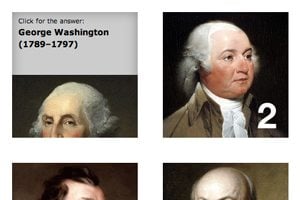
With :active, we can control the state of an object while it’s being clicked. Typically, this takes the simple form of changing a link’s color while the mouse is pressed down, but we’re going to do something much more interesting. Follow along as we build a super cool, pure CSS presidential trivia game.