Search Results For: photo effect

30 Great Looking Web Designs Built With Diagonal Lines

Inspiration / 24 Sep 2012

30 Great Looking Web Designs Built With Diagonal Lines

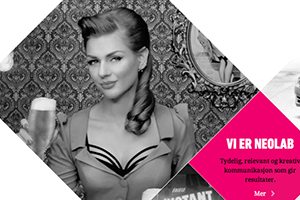
Too often, we fall back on the same old design techniques and aesthetic feel. Why not mix it up every now and then and try something new? One technique that really seems to be gaining traction lately is the implementation of strong diagonal lines in web design.

After years of strict, standard grids that utilize clear vertical and horizontal directionality, a bold diagonal design can make a refreshing statement that’s eye-catching and attractive. Read on to see thirty recent examples of designers using diagonal lines in their work.

How to Design the Perfect Twitter Header Image

Graphics / 20 Sep 2012

How to Design the Perfect Twitter Header Image

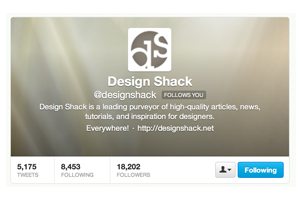
Twitter recently rolled out an updated design for profile pages, which allows you to insert a new “header photo” that sits on top of your feed, much like Facebook’s timeline cover image.

Today we’re going to dive in and see some examples of good Twitter profile images and discuss how you can design your own. I’ll even toss in a free template so you can get started right away.

Compromising With Clients: Play Nice or Take a Stand?

Business / 19 Sep 2012

Compromising With Clients: Play Nice or Take a Stand?

I was recently put in an interesting position where I had to choose between my professional principles and a paycheck. As a designer, you’re probably no stranger to this situation.

What’s the right course of action? When is compromise a laudable action and when is standing firm and refusing a request the better way to go? I’ll share my thoughts through a real and personal story.

5 Design Lessons That I Learned From Writing 85 Web Design Critiques

CSS / 9 Aug 2012

5 Design Lessons That I Learned From Writing 85 Web Design Critiques

Here at Design Shack we offer a simple but useful service called a web design critique. It’s basically a consulting service that you can take advantage of for a mad cheap price in exchange for letting us post it on the site as an educational tool.

I’ve personally written up a whopping eighty five of these things thus far (#85 will be posted later this week). That’s a whole lot of design advice! Read on to see what I’ve learned about web design in the process, both from the good examples and the bad.

Awesome Design in the Wild: Sevenly.org

Inspiration / 10 Jul 2012

Awesome Design in the Wild: Sevenly.org

Every now and then I come across a site that has one or two really inspiring bits of design and UI that are good enough for me to write about them. On even rarer cases, I find a whole site that’s just so overflowing with uniquely awesome design ideas that I have to share it with you. This article is about one such site.

Sevenly.org is a site dedicated to helping charities through the sale of limited edition custom t-shirts. Beyond the fact that I love the organization and what they stand for, I’m blown away by what they’ve done with the site and think it serves as a learning tool for web designers. Let’s take a look!

How to Organize Your Shoots and Catalogs in Lightroom

Lightroom Presets / 5 Jul 2012

How to Organize Your Shoots and Catalogs in Lightroom

Typically I stick to strictly design related topics, but today we’re going to stretch that a bit with a quick discussion on Adobe Photoshop Lightroom. Tons of designers take photos for their projects whether they consider themselves “photographers” or not so I’m sure lots of you will find this to be a useful topic.

The main struggle that I see with Lightroom users is simply organization. How can you keep multiple shoots separate? Where should you import your files? These are important questions and the answers aren’t very intuitive so today I’ll walk you through my basic process for keeping various shoots organized.

Best and Worst Design: 50 U.S. State Websites

Inspiration / 31 May 2012

Best and Worst Design: 50 U.S. State Websites

In the past, we took a look at fifty of the best and worst university websites from around the United States, a post which launched an interesting discussion about how web design projects can be destroyed by committees and politics, even if talented designers are leading up the team.

Today we’re following that up with a similar discussion on official state websites. Which U.S. states have the absolute best looking websites and which have sites that look like they haven’t been updated since Clinton was in the Oval Office? Read on to see how your state ranked.

Have a More Successful Brainstorming Session

Business / 30 Mar 2012

Have a More Successful Brainstorming Session

One of the most important aspects of the creative and design process is the sharing and development of ideas. Seldom does a first draft of anything — from an ad concept to a new web layout — see the light of day without planning and revision. Jumpstart the process with more productive and creative brainstorming sessions for your team. The concept sounds simple, right?

The best planned brainstorming sessions take some work. As the leader of the group you must decide how many people to invite and what ground rules will be set. Most of all you want to help bring something positive away from the meeting. Try these tips to spice up your next brainstorming session.

Big Design in Small Spaces

Layouts / 23 Mar 2012

Big Design in Small Spaces

It’s easy to get caught up in the big picture sometimes – what your whole site looks like or the message it conveys. Just as important though, are the small spaces. The look of your banner, sidebars and even the dreaded-in-some-circles above the scroll presentation can bring people into or turn people away from your site.

Effective design in restricted, and even constricted spaces can be the key to adding just the right flair to your site. Simple design tools such as cropping, color, text display and contrast can make all the difference when planning the design for the boxed-in spaces of your next project.

Use Pseudo Elements to Create an Image Stack Illusion

CSS / 12 Mar 2012

Use Pseudo Elements to Create an Image Stack Illusion

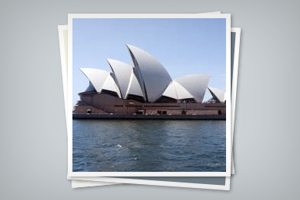
Today we’re going to see if we can take a single image inserted via HTML and make it look like a messy stack of images using only CSS. The key: pseudo elements.

Along the way we’ll see how embarking on a project like this can quickly lead to some messy code and how we can combat that with some awesome DRY coding practices.

Do We Still Slice PSDs?

CSS / 24 Feb 2012

Do We Still Slice PSDs?

The other day a friend of mine said something that caught my attention, “I’m trying to learn how to slice a PSD.” It’s a simple enough statement. As soon as he said it, I knew exactly what he was talking about, and yet, there was something in there that didn’t quite set right.

Upon seeing my hesitation my friend responded with a question, “Do we still slice PSDs?” Great question! For beginners, jargon isn’t merely jargon, it implies a process and suggests a method of action. For this reason, it’s often helpful for more advanced developers to define their terms in a way that is meaningful to others. Today we’ll dive into the theory behind the process of converting a PSD to to a web page and end with a discussion on the ups and downs of designing in the browser.

Developing a Color Scheme and Color Management Tips

Inspiration / 17 Feb 2012

Developing a Color Scheme and Color Management Tips

Building a website can come with a few unexpected hiccups, one of those being color. Understanding color choices, and how colors may render on different computers is the first step to ensuring that your site has the look you intended.

In addition to finding and selecting colors that work for you, it is wise to develop and manage a color scheme for your project. It is simple to create a set of swatches in common image software such as Adobe’s Photoshop or Illustrator and organize colors in such a way that they are easy to find and use.