Search Results For: text

7 Great Tools to Help You Build Your Own HTML5 Forms

HTML / 27 Nov 2012

7 Great Tools to Help You Build Your Own HTML5 Forms

Forms can be one of the most complex aspects of your front-end development work. They’re far more complicated than most of the items that you’ll work with from both an HTML and CSS perspective.

If you’ve been frustrated with forms in the past, don’t worry, there is hope! Today we’re going to go over some tools and frameworks that help you get the job done without the headaches.
Easel: A WYSIWYG Bootstrap Page Builder

CSS / 20 Nov 2012

Easel: A WYSIWYG Bootstrap Page Builder

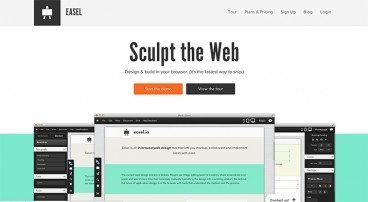
Twitter Bootstrap makes creating complex page layouts a breeze. Drop in a few lines of HTML, apply a few classes and you’ve got yourself a decent looking, minimal working mockup.

Wouldn’t it be nice if things were even easier though? What if Bootstrap had a visual interface? What if you could build Bootstrap pages by dragging and dropping elements onto an empty canvas? With Easel.io, you can do exactly that. Let’s see how it works.

Hammer & Anvil: Two Unbelievably Awesome New Web Development Tools

Software / 19 Nov 2012

Hammer & Anvil: Two Unbelievably Awesome New Web Development Tools

Riot is a small software company currently comprised of only five people. Out of nowhere, this team has dropped two web development apps for Mac users that have blown me away. This is an app category that, in my opinion, hasn’t received much true innovation in recent years and apparently the good people at Riot are out to change that, because their ideas are truly unique and incredibly useful.

Today we’ll take a brief look at both Hammer and Anvil to see what each does and how they can collectively improve your workflow, particularly if you’re a front end developer working with static sites.

A Beginner’s Guide to Zurb Foundation 3: The Grid

CSS / 8 Nov 2012

A Beginner’s Guide to Zurb Foundation 3: The Grid

In the past, we’ve discussed Twitter Bootstrap quite a bit. Much more so than its most worthy competitor: Zurb’s Foundation. Now on its third iteration, Foundation is a robust and responsive front end framework used by hundreds of developers every day.

Over the course of several articles, we’re going to jump in and take a look at its various aspects from a complete beginner’s perspective. Today’s topic is my favorite part: the grid. Follow along to see how it works!

The New Arby’s Logo: Better or Boring?

Inspiration / 15 Oct 2012

The New Arby’s Logo: Better or Boring?

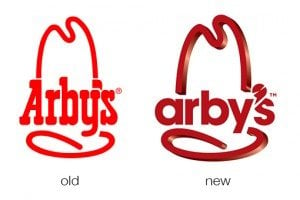
Everyone’s favorite roast beef sandwich fast food chain (ok, maybe the only roast beef fast food chain anyone can name) just jumped headlong into a brand refresh. Their new logo, menu and website is meant to bring the admittedly old-timey restaurant into the 21st century.

The question of course is, did they succeed? Follow along as we take a look at the logo and website to see what we think.

How to Use Adobe Edge Web Fonts on Your Site

CSS / 4 Oct 2012

How to Use Adobe Edge Web Fonts on Your Site

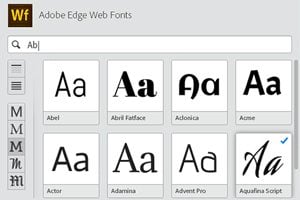
Adobe recently launched a free web font service to complement Typekit, their amazing premium service. Adobe Edge Web Fonts currently gives you around 500 free font families that you can use on your site today with little effort. How great is that?

The process for implementing these fonts isn’t quite as straightforward as some of the other services that you might be used to, so today we’re going to dive in and take a look at how it all works.

Adobe Edge: Does Adobe Finally Understand Developers?

Software / 26 Sep 2012

Adobe Edge: Does Adobe Finally Understand Developers?

Adobe and web design. They have a complicated history. I can never quite tell if Adobe is an estranged partner of web developers or an active advocate. Are they focused on empowering developers or replacing them with clunky WYSIWYGs?

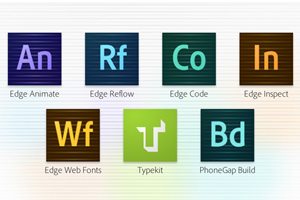
Today we’re going to take a look at Adobe Edge Tools and Services, a new initiative from Adobe that might be enough to change your mind about how Adobe views coders.

Finally, Collect for Output in Illustrator

Software / 25 Sep 2012

Finally, Collect for Output in Illustrator

For over a decade, a fierce debate has raged on about whether or not Adobe Illustrator is an appropriate tool for page layout projects. Should you really be building ads and brochures in an application meant for illustration?

The question is an interesting one, and those in the “yes” camp have always been held back by the simple lack of a “Collect for Output” feature. This has finally changed in CS6. So is the debate over? Not remotely. Read on and join the discussion.

How to Design the Perfect Twitter Header Image

Graphics / 20 Sep 2012

How to Design the Perfect Twitter Header Image

Twitter recently rolled out an updated design for profile pages, which allows you to insert a new “header photo” that sits on top of your feed, much like Facebook’s timeline cover image.

Today we’re going to dive in and see some examples of good Twitter profile images and discuss how you can design your own. I’ll even toss in a free template so you can get started right away.

The Master Guide to the Photoshop Layers Panel

Software / 10 Sep 2012

The Master Guide to the Photoshop Layers Panel

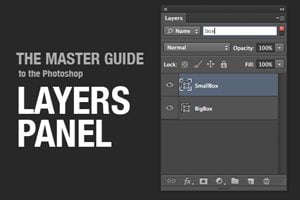
The Layers Panel in Photoshop is one of the single most important aspects of the software’s UI. Odds are, you’ve spent a good chunk of your life staring at and interacting with the Layers Panel, but how well do you really know it?

Today we’re going to take a deep dive into what the Layers Panel has to offer and how to make the most of it in your workflow. We’ll learn about everything from keyboard shortcuts to obscure customization features. Whether you’re a beginner or a pro, you’re bound to learn a few new tricks!

Code a Mountain Lion Style Notification Window With CSS

CSS / 3 Sep 2012

Code a Mountain Lion Style Notification Window With CSS

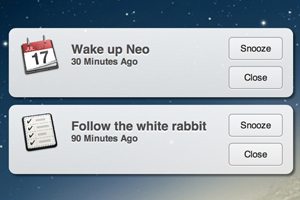
This one is for my fellow Mac nerds. Apple’s newest desktop operating system, OS X Mountain Lion, has a built-in notification system similar to what we’ve had on iOS for years. Today we’re going to build one of the notification windows using CSS.

To pull this off, we’ll use some basic HTML and a little bit of fancy CSS3. To finish it off, we’ll add a touch of jQuery magic to allow the user to drag the window around. It’ll be tons of fun, so boot up your favorite coding app and follow along!