Search Results For: text

4 Fun CSS Image Effects You Can Copy and Paste

CSS / 16 Feb 2012

4 Fun CSS Image Effects You Can Copy and Paste

Once upon a time we relied purely on Photoshop to create fancy image effects. These days though we’re turning more and more to pure CSS to add eye candy to our images. Applying custom image treatments using code makes for an infinitely flexible workflow that’s easy to tweak at any time.

Today I’ll walk you through creating some extremely simple and fun CSS image tricks. From polaroids to vignettes, you won’t believe what we can pull off.


Twitter Bootstrap 2: Bootstrap Goes Responsive

CSS / 15 Feb 2012

Twitter Bootstrap 2: Bootstrap Goes Responsive

Recently, we published a piece titled 5 Incredibly Useful Tools Built Into Twitter Bootstrap, which took a look at the basic structure of Twitter’s Bootstrap framework and walked you through implementing some of the major components.

Twitter just released Bootstrap 2.0, an update so large it equates to a near full rewrite. There are quite a few new features and toys to play with, but the real headliner is that the framework is now fully responsive. Join us as we dig in to see how the new grid works and what other cool new features have been added. You’ll learn how to implement Bootstrap in your projects and will also pick up some extremely handy CSS techniques that you can use anywhere.

Save Loads of Time by Writing Your HTML With Haml

HTML / 13 Feb 2012

Save Loads of Time by Writing Your HTML With Haml

Odds are, by now you know all about Sass and its brethren (LESS, Stylus, etc.). Love them or hate them, these CSS preprocessors are making a big splash in the development community. In many ways they represent a faster, more efficient way to write CSS and if you get on board, you’ll no doubt appreciate the flexibility that they bring to your project.

Once you get bitten by the CSS preprocessor bug, you’ll inevitably start look at HTML and wondering why it has to be so cumbersome. Why doesn’t someone drastically simplify the way we write markup? It turns out, the same people that brought us Sass have done just that with a language called Haml. Today we’re going to take a look and see how to use Haml to completely change the way you write markup.

Convert a Pricing Table PSD to HTML and CSS

CSS / 7 Feb 2012

Convert a Pricing Table PSD to HTML and CSS

Today we’re going to grab some PSD pricing tables from Design Curate and try to convert them to pure CSS so you can easily drop them into your site.

It’ll be a super basic but fun exercise in bringing a static design to the web and you’ll learn plenty of fun stuff along the way such as how to style hr tags a create a superscript effect.

Code a Useful Expanding Vertical Navigation Menu

Navigation / 6 Feb 2012

Code a Useful Expanding Vertical Navigation Menu

Today we have yet another awesome step-by-step CSS project for you! This time around we’re going to build a super useful expanding vertical navigation menu. It’s a great way to hide a lot of links in a fairly small space and the animations will add a nice touch to your site.

Even if you’re a complete beginner, you should be able to pull this off. I’ll guide you along every step of the way and explain how each chunk of code works so you can implement these same techniques in future projects and deepen your understanding of CSS. Let’s get started!

5 Online Playgrounds for HTML, CSS and JavaScript Compared

CSS / 3 Feb 2012

5 Online Playgrounds for HTML, CSS and JavaScript Compared

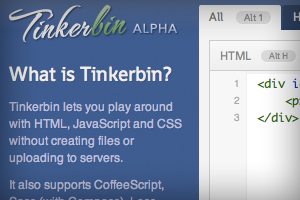
Local coding environments are great, but it’s often the case that I don’t want to crack open Espresso and spend a few minutes setting up to code when all I really want is to test out an idea or work on a bug. Also, sharing options for most local coding apps are limited and typically require integrating an outside app like Dropbox.

Online playgrounds or sandboxes such as jsFiddle solve this problem by providing you with an instantly ready coding environment for you to begin experimenting in as soon as the page loads. These tools let you combine CSS, HTML and often even JavaScript to create and share coding examples. I’m completely addicted to these things and have extensively tested every one I can get my hands on. Today I’ll go over my five favorites and discuss not only why what I like about each option, but also where they fall short.

Code an Awesome Animated Download Button With CSS3

CSS / 30 Jan 2012

Code an Awesome Animated Download Button With CSS3

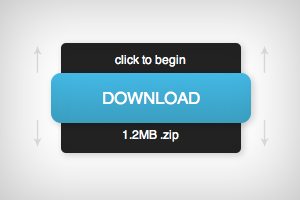
Follow along as we create a simple and fun download button using some fancy CSS3. Our button will use lots of fun goodies including border-radius, box-shadow, linear-gradients, z-index and transitions to achieve a unique double sliding drawer effect on hover.

As we go, I’ll discuss why some techniques that you might think to use should be avoided. Transitions are tricky to work with and are quite prone to refuse to work with certain properties. Read on to find out more.

Pick the Right Typefaces for Your Project

Typography / 26 Jan 2012

Pick the Right Typefaces for Your Project

Sometimes the most daunting part of a new project can be the brainstorming phase. Thinking of color schemes and font selections can be inspiring in your head, but really tough when you start mixing and matching elements on paper or for your website.

Understanding some of the history of fonts and typography can help make any project a little easier. Learn how to pair different typefaces to get desired effect every time and learn what things to avoid. Sharp typography and font selections can really make or break just about any project.

New Logos for the Marlins, Orioles and Jays: Did They Get Better or Worse?

Graphics / 17 Jan 2012

New Logos for the Marlins, Orioles and Jays: Did They Get Better or Worse?

With a new year always comes new branding attempts. Organizations want a fresh face to signal progress and ongoing evolution and branding is the vehicle that designers use to achieve this goal.

As we all know quite well, this is a risky venture with large entities. If it goes well, your customers (or fans in this case) love you for it. If it doesn’t, you’re setting yourself up for plenty of public ridicule. Today we’re going to venture into the world of sports and check out three new Major League Baseball team logo designs. Which teams are updating their look for the new year? Were they successful or is the result a surefire embarrassment? Read on to find out!

When the Photo Doesn’t Fit the Space: Tips and Tricks for Making It Work

Graphics / 12 Jan 2012

When the Photo Doesn’t Fit the Space: Tips and Tricks for Making It Work

You’ve been there a thousand times, staring at a big empty canvas that simply doesn’t seem to work with the photo that the client has provided. Perhaps you have a vertical space and a horizontal photo (or vice versa), or maybe the image is simply too small to resize without unacceptable quality loss. What now?

Today we’ll go over some tricks of the trade and teach you how to cope with images that don’t fit where you need them to. The next time you run into a problem, you’ll be ready!

Build a Fun Trivia Game With the CSS Active Selector

CSS / 11 Jan 2012

Build a Fun Trivia Game With the CSS Active Selector

We’ve done a ton of fun stuff recently with the :hover selector. From button hover effects for beginners to more advanced hover tutorials and even onto using hovers with multiple backgrounds. Today we’re moving on and learning about a related but equally awesome selector that often gets overlooked.

With :active, we can control the state of an object while it’s being clicked. Typically, this takes the simple form of changing a link’s color while the mouse is pressed down, but we’re going to do something much more interesting. Follow along as we build a super cool, pure CSS presidential trivia game.

Typography With Perspective: Learn to Wield Illustrator’s Perspective Grid Tool

Typography / 4 Jan 2012

Typography With Perspective: Learn to Wield Illustrator’s Perspective Grid Tool

Today we’re going to take a look at how to use the Perspective Grid in Adobe Illustrator. This awesome and fairly new tool allows you to automatically flow vector elements onto a prebuilt three dimensional grid.

You might think that you need to be an artist to use this tool but there are in fact all kinds of practical uses for it in every day design. We’ll use it to lay out some type like in the example above.