Search Results For: text

Build an Infinite Scrolling Photo Banner With HTML and CSS

CSS / 3 Apr 2012

Build an Infinite Scrolling Photo Banner With HTML and CSS

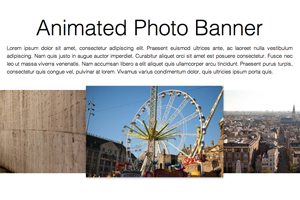
Today we’re going to embark on the challenge of creating an animated banner of photos that automatically scrolls horizontally through an infinite loop. The best part: we’re going to do it without a single line of JavaScript.

To make this banner truly useful, our goal will be to use individual photos dropped into our HTML, not simply one long CSS background that repeats. This is pretty tricky but we’ll walk you through exactly how it works. Let’s get started!

Have a More Successful Brainstorming Session

Business / 30 Mar 2012

Have a More Successful Brainstorming Session

One of the most important aspects of the creative and design process is the sharing and development of ideas. Seldom does a first draft of anything — from an ad concept to a new web layout — see the light of day without planning and revision. Jumpstart the process with more productive and creative brainstorming sessions for your team. The concept sounds simple, right?

The best planned brainstorming sessions take some work. As the leader of the group you must decide how many people to invite and what ground rules will be set. Most of all you want to help bring something positive away from the meeting. Try these tips to spice up your next brainstorming session.

Big Design in Small Spaces

Layouts / 23 Mar 2012

Big Design in Small Spaces

It’s easy to get caught up in the big picture sometimes – what your whole site looks like or the message it conveys. Just as important though, are the small spaces. The look of your banner, sidebars and even the dreaded-in-some-circles above the scroll presentation can bring people into or turn people away from your site.

Effective design in restricted, and even constricted spaces can be the key to adding just the right flair to your site. Simple design tools such as cropping, color, text display and contrast can make all the difference when planning the design for the boxed-in spaces of your next project.

10 More Great Google Font Combinations You Can Copy

Google Fonts / 20 Mar 2012

10 More Great Google Font Combinations You Can Copy

The last time we wrote about Google Web Fonts, it was a fairly new program with a handful of fonts. Today there are nearly 500 font families ready and waiting to be served up to your website completely free of charge. Google has certainly made its mark on web typography and stands as an excellent alternative to premium subscription services.

The downside of this growth is that it’s becomingly increasingly difficult to sift through the library to find the best selections.

We’ve got your back though and are serving up another great collection of Google Web Font combinations ripe for the stealing. Just copy and paste our code, then tweak the style to fit your needs and you’ll be good to go!

5 Gorgeous Note & Point Presentations You Have to See

Graphics / 16 Mar 2012

5 Gorgeous Note & Point Presentations You Have to See

One of my favorite sites for design inspiration is Note & Point, which is a fantastic curator of great looking presentation decks (Keynote + PowerPoint = Note & Point). Not only is this site chock full of awesome design examples, most of their presentations are actually design and development related so you learn some great stuff along the way!

Today we’re going to look at five of my favorite Note & Point decks, which will teach us a ton of great stuff about presentation design.

Sass and Media Queries: What You Can and Can’t Do

CSS / 15 Mar 2012

Sass and Media Queries: What You Can and Can’t Do

Preprocessors like Sass are helping us flex our development muscles in nearly every area of our CSS. Variables, mixins, inheritance and many more great features make coding easier and more concise than ever.

So what about leveraging Sass for responsive design, or more specifically, for media queries? Are there any features of Sass that pair particularly well with media queries? Is there anything you should avoid? Join me as I experiment and discover the answers.

Code a Responsive Navigation Menu

Navigation / 14 Mar 2012

Code a Responsive Navigation Menu

Navigation menus used to be a fairly simple thing. Code up an unordered list, float it left and you’re good to go. With responsive design being all the rage these days though you’re faced with some new challenges when creating a menu design.

Follow along as we start from scratch and code a simple but effective responsive navigation menu that you can easily modify and reuse in your own projects.

Use Pseudo Elements to Create an Image Stack Illusion

CSS / 12 Mar 2012

Use Pseudo Elements to Create an Image Stack Illusion

Today we’re going to see if we can take a single image inserted via HTML and make it look like a messy stack of images using only CSS. The key: pseudo elements.

Along the way we’ll see how embarking on a project like this can quickly lead to some messy code and how we can combat that with some awesome DRY coding practices.

Use Gridpak to Roll Your Own Responsive Grid

Mobile / 6 Mar 2012

Use Gridpak to Roll Your Own Responsive Grid

I love finding free tools that are capable of making my job (and yours) just a little bit easier. The web developer community is positively overflowing with talented people who are more than willing to share their creations with the world while asking nothing in return.

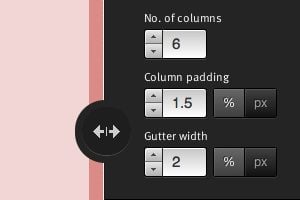
Today we’re going to look at one such tool from Erskine Design called Gridpak. With it we can quickly and easily generate our own responsive grid for building web pages that work well on lots of different screen sizes. It’s a little tricky to implement though so we’ll help you figure out how to set up your styles after you grab the download.

Web Design Vocabulary Refresh Part 1: HTML

HTML / 5 Mar 2012

Web Design Vocabulary Refresh Part 1: HTML

What’s the difference between an element and a tag? When should I use strong and when should I use bold? What the heck is the DOM? When you’re new to web design, one of the biggest hurdles to overcome is always the jargon. So many technical terms are thrown around flippantly and rarely explained outright that it’s easy to get lost.

This series will serve as a basic introduction to some terms that every new web designer should be sure to add to his or her vocabulary. This won’t be an exhaustive vocabulary list but rather a primer on a few terms that I found difficult to wrap my head around when I was a beginner. We’ll start with HTML today and move on to CSS in the near future.

Mastering Multiple Photo Layouts

Layouts / 2 Mar 2012

Mastering Multiple Photo Layouts

Working with multiple photos and images can be a tricky prospect. Done carefully, the use of multiple images can help create an effective and masterful design for both print and web design projects. Some of the best examples of design using multiple photos can be found in the websites of professional photographers.

Consider dominance, number of photos, color, grouping and image quality when working with a variety of photos. Look at details and consider the feel of a project to get the best results when using many images in your project.

Developing a Color Scheme and Color Management Tips

Inspiration / 17 Feb 2012

Developing a Color Scheme and Color Management Tips

Building a website can come with a few unexpected hiccups, one of those being color. Understanding color choices, and how colors may render on different computers is the first step to ensuring that your site has the look you intended.

In addition to finding and selecting colors that work for you, it is wise to develop and manage a color scheme for your project. It is simple to create a set of swatches in common image software such as Adobe’s Photoshop or Illustrator and organize colors in such a way that they are easy to find and use.