Search Results For: skin

5 Design Lessons That I Learned From Writing 85 Web Design Critiques

CSS / 9 Aug 2012

5 Design Lessons That I Learned From Writing 85 Web Design Critiques

Here at Design Shack we offer a simple but useful service called a web design critique. It’s basically a consulting service that you can take advantage of for a mad cheap price in exchange for letting us post it on the site as an educational tool.

I’ve personally written up a whopping eighty five of these things thus far (#85 will be posted later this week). That’s a whole lot of design advice! Read on to see what I’ve learned about web design in the process, both from the good examples and the bad.

How to Turn Photographic Textures Into Masks in Photoshop

Software / 30 Jul 2012

How to Turn Photographic Textures Into Masks in Photoshop

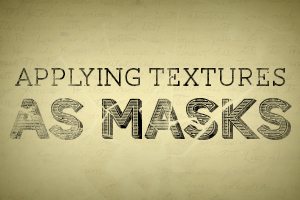
Texture is a key element of design. Learning how to wield and apply textures effectively will really open up your level of skill and proficiency in Photoshop.

Today we’re going to learn about a super quick and easy way to take a photographic texture and turn it into a mask that affects the transparency of a layer. No matter how proficient you are with Photoshop, you should be able to pick up this technique and begin using it on your projects today.

Leveraging Stereotypes in Design: Masculine vs. Feminine Typography

Typography / 19 Jul 2012

Leveraging Stereotypes in Design: Masculine vs. Feminine Typography

Can type have a gender? Is it even socially acceptable to ask such as question? Putting aside any sort of nonsensical gender bias, it’s absolutely the case that typography can and does suggest a level of masculinity (or a lack thereof).

Today, we’re going to jump into what makes a typeface feminine vs. masculine. More importantly, we’ll talk about why this matters and and how it should influence your design work.

What if I Don’t Like the Work? Dealing With a Design Project Gone Wrong

Business / 25 May 2012

What if I Don’t Like the Work? Dealing With a Design Project Gone Wrong

Typically, the articles that I write on Design Shack are from the perspective of the designer. One topic that comes up regularly is how to deal with clients on various issues. However, today I’d like to flip things around and jump to the aid of the other team.

Designer/client relationships go both ways and just as often as there is a frustrated designer, there’s a disappointed client. Today we’re going to tackle the question of what to do when you hire a designer and just don’t like the work that resulted.

Everything You Never Knew About CSS Floats

CSS / 18 Apr 2012

Everything You Never Knew About CSS Floats

What do floats really do anyway? How do they affect the box model of the elements involved? How do floated elements differ from inline elements? What are the specific rules governing the position of floated elements? How does the clear property work and what is it for?

Floats can trip up even experienced developers and understanding their behavior can really set you free from many of the woes that you face with CSS. Even if you think you already know all about floats, we’ll dive deep enough that you just might learn something new!

Use Gridpak to Roll Your Own Responsive Grid

Mobile / 6 Mar 2012

Use Gridpak to Roll Your Own Responsive Grid

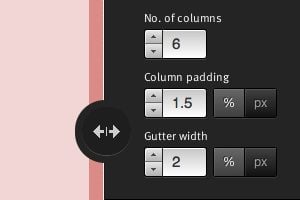
I love finding free tools that are capable of making my job (and yours) just a little bit easier. The web developer community is positively overflowing with talented people who are more than willing to share their creations with the world while asking nothing in return.

Today we’re going to look at one such tool from Erskine Design called Gridpak. With it we can quickly and easily generate our own responsive grid for building web pages that work well on lots of different screen sizes. It’s a little tricky to implement though so we’ll help you figure out how to set up your styles after you grab the download.

Practical Tips for Utilizing Columns of Text in Your Layouts

Layouts / 10 Feb 2012

Practical Tips for Utilizing Columns of Text in Your Layouts

Designing around large blocks of type can be tough and more designers are taking the “fewer-is-better” approach when working with columns and large blocks of text. When using a mass of type, such as in a book, text-laden website or print project, much of the emphasis is more on the readability than the actual look of the type.

Typefaces are important but even more important can be the number of columns used in combination with the words. The number of columns you use in a project can vary depending on a number of factors such as typeface and style used, type of project, font size and gutter width and proportion of other elements.

Three Super Easy Ways to Pull Off a Masonry Layout

CSS / 8 Feb 2012

Three Super Easy Ways to Pull Off a Masonry Layout

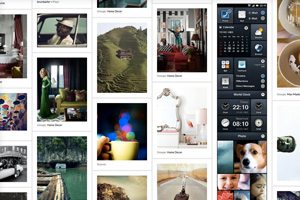
Masonry style layouts push the boundaries of creative layout techniques. I personally love how capable they prove to be at maximizing the efficiency of galleries containing items with varying heights. Every bit of screen space is used and the result can be downright mesmerizing.

Today we’re going to dive into the concept, ideas and popular techniques that are currently prevalent in masonry style layouts. We’ll learn three different methods for pulling off a masonry layout, discuss the ins and outs of each and make sure that the result is beautifully responsive and reflows based on browser width.

Typography With Perspective: Learn to Wield Illustrator’s Perspective Grid Tool

Typography / 4 Jan 2012

Typography With Perspective: Learn to Wield Illustrator’s Perspective Grid Tool

Today we’re going to take a look at how to use the Perspective Grid in Adobe Illustrator. This awesome and fairly new tool allows you to automatically flow vector elements onto a prebuilt three dimensional grid.

You might think that you need to be an artist to use this tool but there are in fact all kinds of practical uses for it in every day design. We’ll use it to lay out some type like in the example above.

The Ultimate Beginner’s Guide to Using Scatter Brushes in Photoshop

Software / 28 Dec 2011

The Ultimate Beginner’s Guide to Using Scatter Brushes in Photoshop

In web design we often focus on using Photoshop to create pixel perfect designs that are meticulously shaped and layered until they’re absolutely pristine. Repeated patterns, tiny strokes, complex gradients and reflections are trademarks of this design style.

But what if you’re going for something more organic? How can we use Photoshop to create complex and random particle arrangements that don’t look cheesy and contrived? The answer of course is to utilize scatter brushes. This awesome tool seems fairly simple on the surface but there’s a ton functionality and limitless possibilities to explore so even if you’re a Photoshop pro, read on to see some great ideas for how to use scatter brushes in your work.

Utilizing Grids in Print Design

Layouts / 27 Dec 2011

Utilizing Grids in Print Design

The basic organization of a design project typically begins with a simple concept – the grid. Whether you decide to work within its constraints or intentionally move away from it, deciding how to use a grid tends to be one of the first steps in the design process.

Print designers have been working on grids since the first newspapers rolled off the presses hundreds of years ago. Most magazines also employ a grid; books are put together using the grid format. The grid can be part of a publication’s identity and helps create a sense of space and organization. Understanding the basics of grid design – from how it originated, to developing your own grid and using it in your workflow processes – will make working within vertical and horizontal constraints a snap.

Tips and Ideas for Designing With Blurred Images

Layouts / 15 Dec 2011

Tips and Ideas for Designing With Blurred Images

“The supreme accomplishment is to blur the line between work and play.”
– Arnold Toynbee

The topic of today’s discussion is blurry photos. No, not the kind that you accidentally take because your kids won’t sit still. The intentional kind, the use of which can serve several practical purposes in design.

We’ll learn all about how to use blur effects to help make text more legible, direct the viewer’s attention, and just make backgrounds more fun. We’ll also take a look at some different types of blurs and how to properly apply selective blurring.