Search Results For: visual effects

25+ Best Logo Animations for After Effects

After Effects Templates / 14 Jul 2021

25+ Best Logo Animations for After Effects

In this collection, we share some of the best logo animation templates you can use to create an attractive logo reveal with just a few clicks using Adobe After Effects.

Almost every branded video on YouTube starts with a logo reveal. It’s a great way to establish authority and promote your brand to the audience. There are a few different ways you can also add a logo reveal animation in your own videos.

The easy route is to use a default animation in After Effects and create a basic logo animation. Or, you can use a template and create a logo reveal animation that stands out from the crowd. One that makes your videos instantly recognizable.

Even if you’re not an expert video editor, you can use templates to create professional logo animations using After Effects without an effort. For starters, have a look at the animation templates below.

After Effects Templates

After Effects templates can help you take the application to the next level with overlays, lower thirds, logo reveals, title sequences, and more.

It’s a great way to get more from the application in a way that saves time and makes life easy for you. Whether you’re wanting to create an entirely new video or add something special to an existing project.

Our series covers how to use After Effects templates, where to find them, and collects some of our favorite templates for all manner of different uses and scenarios!

Read the Feature →

Videvo: Free, High-Quality Visuals for Your Website

Reviews / 8 Apr 2019

Videvo: Free, High-Quality Visuals for Your Website

Looking to create more engagement or interaction on your website? Video might be the answer.

According to some of the latest data, using video can increase engagement, is a favorite among website visitors and customers, and actually increases overall return on investment. The takeaway? You need to be using video content.

If you aren’t sure where to start, look no further than Videvo. It’s packed with stock videos that you can download and use in projects. Here’s how it works.

10 Tips for Using Text Effects That Don’t Suck

Typography / 30 Apr 2018

10 Tips for Using Text Effects That Don’t Suck

Adding effects to typography can be a source of heartache for designers. Clients demand a drop shadow or embossing, and you’re stuck with text effects that threaten to ruin a project. What you need is an arsenal of text effects that don’t suck so you can help the client pivot to something a little more classy.

The trick to all of these effects is using them with purpose. Good typography doesn’t need “help.” If a font isn’t working alone, it’s not going to work with a bunch of techniques added either. (You’ll only make something bad even worse.)

The best text effects are nearly invisible to non-designers. Or text effects are used to add meaning to typography or lettering. Here are a few tips for using text effects that don’t suck with some pretty cool examples.

Parallax Effects Compared: 5 Choices to Consider

Layouts / 13 Nov 2017

Parallax Effects Compared: 5 Choices to Consider

Parallax effects remain one of the hottest web design trends. This animated scrolling technique happens when background and foreground move at different speeds while the user scrolls so that there are two independent layers moving at the same time.

This effect can be used for any number of website types and is a fun way to create – and increase – user engagement. The nice thing about parallax effects is that you don’t have to use them on every page of a design; parallax scrolling is a great homepage technique to help drive users to calls to action or other content.

Parallax effects create an element of depth and distance and a greater sense three-dimension than some other techniques, making users feel like part of the design.

The downside to parallax effects is that they don’t always work on mobile devices. (But there are some workarounds for that as well in the tutorial at the end of this article.)

Here are five parallax effects and styles to consider. (Make sure to click through the links to see exactly how each animation works.)

Design Trend: Innovative Hover Effects

Graphics / 6 Mar 2017

Design Trend: Innovative Hover Effects

Everywhere you look, there’s a cool new animated effect. If animation was the must-have design element of 2016, then innovated hover effects are the up and coming design trend of 2017.

Thanks in part to the popularity of Material Design and Apple’s animation guidelines with a focus on small movements, hover effects are making a comeback. But instead of the tacky, flashing, bouncing and spinning effects of the past, animations are simple, sharp and delightful. The best hover effects help the user and enhance the experience.

Hover effects can range from motion that has an impact on the entire screen to something as small as a directional cue or navigation element.

Design for Everyone: Considering Accessibility in Visual Projects

Accessibility / 19 Jun 2014

Design for Everyone: Considering Accessibility in Visual Projects

Because design is such a visual concept, we don’t always stop to think about how design can impact users with certain disabilities. From vision to hearing or even touch impairments, how you design a website, brochure or even package can look or work a different way to different people.

And while you can’t design so that every element is perfect in every condition for every user, there are some things you can do and think about to make your design projects more accessible to a larger number of people. Simple techniques such as color choice, texture, shading and sound effects can make a difference to users.

Creating Visual Hierarchy With Typography

Typography / 3 Mar 2014

Creating Visual Hierarchy With Typography

Visual hierarchy is an important element in any design project. It tells people where to look and what things on the screen or printed page are most important. Hierarchy gives readers a sense of how to actually read material from start to finish with visual cues and flow.

While you can create visual hierarchy using a number of different tools, today we are going to look at ways to create structure with just typography. (And take a look at the images used throughout this post; they are all examples of great type hierarchy in action.)

Pull Off Awesome Scroll Effects With Stroll.js

CSS / 26 Jun 2012

Pull Off Awesome Scroll Effects With Stroll.js

Scrolling effects are all the rage these days. As the user moves down the page, content does more than move up the screen, it comes alive and becomes more interesting. Unfortunately, there’s no easy way to pull these effects off with pure CSS. If you don’t know JavaScript, you’re out of luck.

That’s where Stroll.js comes in. It’s a super easy to implement library that makes applying mind-boggling scroll effects a breeze. All you have to do is paste in a couple of brief lines of JavaScript, the rest is all handled with HTML and CSS. Keep reading and I’ll show you how it works.

Create Stunning Effects With CSS Transition Delays

CSS / 8 May 2012

Create Stunning Effects With CSS Transition Delays

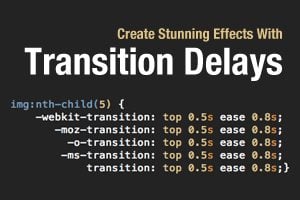
I’m a huge fan of CSS transitions. Sure, they can be abused but on the whole they’re a really great and easy way to add a little life to your web pages. And let’s face it, they’re flat out fun to play with.

I’ve covered transitions a million different ways, but there’s one feature that I hardly ever touch: transition delays. Why would you want to delay your transition? It turns out that the effects that you can achieve become much more complex and impressive when you incorporate this one extra parameter. Let’s jump in and build some cool demos to show off how it works.

4 Fun CSS Image Effects You Can Copy and Paste

CSS / 16 Feb 2012

4 Fun CSS Image Effects You Can Copy and Paste

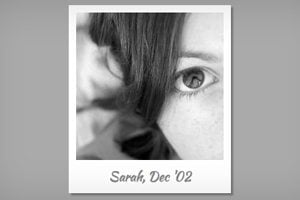
Once upon a time we relied purely on Photoshop to create fancy image effects. These days though we’re turning more and more to pure CSS to add eye candy to our images. Applying custom image treatments using code makes for an infinitely flexible workflow that’s easy to tweak at any time.

Today I’ll walk you through creating some extremely simple and fun CSS image tricks. From polaroids to vignettes, you won’t believe what we can pull off.

Four Simple and Fun CSS Button Hover Effects for Beginners

CSS / 14 Dec 2011

Four Simple and Fun CSS Button Hover Effects for Beginners

Today we’re going to take a step back from advanced discussions about CSS preprocessors and return to some good old basics. We’ll work up four super simple CSS buttons, each with a unique animated hover effect.

Follow along with me and create your own fun button styles. Also feel free to grab my code and use it on your projects. If you’re a CSS newbie looking for a good way to make your buttons more interesting, this article is for you!