Search Results For: design

5 Quick Tips for Fixing a Bad Logo Design

How to Design a Logo / 5 Sep 2018

5 Quick Tips for Fixing a Bad Logo Design

How many times have you walked into a project where the logo is a mess? Bitmap designs. Poor color choices. Lack of contrast. Inappropriate typography. A shape that doesn’t work anywhere. Here’s how to fix a bad logo design.

There are so many issues when it comes to bad logo design. And you’ll know one the minute you see it. These poor instances of design tend to stick out like a sore thumb.

But is there anything you can do? If the client isn’t in love with the miserable mark, you can make some quick fixes to at least turn the logo into something a little more usable. Here are a few tips (starting with a collage of bad logos!) and examples of quick fixes that can help improve a logo.

15 Tips for Designing Terrific Tables

CSS / 22 Aug 2018

15 Tips for Designing Terrific Tables

Tables of information are boring. In a sense, they’re meant to be that way. A good table communicates a lot of information in a concise, easy to understand way. Because the emphasis really should be on the information, over-designing a table can kill the effectiveness. However, in the right hands, clever design can not only make a table more attractive but can actually increase readability.

Today we’ll take a look at several ways you can improve the functionality and aesthetics of your tables. One of the most common places we currently find tables online is on a web app’s pricing page so most of our examples will take this form, just keep in mind that these principles can apply to any type of informative grid (whether or not it’s actually a table).

The Best CSS Gradient Generators for Designers

CSS / 20 Aug 2018

The Best CSS Gradient Generators for Designers

We’re taking a look at ten of the best CSS gradient generators that you can use to create a variety of gradient styles (and have the CSS output directly!). Coding a gradient by hand is no fun (especially once you get past a simple two-color gradient), so these tools are a must-have in your bookmark folder.

One of the trendiest elements in website design is using a gradient background or color overlay. A two-color linear gradient is the most popular variation of this trend. And while gradients might look fancy and complicated, they are actually quite easy to create and deploy… if you are using the right tool!

Black and White Design: 10 Stunning Examples (+ Tips)

Graphics / 13 Aug 2018

Black and White Design: 10 Stunning Examples (+ Tips)

A black and white design scheme can be one of the most striking combinations for a project. The deep contrast and simplistic nature of these colors (or lack thereof) provide plenty of opportunities to explore other techniques to make the most of the design.

Black and white designs have always been pretty popular, shifting most recently to more minimalist styles with a mostly white background and black elements. But as you’ll see from this collection of stunning black and white design projects, there are so many other options to explore.

3D Typography: An Inspiring Design Trend

Trends / 6 Aug 2018

3D Typography: An Inspiring Design Trend

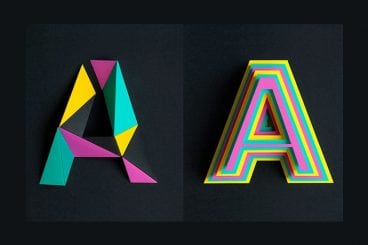
An injection of realism can take a design project to the next level. With so many VR and realistic style effects gaining popularity, it is no surprise that 3D typography is part of this design trend.

Three-dimensional typography has extra depth and can be a great display option. While 3D type isn’t necessarily made for readability, it is a fun design trend that is worth a try. Here’s a look at how to get started with 3D typography (with some pretty cool examples for inspiration).

Art Deco Graphic Design: A Classic Trend

Trends / 25 Jul 2018

Art Deco Graphic Design: A Classic Trend

Add some old-school charm to design projects, with an art deco-inspired design. Traditional, classic, and vintage styles are on-trend now, making art deco elements a fun and easy way to add a touch of something the evokes classic feelings while maintaining a modern touch.

Art Deco graphic design might be a trend, but it is not a new style. The style dates to the 1920s with the greatest popularity of the style lasting for about 15 years. Art deco took off in part due to a culture where advertising was gaining popularity. Art deco graphic design was a mass-produced style and was in everything from magazines to the lines of car styles to architecture to the clothing styles associated with the roaring 20s (such as flapper girls).

Read on to find out more about this trend, and how art deco graphic design is making a comeback!

Graphic Design Internships: 5 Places to Begin Your Search

Business / 23 Jul 2018

Graphic Design Internships: 5 Places to Begin Your Search

Most students know that the right internship can get them on a path to the right job after graduation. Internships provide valuable work experience that help you get an idea of what daily life as a graphic designer looks like—and what skills you need to be successful.

The main difference between an internship and a job is the temporary nature of an internship, which is limited to a specific time frame or a number of hours worked.

The challenge with internships is that not all of the “jobs” are posted in regular job search locations, although some companies do post internship listings on job search websites. So where do you begin your search for the perfect internship? You’re going to have to do some homework.

Graphic Design Is My Passion: 20 Meme Picks

Inspiration / 18 Jul 2018

Graphic Design Is My Passion: 20 Meme Picks

Graphic design is my passion. Seriously. Isn’t it yours too, if you are taking the time to read Design Shack? Whether you use the phrase seriously or in jest, there’s a pretty fun movement on the web of memes that depict this statement. And they probably don’t look like what you’d expect.

The lesson in this ironic meme is that you need to maybe take it down a notch. Graphic design should be fun.

4 Unique Placeholder Image Services for Designers

Software / 16 Jul 2018

4 Unique Placeholder Image Services for Designers

A placeholder image service is a quick and easy way to find images to insert into web projects so that a wireframe or prototype looks more real. It can help other people envision the project and help keep it moving forward.

Most designers try to do everything they can to help a client or non-visual team member see a project during the design, mockup and prototyping process. Often that means putting something together before the content itself is complete.

Here, we’re going to look at four different (and unique) placeholder image services for designers to help you move projects along as efficiently as possible. (Plus, we have a list of reasons why a tool like this might be helpful.)

How to Become a UX Designer

UX Design / 4 Jul 2018

How to Become a UX Designer

So you think you want to be a UX designer? But maybe you don’t know exactly where to start. Whether you are a student thinking about the future, or in the midst of your design career looking to make a change, the process is pretty similar.

If you put in the work and time, you can develop your skills and start doing more UX work. Today we’re exploring what a UX designer does, along with tips, ideas, and suggestions for how to start out on your journey to becoming a UX designer.

7 Tips for Designing a Large Footer

Layouts / 28 Jun 2018

7 Tips for Designing a Large Footer

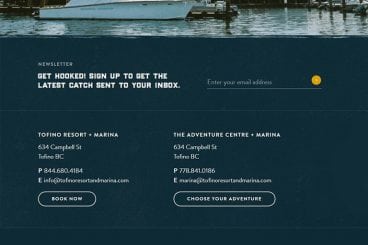
Not all website footers are made equal. While footer design might not be a sexy part of the web design process, a great footer can help users find information, contact you, and better engage with a website. Here’s how you design one that’s functional, and beautiful.

A large footer can also help organize information and make navigating a complicated website that much easier – think about the massive, multi-layer footer on Amazon’s website.

The trick to a large footer is content organization. Once you figure out what the footer design should help users do, it is easier to design a bottom-of-the-page element that you can be proud of. Let’s dive into some footer design tips.

Design Trend: Sliced Text & Typography

Trends / 11 Jun 2018

Design Trend: Sliced Text & Typography

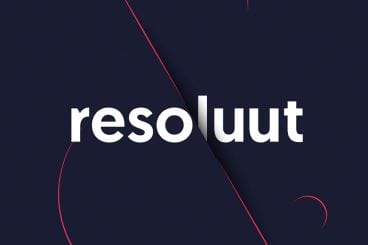
Purists say that you should never alter typography. Lettering should appear as intended by the type designer, or you should select a different font altogether. While this is mostly true, the exception is in the sliced text trend.

The nifty effect makes type elements look like they’ve been cut with a precision tool and can add visual interest to logotypes, headlines and simple text blocks. Sliced text effects can vary from super subtle (such as a small bit of a letter that’s missing) to major parts of words missing altogether.

The thing to keep in mind when using sliced text is that words must always be readable – what point is there otherwise? – and you should pay close attention so that unintended letter combinations or words don’t appear due to slicing. Here’s a look at how to make it work for you with some examples of designs that do it well.