Search Results For: enhance

What Is Adobe After Effects (And What Is It Used For?)

After Effects Templates / 19 Aug 2019

What Is Adobe After Effects (And What Is It Used For?)

Adobe After Effects is a video and animation-based tool that’s used to add elements to moving pictures and animations. Most designers use it to create titles, intros, and transition between clips for more seamless video production.

After Effects is part of the Adobe Creative Suite of products and is included in cloud plans. Full suite users already have access to this tool, or you can get it on its own if that’s all you need.

As with other Adobe tools, the great thing about using this set of tools is that functions and interacts have a look and feel that you are probably already used to, making it easier to learn on the fly.

Here’s a look at Adobe After Effects, what it is, and how to know if you should use it for projects.

How to Insert a GIF Into PowerPoint

PowerPoint Templates / 18 Aug 2019

How to Insert a GIF Into PowerPoint

GIFs are more popular than ever right now and they can be a great way to add a touch of personality, character, or humor to your PowerPoint presentation. We’re going to quickly cover how to insert a GIF into PowerPoint in a few quick, easy steps!

Of course, you have to find the right image to use in a presentation. If you’re going for humor, aim for something short, punchy, and easy to read from a distance as well! If you’re using a GIF to explain a workflow in your app or product, try zooming in on the areas you’re getting people to look at.

Once you have your GIF sorted, here are the steps you need to focus on in order to insert your GIF into PowerPoint.

Mobile First Design: Why It’s Great and Why It Sucks

Mobile / 23 Jul 2019

Mobile First Design: Why It’s Great and Why It Sucks

Historically, most web designers and their clients have approached the desktop side of any project first, while leaving the mobile part as a secondary goal that gets accomplished later. Even with the rise of responsive design, many of us begin with the “full size” site and work our way down.

There’s a growing trend in the industry though to flip this workflow on its head and actually begin with mobile considerations and then work up to a larger desktop version.

Why would you ever approach a project this way? What are some of the pros and cons of this strategy? Read on to find out!

Design Trends: When to Use Them + When to Ignore Them

Trends / 13 May 2019

Design Trends: When to Use Them + When to Ignore Them

We showcase a lot of design trends here at Design Shack. Not only is it fun to look at examples of new work, groundbreaking projects, and things that are growing in popularity, but it can also serve as a bit of design inspiration.

You can use trends to determine if your projects look modern, classic or just plain dated. But design trends aren’t for everyone all the time. That trend that looks amazing for one brand or project might be a disaster for another.

So how do you know when to use design trends (and when to just ignore them altogether)? Here’s your primer!

Premiere Pro Templates

Adobe Premiere Pro templates can help you quickly craft great-looking scenes, effects, and graphics for your videos.

These templates can help with creating compelling typography, video openers, title slides, actual video slideshows, and much more. They’re a fantastic time-saver, and a useful thing to have in your Premiere Pro toolbelt.

Our feature covers what these are and how to use them, along with collections of our favorite Premiere Pro templates for all manner of different uses and scenarios.

Read the Feature →

10 Modern Website Navigation Tips & Ideas

Navigation / 27 Mar 2019

10 Modern Website Navigation Tips & Ideas

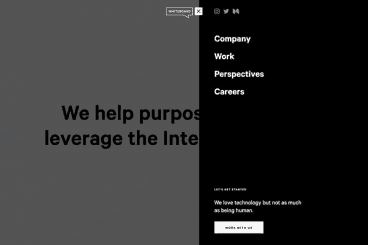
One of the elements of website design that you don’t always think about first is navigation. (Although you probably should.) How will users move around the design? How will they find elements that aren’t obvious to them?

Website navigation trends have changed a lot; moving away from overwhelming mega menus to lighter more minimal options. And there’s some value to that thought – too many choices can overwhelm users. Provide the information they need in the space they need it to increase engagement. Don’t throw the kitchen sink at them!

Today, we’ll look at a few modern website navigation tips and ideas to help you do just that.

What’s a Progressive Web App (And Why Should You Care)?

Mobile / 10 Oct 2018

What’s a Progressive Web App (And Why Should You Care)?

In 2016, mobile users first surpassed those accessing the web from desktop devices. Since then, mobile hasn’t shown any signs of slowing down.

As everyone looks for how to make websites, and web apps, more mobile-friendly, you’ll increasingly start to come across the phrase “Progressive Web App”. Today we’re looking at what this is, how it differs from other technologies like AMP, and how you can get started.

Is Your Website Font Size Too Small? Large Text Is In

Typography / 3 Sep 2018

Is Your Website Font Size Too Small? Large Text Is In

The standards for typography on the web have shifted. Designers are going with bigger, easier to read typography that is more seamless and consistent across devices. The trend toward bigger web typography started with oversized treatments above the scroll, from headlines to more artistic hero header text elements.

Body text sizes concurrently started to increase on mobile devices to enhance readability. And from there, the trend started to trickle down to almost all aspects of web type. If you haven’t thought about the size of copy on your website recently, it’s time to revisit that 12 or 14-point/pixel body copy. Large text is in!

10 Tips for Using Text Effects That Don’t Suck

Typography / 30 Apr 2018

10 Tips for Using Text Effects That Don’t Suck

Adding effects to typography can be a source of heartache for designers. Clients demand a drop shadow or embossing, and you’re stuck with text effects that threaten to ruin a project. What you need is an arsenal of text effects that don’t suck so you can help the client pivot to something a little more classy.

The trick to all of these effects is using them with purpose. Good typography doesn’t need “help.” If a font isn’t working alone, it’s not going to work with a bunch of techniques added either. (You’ll only make something bad even worse.)

The best text effects are nearly invisible to non-designers. Or text effects are used to add meaning to typography or lettering. Here are a few tips for using text effects that don’t suck with some pretty cool examples.

20+ Awesome Resources for Bootstrap Lovers

Bootstrap / 22 Mar 2018

20+ Awesome Resources for Bootstrap Lovers

Bootstrap has simply exploded in the web development community. There will always be skeptics and haters but on the whole, the project has been a smashing success and can constantly be seen at the top of the Forked and Watched charts at GitHub.

As a result of Bootstrap’s fame, lots of great related resources have been put forth by the development community. Today we’ve collected our favorites into a list of everything you need to get started with Bootstrap. From introductory tutorials to wireframing kits and custom generators, there’s something here for every Bootstrap lover.

13 Best Ways to Learn CSS Grid

CSS / 26 Feb 2018

13 Best Ways to Learn CSS Grid

CSS Grid an increasingly popular method for creating complex responsive web design layouts that render more consistently across browsers. Now is the time to familiarize yourself with CSS Grid, so we’ve collected 13 of the best ways to get started learning today.

Rather than old-school methods such as tables or the box model, CSS Grid allows you to create more asymmetrical layouts and more standardized code that is cross-browser compatible. Most major website browsers already support CSS Grid and it is a W3C Candidate Recommendation, which would formalize it as a standard practice. It’s widely believed that CSS Grid will be the future of website layouts.

The 3 Cs of User Interfaces: Color, Contrast, and Content

Web Standards / 7 Feb 2018

The 3 Cs of User Interfaces: Color, Contrast, and Content

There’s an old business model that many business strategists live by—the 3 Cs. It’s a reminder to focus on the company, customers and competitors. Many small businesses and websites also use this model. But for designers, the three Cs are a little different.

When creating user interfaces, you should focus on color, contrast, and content. These three elements are the foundation of good design. But each is a little more complex than it might seem from the surface. Here’s how to think about–and incorporate–the three Cs of user interfaces into your design projects.