Search Results For: photo

5 Steps to Drastically Improve Your CSS Knowledge in 24 Hours

CSS / 18 Oct 2013

5 Steps to Drastically Improve Your CSS Knowledge in 24 Hours

You’ve been coding for a while now and know your way around a CSS file. You’re certainly no master, but with enough fiddling you can get where you want to go. You’re wondering though if you’ll ever get past that point where CSS is such a struggle. Will you ever be able to bust out a complex layout without ultimately resorting to trial and error to see what works and what doesn’t?

The good news is that you can indeed get past that frustrating point where you know enough CSS to code a website, but lack the solid foundation that allows you to code without the annoyance of not exactly understanding how you’re going to get where you’re going, and this point is a lot closer than you think. I propose that there are five topics that will drastically boost your understanding of CSS. Spend some time reading about each over the next twenty-four hours and you’ll change the way you code forever.
How to Pull Off a Tilt Shift Effect With Webkit CSS Filters

CSS / 11 Oct 2013

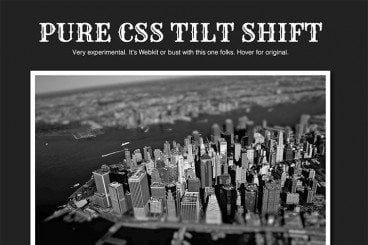
How to Pull Off a Tilt Shift Effect With Webkit CSS Filters

Thanks to mobile image editing apps like Instagram, the faux tilt shift fad seems to be at its height. But why should we let iPhones have all the fun? Let’s bust out a tilt shift effect using pure CSS.

In this tutorial, we’ll learn all about the new CSS filters in Webkit and how to implement an image mask in CSS. We’ll then use these techniques for our final tilt shift effect. We’re going to hit on all kinds of crazy stuff so read on and we’ll have some fun.

Designing With Circles: Tips and Advice

Graphics / 3 Oct 2013

Designing With Circles: Tips and Advice

Once shunned by designers, circles seem to be making a comeback. The perfectly round shape – and its oblong counterparts – can be difficult to work with. The shape does not stack as well as the more standard rectangle and creates a much different overall feel.

The circle is a perfect shape, meaning that it is the same no matter how you look at it. It is complete and in harmony with nature – consider how many natural elements are circle-based. So, as a designer, how can you make circles work for you?

5 Traits of Successful Minimalism

Minimalist Graphic Design / 2 Oct 2013

5 Traits of Successful Minimalism

At first glance, minimalist websites might look like they’ve just been slapped together as quickly as possible. After all, they’re plain and simple, and most people tend to associate lots of detail with good craftsmanship. But the same rules just don’t apply to the online world.

It only takes a small amount of user interaction to quickly reveal the quality of a minimalist site. This is because the original idea that fueled the rise of minimalism was that functionality is inherently beautiful. A design that clarifies and reveals the structure of a website can be just as appealing as one that obscures its purposes behind fancy decorative additions. Furthermore, it often yields a much better user experience, because those unnecessary distractions are eliminated.

Pros and Cons of Working With Design Kits

Graphics / 23 Sep 2013

Pros and Cons of Working With Design Kits

Design kits seem to be everywhere these days. From UI kits, to templates and grids, to complete design kits, what makes these tools so popular (and what are the disadvantages)?

Today we’re going to take a look at the pros and cons of using different types of design kits, and even show you a few kits in the examples that might be worth trying out for various purposes.

10 Easy Image Hover Effects You Can Copy and Paste

CSS / 16 Aug 2013

10 Easy Image Hover Effects You Can Copy and Paste

Hover effects are always a fun topic to explore. In the past, we’ve built some awesome examples of CSS hovers that were easy to copy and paste right into your code.

Today, we’re going to follow that up with ten new effects specifically built for use with images. Each example comes with an HTML and CSS snippet that you can steal and a live demo so you can see it in action.

10 Printing Terms You Need to Know

Business / 7 Aug 2013

10 Printing Terms You Need to Know

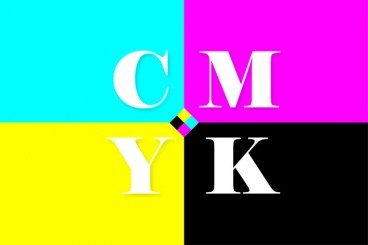
More and more designers these days are working in a variety of mediums — both digital and print. But it can take a different set of specifications to put together a successful project for each. Print design has its own jargon.

Understanding how printing works (and how to speak the language of printers) is important for any designer. Don’t think this applies to you because most of your business is web-based? Consider this: At some point a client will ask for print components to go with the website, whether they are business cards or posters or just a great handout for presentations. Knowing the printing basics and terminology will help you bridge the gap. Here are ten key terms you need to know.

Current Color Trends: Muted Pastels

Graphics / 30 Jul 2013

Current Color Trends: Muted Pastels

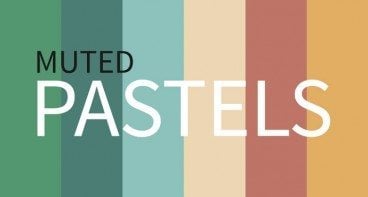
Of late, you may have noticed a crop of new site designs have a softer and lighter look. After all the rainbow brights and even neon or fluorescent hues that have been so popular of late, it seems that some designers are taking a more subtle approach by using lighter or muted colors.

Although the same basic treatments are still being utilized — like colorized photography or color blocking — the new hues are making for a more refined and understated variation on these themes. Today we’re going to delve into this trend a little more, and explore various design examples and approaches.

Understanding Color: Dominant vs. Recessive Colors

Graphics / 11 Jul 2013

Understanding Color: Dominant vs. Recessive Colors

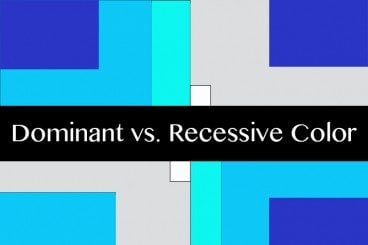
Ever wonder why your colors don’t look quite right in some situations? It could be a simple as the color choice. Certain colors tend to take on the characteristics of other hues, while others always look pure. In addition, the human eye perceives color in different ways based on whether it is in the foreground or background.

This phenomenon can be explained through dominant and recessive colors. Join us as we take a closer look at these two terms today, and delve into deeper understanding of how they can guide your design choices and decisions.

Create Shaped Avatars With CSS and Webkit

CSS / 29 Jun 2013

Create Shaped Avatars With CSS and Webkit

In case you haven’t noticed, square avatars are so 2010. These days circles are all the rage. Every app worth its salt, from Path to Basecamp, is jumping on board this fad and waving goodbye to the squares who are stuck in the past.

Ever the forward thinker, I asked myself, “what’s next?” Let’s look beyond squares and circles and into the future of the avatar! Using CSS and Webkit, we can use pretty much any shape as the mask for an avatar. Let’s see how.

How to Design a Resume That Stands Out

CV & Resume Templates / 24 Jun 2013

How to Design a Resume That Stands Out

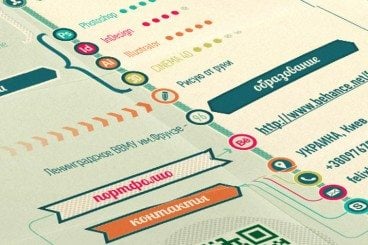
Resumes are everywhere. They can be good, bad or downright embarrassing. But one thing is certain — if you want a job, yours must stand out in a good way. The design needs to reflect your personality, and the information needs to be organized, relevant and spot-on.

More often than not in today’s job market, you may even have several versions of your resume; one tailored toward different types of companies, one for potential clients or another as a showcase piece in your portfolio.

Tips and Advice for a Design Portfolio Review

Business / 30 May 2013

Tips and Advice for a Design Portfolio Review

For every member of the design community – designers, photographers and illustrators – the portfolio is an essential tool when it comes to getting new clients or changing jobs.

The portfolio review can be one of the more stressful parts of your career. It can be tough to take criticism and hear things you may not want to about your work. A good portfolio review will make you better and it is just as important to understand how to receive a review as well as give a good one.