CSS Archive

fiddlers-f

5 Online Playgrounds for HTML, CSS and JavaScript Compared

screenshot

Local coding environments are great, but it’s often the case that I don’t want to crack open Espresso and spend a few minutes setting up to code when all I really want is to test out an idea or work on a bug. Also, sharing options for most local coding apps are limited and typically require integrating an outside app like Dropbox.

Online playgrounds or sandboxes such as jsFiddle solve this problem by providing you with an instantly ready coding environment for you to begin experimenting in as soon as the page loads. These tools let you combine CSS, HTML and often even JavaScript to create and share coding examples. I’m completely addicted to these things and have extensively tested every one I can get my hands on. Today I’ll go over my five favorites and discuss not only why what I like about each option, but also where they fall short.

February 3rd, 2012 Posted in CSS
anim-download-f

Code an Awesome Animated Download Button With CSS3

screenshot

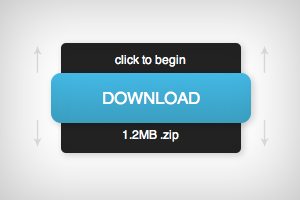
Follow along as we create a simple and fun download button using some fancy CSS3. Our button will use lots of fun goodies including border-radius, box-shadow, linear-gradients, z-index and transitions to achieve a unique double sliding drawer effect on hover.

As we go, I’ll discuss why some techniques that you might think to use should be avoided. Transitions are tricky to work with and are quite prone to refuse to work with certain properties. Read on to find out more.

January 30th, 2012 Posted in CSS
htmlkickstart-f

Jumpstart Your Web Project With HTML KickStart

screenshot

Recently, we took a look at a really solid framework from the good folks at Twitter called Bootstrap. This toolkit is a swiss army knife of utilities and includes both a functional layout grid and enough pre-styled elements to get a great jumpstart on any project.

Today we’re going to look at a very similar tool from Joshua Gatcke called HTML KickStart. This framework is simply overflowing with great stuff that will enable you to build web page prototypes at light speed. Let’s jump in and build a page with it to see what we think.

January 24th, 2012 Posted in CSS
compatibilitybuffer-f

Nailing Browser Support in CSS3 and HTML5: Invaluable Resources to Use Today

screenshot

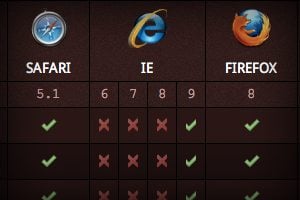
New technologies are making web development more exciting than ever before. HTML5 and CSS3 provide a double dose of modern practices that are absolutely refreshing and empowering. Unfortunately, utilizing these technologies can considerably complicate your quest for cross browser compatibility.

How can you know which techniques are safe to use now and which you should either provide alternatives to or avoid altogether? Join us as we take a look at a handful of our favorite resources that quickly and easily help you make informed decisions about real world HTML5 and CSS3 implementation.

January 23rd, 2012 Posted in CSS
cssbuttonapp-f

Create Amazing CSS Buttons on the Fly With CSSButton.Me

screenshot

Today we’re going to have some fun as we take a look at an awesome new free tool for web developers simply called CSS Button. This web app makes it quick and easy to make the CSS buttons of your dreams using simple and intuitive controls.

I’ve seen quite a few other CSS button makers before and almost none really merit repeated use, but this site has a lot going for it and can genuinely save you a lot of time and frustration. Let’s jump in and check it out!

January 19th, 2012 Posted in CSS
borderbad-f

Beating Borders: The Bane of Responsive Layout

screenshot

Responsive design often requires setting your widths using percentages. This is easy enough to accomplish, that is until you start throwing borders into the mix. If your columns and total width are set using percentages, a static border size wreaks havoc on your layout.

Today we’re going to look at a couple of different ways to beat this problem. You’ll learn how to create a completely fluid layout that doesn’t mind extra borders or padding one bit.

January 18th, 2012 Posted in CSS
css-beforeafter-f

The Lowdown on :Before and :After in CSS

screenshot

We recently took a look at :active, an extremely handy pseudo-class selector that can be used to create some awesome mouse-down effects. Today we’re going to take a step back and explore some other “pseudo” items, this time we’ll be looking at the pseudo-elements :before and :after. You’re probably beginning to see these used all over the web in advanced CSS examples so you might as well jump in and learn to use them yourself.

What is a pseudo-element and how does it differ from a pseud-class? Why do pseudo-elements sometimes have one colon and sometimes have two? How are :before and :after implemented in CSS? What are some ways that developers all over the web are using these tools to perform amazing feats of modern coding? Read on to find out.

January 13th, 2012 Posted in CSS
activetut-f

Build a Fun Trivia Game With the CSS Active Selector

screenshot

We’ve done a ton of fun stuff recently with the :hover selector. From button hover effects for beginners to more advanced hover tutorials and even onto using hovers with multiple backgrounds. Today we’re moving on and learning about a related but equally awesome selector that often gets overlooked.

With :active, we can control the state of an object while it’s being clicked. Typically, this takes the simple form of changing a link’s color while the mouse is pressed down, but we’re going to do something much more interesting. Follow along as we build a super cool, pure CSS presidential trivia game.

January 11th, 2012 Posted in CSS
responsivegallery-f

How to Build a Responsive Thumbnail Gallery

screenshot

Recently I set out to build a responsive thumbnail gallery. I expected it to take me a few minutes, but in reality it took me a few hours to work through. We’ll walk through a similar process today to help you get your mind wrapped around how it works.

One major component of mastering responsive design is to figure out how to approach specific tasks and adjust to problems as they arise within the context of larger projects. One day you’ll be working on a project and will need a responsive gallery and you’ll remember this post on that very topic.

January 3rd, 2012 Posted in CSS
mouseinout-f

Mastering Mouse Enter and Exit Events With CSS Transitions

screenshot

While working on a recent post that utilized CSS transitions, I stumbled upon some interesting revelations completely by accident. Switching up where you place the transition syntax can have a dramatic effect on how the transition is carried out.

Today we’re going to go over the various options for CSS transition syntax and how each affects the animation given whether your mouse is entering or exiting a hover.

January 2nd, 2012 Posted in CSS
Subscribe
Membership