Articles - Page 111

Browse hundreds of articles, tips, and inspiring design collections. Find helpful design advice, or the perfect resource for your next project.

What Is Adobe Premiere Pro? (And What Is It Used For?)

Premiere Pro Templates / 14 Aug 2019

What Is Adobe Premiere Pro? (And What Is It Used For?)

Adobe Premiere Pro is one of the go-to editing tools for video, including film, TV, and clips for the web and social media. If you are an Adobe CC subscriber and have seen this tool but haven’t given it a whirl, what are you waiting for?

While Premiere Pro can look a little intimidating at first, functionality is rooted in the same principles as other Adobe products and with a little tinkering, you should figure it out pretty quick (and there’s plenty of documentation and online help available).

So, what is Adobe Premiere Pro and how can you make this most of this video-editing tool? Let’s take a look.

The Lowdown on :before and :after in CSS

CSS / 7 Aug 2019

The Lowdown on :before and :after in CSS

We previously took a look at :active, an extremely handy pseudo-class selector that can be used to create some awesome mouse-down effects. Today we’re going to take a step back and explore some other “pseudo” items, this time we’ll be looking at the pseudo-elements :before and :after.

You’re probably beginning to see these used all over the web in advanced CSS examples so you might as well jump in and learn to use them yourself.

What is a pseudo-element and how does it differ from a pseud-class? Why do pseudo-elements sometimes have one colon and sometimes have two?

How are :before and :after implemented in CSS? What are some ways that developers all over the web are using these tools to perform amazing feats of modern coding?

Read on to find out.

What Are Photoshop Actions? (+ 15 Useful Examples)

Photoshop Actions / 7 Aug 2019

What Are Photoshop Actions? (+ 15 Useful Examples)

Photoshop Actions might be one of the best tools you aren’t taking advantage of. Simply, a Photoshop Action is a sequence of things done to an image in the editing process that you can save and use repeatedly. Actions can be great for batch editing, saving bulk files, and almost any process that could be made faster by recording and repeating.

So, what are Photoshop Actions and how do you make the most of them? Their use case can be so varied and extensive, it’s often hard to know where to start.

Read on to learn more about what Photoshop Actions are, where they’re stored on your computer, and where to download them from.

The Lowdown on Absolute vs. Relative Positioning

CSS / 6 Aug 2019

The Lowdown on Absolute vs. Relative Positioning

When I was first learning web development, the style side of CSS seemed straightforward and fun, but performing layout feats seemed like a confusing mess. I sort of felt my way around without a solid understanding of how things like positioning and floats worked and as a result it would take hours to perform even simple tasks. If this situation sounds familiar, then this article is for you.

One of the real revelations that I had early on was when I was finally able to wrap my head around how positioning contexts worked, especially when it came to the difference between absolute and relative positioning.

Today we’re going to tackle this subject and make sure you know exactly how and when to apply a specific positioning context to a given element.

How to Design a Poster for an Event: 7 Key Tips

Poster Design / 5 Aug 2019

How to Design a Poster for an Event: 7 Key Tips

Event poster design is a lot of fun. For most poster projects, you really get to express creativity with a one-off design for a single event. While you may still have constraints such as brand typography or color palette, there’s often lots of leeway to create something visually impressive.

With a goal of enticing people to show up or buy tickets, you have to design with impact for these kinds of project. But you also need to convey quite a bit of information in a concise way.

Here’s how to design a poster for an event.

25+ Awesome Responsive Blog Designs

Inspiration / 2 Aug 2019

25+ Awesome Responsive Blog Designs

Whether you’re a blogger looking for the perfect design for your next website or a web designer looking to get inspired for your next project, the process always starts the same way—by exploring designs made by others.

We’re here to make that process easier for you. In this post, we’re featuring a roundup of some of the best and most professional blog designs you can find on the Internet. If you’re working on a new blog layout design, or simply planning on making a new blog, you can start your search for inspiration right here!

5 Really Useful Responsive Web Design Patterns

UX Design / 30 Jul 2019

5 Really Useful Responsive Web Design Patterns

Responsive web design requires a very different way of thinking about layout that is both challenging and exciting. The art of layout was already complex enough for the centuries that it was defined by fixed elements, now things are becoming exponentially more complicated as layouts become increasingly adaptive.

To help reprogram your brain to consider layouts in new ways, we’re going to take a look at some interesting responsive design patterns that are being implemented by talented designers all over the web.

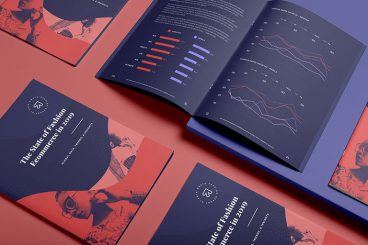
How to Print a Brochure: 3 Options Compared

Brochure Templates / 29 Jul 2019

How to Print a Brochure: 3 Options Compared

You’ve designed a brochure. Now what? With so many printing options out there, how do you know what option is best? The decision can depend on budget, paper, and printing needs, turnaround time, as well as other factors. And not all print options are created equal.

Today, we’re going to compare three different option for printing a brochure so that your design can shine on paper.

Make sure to click through the examples as well, for some more images of beautifully printed brochures! Or, browse through our complete guide on how to design a brochure.

Mobile First Design: Why It’s Great and Why It Sucks

Mobile / 23 Jul 2019

Mobile First Design: Why It’s Great and Why It Sucks

Historically, most web designers and their clients have approached the desktop side of any project first, while leaving the mobile part as a secondary goal that gets accomplished later. Even with the rise of responsive design, many of us begin with the “full size” site and work our way down.

There’s a growing trend in the industry though to flip this workflow on its head and actually begin with mobile considerations and then work up to a larger desktop version.

Why would you ever approach a project this way? What are some of the pros and cons of this strategy? Read on to find out!

50 Shades of Black: Effective Use of No Color

Graphics / 18 Jul 2019

50 Shades of Black: Effective Use of No Color

A few years ago, there was a debate stirring on the web about black. Ian Storm Taylor’s “Never Use Black” was shared and tweeted and read by designers all over the world.

You can debate whether you should use black or not all day long. But the reality is that you will use black. Every designer does – by choosing or not.

So it’s best to understand the color and how to use it properly in a variety of design projects.

Inner Shadows in CSS: Images, Text and Beyond

CSS / 10 Jul 2019

Inner Shadows in CSS: Images, Text and Beyond

Shadows in CSS are quick and easy, whether you’re slapping on a box-shadow or a text-shadow. But how comfortable are you with inner shadows? Can you pull off an inset box-shadow? How do you do the same thing on some text?

Today we’re going to learn some really simple inset shadow techniques that you can pull off with just a few lines of code. I’ll walk you through both the box-shadow and text-shadow syntax and how to change them to pull off an inset shadows.

5 Quick Google Slides Tips & Tricks

Google Slides Themes / 1 Jul 2019

5 Quick Google Slides Tips & Tricks

If you aren’t using it already, Google Slides might quickly become one of your favorite tools. For anyone with a Google account, the presentation software is included to use completely free of charge.

It’s packed with tools to help you make great presentations with ease, and it supports downloadable templates to help you get started fast.

Make the most of this presentation tool with these tips and tricks that make Google Slides that much more functional!