Search Results For: develop

5 Gorgeous Note & Point Presentations You Have to See

Graphics / 16 Mar 2012

5 Gorgeous Note & Point Presentations You Have to See

One of my favorite sites for design inspiration is Note & Point, which is a fantastic curator of great looking presentation decks (Keynote + PowerPoint = Note & Point). Not only is this site chock full of awesome design examples, most of their presentations are actually design and development related so you learn some great stuff along the way!

Today we’re going to look at five of my favorite Note & Point decks, which will teach us a ton of great stuff about presentation design.
Sass and Media Queries: What You Can and Can’t Do

CSS / 15 Mar 2012

Sass and Media Queries: What You Can and Can’t Do

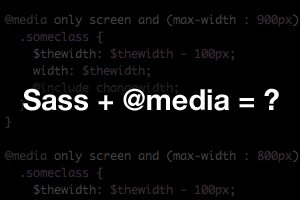
Preprocessors like Sass are helping us flex our development muscles in nearly every area of our CSS. Variables, mixins, inheritance and many more great features make coding easier and more concise than ever.

So what about leveraging Sass for responsive design, or more specifically, for media queries? Are there any features of Sass that pair particularly well with media queries? Is there anything you should avoid? Join me as I experiment and discover the answers.

Use Gridpak to Roll Your Own Responsive Grid

Mobile / 6 Mar 2012

Use Gridpak to Roll Your Own Responsive Grid

I love finding free tools that are capable of making my job (and yours) just a little bit easier. The web developer community is positively overflowing with talented people who are more than willing to share their creations with the world while asking nothing in return.

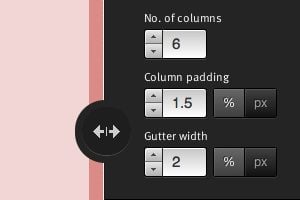
Today we’re going to look at one such tool from Erskine Design called Gridpak. With it we can quickly and easily generate our own responsive grid for building web pages that work well on lots of different screen sizes. It’s a little tricky to implement though so we’ll help you figure out how to set up your styles after you grab the download.

Web Design Vocabulary Refresh Part 1: HTML

HTML / 5 Mar 2012

Web Design Vocabulary Refresh Part 1: HTML

What’s the difference between an element and a tag? When should I use strong and when should I use bold? What the heck is the DOM? When you’re new to web design, one of the biggest hurdles to overcome is always the jargon. So many technical terms are thrown around flippantly and rarely explained outright that it’s easy to get lost.

This series will serve as a basic introduction to some terms that every new web designer should be sure to add to his or her vocabulary. This won’t be an exhaustive vocabulary list but rather a primer on a few terms that I found difficult to wrap my head around when I was a beginner. We’ll start with HTML today and move on to CSS in the near future.

Mastering Multiple Photo Layouts

Layouts / 2 Mar 2012

Mastering Multiple Photo Layouts

Working with multiple photos and images can be a tricky prospect. Done carefully, the use of multiple images can help create an effective and masterful design for both print and web design projects. Some of the best examples of design using multiple photos can be found in the websites of professional photographers.

Consider dominance, number of photos, color, grouping and image quality when working with a variety of photos. Look at details and consider the feel of a project to get the best results when using many images in your project.

Do We Still Slice PSDs?

CSS / 24 Feb 2012

Do We Still Slice PSDs?

The other day a friend of mine said something that caught my attention, “I’m trying to learn how to slice a PSD.” It’s a simple enough statement. As soon as he said it, I knew exactly what he was talking about, and yet, there was something in there that didn’t quite set right.

Upon seeing my hesitation my friend responded with a question, “Do we still slice PSDs?” Great question! For beginners, jargon isn’t merely jargon, it implies a process and suggests a method of action. For this reason, it’s often helpful for more advanced developers to define their terms in a way that is meaningful to others. Today we’ll dive into the theory behind the process of converting a PSD to to a web page and end with a discussion on the ups and downs of designing in the browser.

Responsive Design: Why You’re Doing It Wrong

Mobile / 22 Feb 2012

Responsive Design: Why You’re Doing It Wrong

Responsive design isn’t a fad that arose because of a cool CSS technique, it’s an answer to a problem. Always remember that and constantly ask yourself whether or not you’re really adequately addressing that problem. If you’re using copy and paste to insert your media query breakpoints, your solution might be flawed.

Let’s discuss why media queries exist and how we can leverage them to truly solve the quandary of the ubiquitous web. Let’s talk about why you should let your content determine the breakpoints of a layout, not hypothetical screen sizes.

Twitter Bootstrap 2: Bootstrap Goes Responsive

CSS / 15 Feb 2012

Twitter Bootstrap 2: Bootstrap Goes Responsive

Recently, we published a piece titled 5 Incredibly Useful Tools Built Into Twitter Bootstrap, which took a look at the basic structure of Twitter’s Bootstrap framework and walked you through implementing some of the major components.

Twitter just released Bootstrap 2.0, an update so large it equates to a near full rewrite. There are quite a few new features and toys to play with, but the real headliner is that the framework is now fully responsive. Join us as we dig in to see how the new grid works and what other cool new features have been added. You’ll learn how to implement Bootstrap in your projects and will also pick up some extremely handy CSS techniques that you can use anywhere.

Save Loads of Time by Writing Your HTML With Haml

HTML / 13 Feb 2012

Save Loads of Time by Writing Your HTML With Haml

Odds are, by now you know all about Sass and its brethren (LESS, Stylus, etc.). Love them or hate them, these CSS preprocessors are making a big splash in the development community. In many ways they represent a faster, more efficient way to write CSS and if you get on board, you’ll no doubt appreciate the flexibility that they bring to your project.

Once you get bitten by the CSS preprocessor bug, you’ll inevitably start look at HTML and wondering why it has to be so cumbersome. Why doesn’t someone drastically simplify the way we write markup? It turns out, the same people that brought us Sass have done just that with a language called Haml. Today we’re going to take a look and see how to use Haml to completely change the way you write markup.

Three Super Easy Ways to Pull Off a Masonry Layout

CSS / 8 Feb 2012

Three Super Easy Ways to Pull Off a Masonry Layout

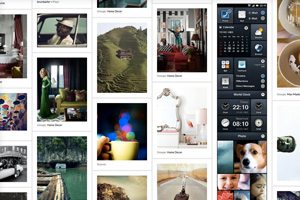
Masonry style layouts push the boundaries of creative layout techniques. I personally love how capable they prove to be at maximizing the efficiency of galleries containing items with varying heights. Every bit of screen space is used and the result can be downright mesmerizing.

Today we’re going to dive into the concept, ideas and popular techniques that are currently prevalent in masonry style layouts. We’ll learn three different methods for pulling off a masonry layout, discuss the ins and outs of each and make sure that the result is beautifully responsive and reflows based on browser width.

Pick the Right Typefaces for Your Project

Typography / 26 Jan 2012

Pick the Right Typefaces for Your Project

Sometimes the most daunting part of a new project can be the brainstorming phase. Thinking of color schemes and font selections can be inspiring in your head, but really tough when you start mixing and matching elements on paper or for your website.

Understanding some of the history of fonts and typography can help make any project a little easier. Learn how to pair different typefaces to get desired effect every time and learn what things to avoid. Sharp typography and font selections can really make or break just about any project.

Addictive UX: Why Pinterest Is So Dang Amazing

Business / 25 Jan 2012

Addictive UX: Why Pinterest Is So Dang Amazing

Today we’re going to examine a very specific example of good design and discuss what makes it so successful. Along the way we’ll discover the importance of good design and how to structure experiences that turn users into addicts.

We’ll hone our sights in on Pinterest and perform a seriously in-depth analysis to see why this seemingly generic idea seems to stand so far out from the competition. The ultimate conclusions will equip you to design experiences that your users will absolute love.