Search Results For: effects

Duotone Color: Tips & Examples for This Vibrant Trend

Graphics / 28 Sep 2016

Duotone Color: Tips & Examples for This Vibrant Trend

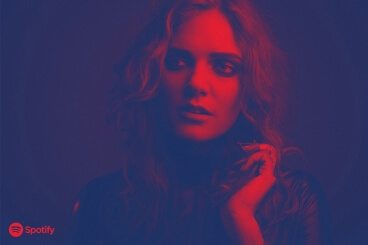
The next big web design image trend is here, and it’s vibrant, colourful, and beautiful!

Thanks to Spotify, duotone is growing in popularity almost daily. The effect, which uses a pair of colors over a photo is striking, fun and vibrant. It’s also quite trendy, with new sites changing to a duotone format almost daily. Here are a few ways to make the most of this hot design technique.
15+ Best Wedding HTML Templates

Wedding Design / 30 Aug 2016

15+ Best Wedding HTML Templates

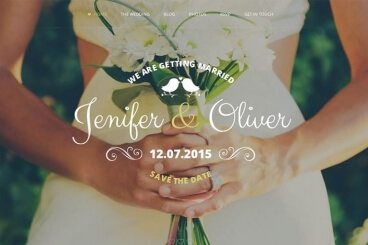
Still haven’t found the perfect template for your wedding website? Of course not. Why else would you be here on this page, right? Well, don’t worry. We’ve got you covered. Hopefully, you’ll be able to conclude your search here.

We all know how much work you have to put into planning a wedding. So, to save you hours of time that go into coding a website or browsing the web to find the perfect HTML template, we handpicked the best and most beautiful wedding website templates just for you.

These templates are not only beautiful but are also quite affordable, and easy to customize. Which means, you can save some more money from your wedding budget!

5 Website Layout Ideas That Never Get Old

Layouts / 24 Aug 2016

5 Website Layout Ideas That Never Get Old

There’s always that moment at the beginning of a website design project where you think “where do I start?” You’ll battle the desire to create something totally different and new versus something tested and reliable.

Realistically, there are a few layouts that just never get old. These patterns are generally accepted by users, easy to understand and provide a solid framework for pretty much any design and content type. Here, we’ll look at these five “timeless” website layouts and how to make the most of them for your next project.

What’s Flat 2.0 and Why Should You Care?

Graphics / 23 May 2016

What’s Flat 2.0 and Why Should You Care?

Just when you thought you had flat design figured out, everyone has shifted to talking about Flat 2.0. If you never took the leap into designing a flat project, now is the time.

Flat 2.0 is easier to use because it combines the best of flat design with additional user interface cues to help you create website design that’s beautiful and functional. It’s also highly adaptable and works with almost any concept. Unlike some of the purest flat designed websites, Flat 2.0 combines elements of flat with subtle additions to enhance user-friendliness. Let’s take a look at a few examples!

5 Alternatives to Drop-Down Hover Menus

UX Design / 21 Mar 2016

5 Alternatives to Drop-Down Hover Menus

Is the era of drop-down hover menus over? It might well be. This design pattern doesn’t work for today’s users. The concept is clunky and doesn’t always translate well to smaller screens.

Users want menus and navigation options that are easier to use, simple to understand and don’t come with more options than they can think about in a few seconds. Navigation menus should be device-agnostic and work in the same way, creating a single experience, across device types. So what can you do to say goodbye to those drop down menus? We have five alternatives.

How Emotion Can Impact Your Website Conversions

UX Design / 16 Feb 2016

How Emotion Can Impact Your Website Conversions

Is there a connection between happy, sad, or funny and getting users to complete an action on a website? You bet there is!

Users connect to websites through branding and personas. This emotional bond happens visually at first but can have deeper linkages when it comes to long-term brand relationships. And elements of the design impact exactly how (or if) these conversions happen. Today we’re going to look a bit more closely at this connection between conversions and emotion, and consider how you can make the most of instilling a positive emotion in your audience.

Design Trend: How to Create a Cool Split Screen Aesthetic

Layouts / 22 Dec 2015

Design Trend: How to Create a Cool Split Screen Aesthetic

One screen divided in two. This might be one of the bigger design trends emerging right now. More and more websites are using design patterns that include two vertical or square panels placed side by side.

And it’s a nice aesthetic. The look is user friendly, can be adapted for a variety of needs, and helps guide navigation. It’s a trend that we are likely to see more of – and design – in the coming months. Today we are looking at a few great examples of split screen design with mini case studies and finding out how you can make the most of this design trend.

The Practical Beginner’s Guide to SVG

Graphics / 12 Oct 2015

The Practical Beginner’s Guide to SVG

Although the format is not particularly new, SVG images are increasingly popular in the design of websites. All major web browsers support the format and SVG is changing the way we think about and render images for the web.

Why at they so popular? And what exactly is different about an SVG file? Today, we have the answers and everything else you need to know to get started with this file type. (As a little bonus, all of the images in this post are available in SVG from Creative Market.)

Use Abstract Geometry to Create Stunning Designs

Inspiration / 24 Sep 2015

Use Abstract Geometry to Create Stunning Designs

If you’ve ever found yourself in a design rut, wondering how to come up with some fresh ideas, then you’ve no doubt experienced how refreshing it can be to experiment with a new design style that’s completely outside of what you typically produce.

Today we’re going to do exactly that. I’ve been fascinated with a particular style lately and just itching to give it a test drive. We’ll start by analyzing this style’s characteristics through the work of others and then proceed to building something on our own using what we learn. Read on to see the step by step process.

Are You a Right-Brained or Left-Brained Designer?

Business / 17 Sep 2015

Are You a Right-Brained or Left-Brained Designer?

Colors, pictures, creativity; designers are quite obviously a group of people that tend to gravitate towards using the right sides of their brains… right? Or is this simply a stereotype that doesn’t necessarily ring true?

Is design exclusively artistic talent put to productive use or is it possible that the industry is equally full of analytical problem solvers? Let’s take a look at how designers think, whether you’re a right brainer or a left brainer, and how I’ve struggled through being a left brainer in an industry of right brainers.

Blurred Images in Web Design: How to Make Them Work

Graphics / 10 Aug 2015

Blurred Images in Web Design: How to Make Them Work

It’s an undeniable fact: using blurred images is a trending web design technique in 2015. It seems like everywhere you look there’s some element of blur.

But this is not a solution to some of your photo problems. It’s a distinct technique that takes practice to perfect and attention to detail to get it right. So before you jump on the trend, think about the options for using blurred images to decide if it is right for you and how you can make the best use of this technique in your projects.

Kinetic Typography: An Introductory Guide

Typography / 5 Aug 2015

Kinetic Typography: An Introductory Guide

Kinetic typography seems to be everywhere these days. From television commercials to website landing pages, movable type is a popular visual tool. This popularity could come from a number of reasons but one obvious factor is that it catches your attention. People tend to be drawn to words and want to read them.

Kinetic typography puts this together with some simple animations to create words that move on the screen, grabbing your attention and engaging the senses. So let’s take a look at kinetic typography and how you can integrate it into some of your design projects. (Note: The examples in this article include animation; click the images for links to the original sources to see them in action.)