Search Results For: images

10 Tips for a Perfect Facebook Cover Image

Graphics / 18 Apr 2018

10 Tips for a Perfect Facebook Cover Image

Almost every business and individual – from personal pages to freelance business pages – uses Facebook. It’s likely an integral part of your marketing strategy. It might even be your main professional website.

So it is important that you make the most of this platform to ensure that your social media profile is polished and professional. A sloppy image, bad crop, or text that scales improperly can give the wrong first impression. Here are 10 tips for creating a perfect Facebook cover image that people will want to click.

7 Tips for Finding the Perfect PowerPoint Presentation Template

PowerPoint Templates / 11 Apr 2018

7 Tips for Finding the Perfect PowerPoint Presentation Template

A great PowerPoint presentation template can wow audiences, and help you to build a slideshow quickly and easily. While you can create your own custom template, there’s a whole market of affordable PowerPoint templates that you can customize. But what should you be considering when deciding which one to choose?

PowerPoint templates are a great option for designers – or practically anyone – who wants to create a polished, professional-looking presentation that doesn’t take a lot of time to put together. Here’s what to look for to ensure that you are getting the perfect PowerPoint template for each specific presentation.

Serif, Sans, Script & Slab: 4 Font Types Explained

Typography / 5 Mar 2018

Serif, Sans, Script & Slab: 4 Font Types Explained

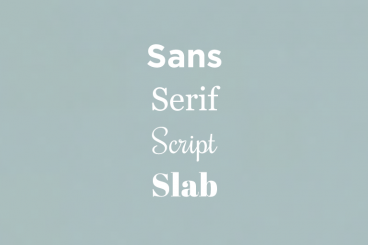
Always wanted to know the difference between serif, sans, script, and slab fonts? Look no further. Take your typography game to the next level, and quit guessing if certain typefaces or font pairs work together. Back your logic with a little design theory!

Having a better knowledge of fonts and typography can make explaining your choices to clients easier (always a bonus), and will give you more confidence when selecting font pairs. Here’s a primer (or refresher) on four common font types and how to use them in your design projects.

The 3 Cs of User Interfaces: Color, Contrast, and Content

Web Standards / 7 Feb 2018

The 3 Cs of User Interfaces: Color, Contrast, and Content

There’s an old business model that many business strategists live by—the 3 Cs. It’s a reminder to focus on the company, customers and competitors. Many small businesses and websites also use this model. But for designers, the three Cs are a little different.

When creating user interfaces, you should focus on color, contrast, and content. These three elements are the foundation of good design. But each is a little more complex than it might seem from the surface. Here’s how to think about–and incorporate–the three Cs of user interfaces into your design projects.

Pantone’s Color of the Year: Ultra Violet (And How to Use It)

Graphics / 14 Dec 2017

Pantone’s Color of the Year: Ultra Violet (And How to Use It)

Ultra Violet. It sounds like the name of a pop band. Pantone’s Color of the Year for 2018 is inspired by music and art and individuality.

The color is reminiscent of Prince’s famous purple and it is part of a growing trend in design to use bolder, brighter colors in more projects. Here’s a look at Pantone’s color of the year and how you can use it in your projects.

Design Trend: Vivid Rainbow Colors

Graphics / 16 Oct 2017

Design Trend: Vivid Rainbow Colors

If nothing else, 2017 has been a year of color in website design. Color trends have dominated the conversation about design, with brighter, bolder hues as a large part of the landscape.

There’s a new color trend that combines a lot of those bright options into bigger color palettes that you might now expect – rainbow color patterns. That’s right, more designers are taking a change with a lot of color and incorporating vivid rainbow, gradient colors into design projects. And it’s pretty cool!

Here’s a look at the trend and some ideas for how to use vivid color that aren’t garish.

Tips for Creating a Modern Monochrome Color Palette

Graphics / 9 Oct 2017

Tips for Creating a Modern Monochrome Color Palette

A monochrome color scheme isn’t always the first idea that comes to mind when starting a new design project. But single-color design projects can have a lot of impact and give the opportunity to branch out and try some new techniques.

Monochromatic projects, which consist of a color palette with just one color, can be striking because they aren’t as commonly seen as projects with more color variances. This alone can make your project stand out.

DPI vs. Pixels: What Do I Use?

Graphics / 4 Oct 2017

DPI vs. Pixels: What Do I Use?

You hear these phrases tossed around by everyone today – from amateur photographers, to the iPhone salesman, to some of the world’s most acknowledged visual creators and designers. But what do image size specs really mean? And what should you use?

Simply, it all depends on your project. Knowing what medium you are creating for and how your images will be used is key to sizing and picking the right number of pixels or DPI. Before you begin your next project, though, make sure you are familiar with all the image-quality jargon.

5 Tips for Creating a Memorable Logo Design

How to Design a Logo / 2 Oct 2017

5 Tips for Creating a Memorable Logo Design

A logo might be the single most important visual connection a brand makes with users. It identifies the company or organization and sets a basic tone for interactions with users.

From color to shape to words, every element in a logo design says something. (That’s why such a small element is so important to your brand.)

Logo design takes a lot of planning and thought and it is important to create a mark that represents your business and is something that users can identify and remember. It’s doubtful that you’ll develop the next Nike swoosh, but with the right approach you can create a memorable logo design.

How & Why Faces Increase User Engagement

Graphics / 28 Sep 2017

How & Why Faces Increase User Engagement

There’s a lot of science and psychology that goes into design. Even if you don’t consciously think about it, choices that you make when selecting imagery and user interface elements can establish a connection with users (or not) and even lead to higher engagement rates.

Using actual human faces in the design is one way to do this. Seeing a face can make people more likely to engage with a design because it makes the app/website/poster feel more human. It creates a more distinct emotional connection.

Here, we’re going to look at designs that use faces in different ways and how you can up user interaction with some of the same design techniques.

10 Simple Steps to Refresh Your Instagram Account

Instagram Templates / 6 Sep 2017

10 Simple Steps to Refresh Your Instagram Account

Taylor Swift did it. She deleted her Instagram account before re-emerging with a newly refreshed persona. The tactic was part of a campaign for her new album release, but shows a good point: sometimes your accounts just need a refresh.

You can learn more about how Swift did it, or take on a personal challenge to refresh your Instagram account. It’s easier than you might think. (Once you get over the mental block of changing the way you post photos, anyway.)

Here’s how you can refresh your Instagram account in 10 simple steps (and maybe even feel as diva as Taylor Swift in the process).

Design Inspiration for Scroll Actions

UX Design / 4 Sep 2017

Design Inspiration for Scroll Actions

Scrolling is a key component of any website design that extends beyond a single landing page. Anyone who thinks the scroll is dead needs to jump out of 2005!

Scroll actions move users through content vertically or horizontally and are a commonly accepted user pattern. The scroll is alive and well thanks to plenty of interesting design techniques and a shift toward accessing full websites on smaller screens. Let’s take a look!