Search Results For: images

How to Use an Instagram Template

Instagram Templates / 7 Jan 2019

How to Use an Instagram Template

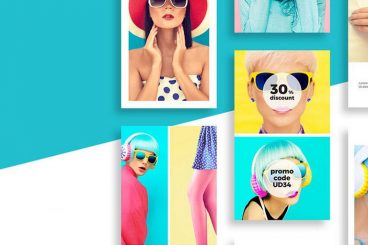
An Instagram template is a kit of pre-made designs to help you share different types of content on the highly popular social media channel.

While there are plenty of Instagram templates out there – for individual posts or to create stories – getting started can seem intimidating. How do you most effectively use an Instagram template to create engaging content?

Here, we have a guide that breaks it all down so you’ll be creating Instagram posts like a pro in no time.

SVG vs PNG vs JPG: Image Format Pros & Cons

Graphics / 1 Nov 2018

SVG vs PNG vs JPG: Image Format Pros & Cons

When it comes to creating images for the web and other digital purposes, what file formats will give you the best result? You have to think about speed versus image quality and scale. So what should you use: SVG vs PNG vs JPG?

There was a time when you just used a JPG sized to fit the space at 72 dpi and moved on. Not anymore. High-resolution screens, multiple viewports and a need to have a snappy website have made it a much more complex process. Let’s dive into the pros and cons of each of these formats!

Minimalist Graphic Design: 10 Examples & Tips

Minimalist Graphic Design / 24 Oct 2018

Minimalist Graphic Design: 10 Examples & Tips

Minimalist design is simple. But it is not boring. Just because a minimal style design often lacks some of the embellishments or color palettes or crazy typefaces in other projects, doesn’t mean it isn’t great to look at. In fact, designs featuring minimalism can be some of the most beautiful and usable websites around.

And even though minimalism is a design style of itself, what types of elements show up in these projects and how they are used tend to change over time. You might call them minimalism trends. Here’s a look at 10 tips for creating a modern minimalist graphic design with examples.

Design Trend: Using Watercolor Patterns in Web Design

Graphics / 1 Oct 2018

Design Trend: Using Watercolor Patterns in Web Design

Add a little art to your web design with the watercolor trend. Watercolor techniques are a popular design option because they are fun, easy to use and work with a variety of different types of content.

Watercolor styles can be used in a number of ways to emphasize your content. Whether you are considering a watercolor look for your website framework or just want to experiment with the style, we have a collection of ideas, examples, and resources to help you get started.

5 Quick Tips for Fixing a Bad Logo Design

How to Design a Logo / 5 Sep 2018

5 Quick Tips for Fixing a Bad Logo Design

How many times have you walked into a project where the logo is a mess? Bitmap designs. Poor color choices. Lack of contrast. Inappropriate typography. A shape that doesn’t work anywhere. Here’s how to fix a bad logo design.

There are so many issues when it comes to bad logo design. And you’ll know one the minute you see it. These poor instances of design tend to stick out like a sore thumb.

But is there anything you can do? If the client isn’t in love with the miserable mark, you can make some quick fixes to at least turn the logo into something a little more usable. Here are a few tips (starting with a collage of bad logos!) and examples of quick fixes that can help improve a logo.

Black and White Design: 10 Stunning Examples (+ Tips)

Graphics / 13 Aug 2018

Black and White Design: 10 Stunning Examples (+ Tips)

A black and white design scheme can be one of the most striking combinations for a project. The deep contrast and simplistic nature of these colors (or lack thereof) provide plenty of opportunities to explore other techniques to make the most of the design.

Black and white designs have always been pretty popular, shifting most recently to more minimalist styles with a mostly white background and black elements. But as you’ll see from this collection of stunning black and white design projects, there are so many other options to explore.

Art Deco Graphic Design: A Classic Trend

Trends / 25 Jul 2018

Art Deco Graphic Design: A Classic Trend

Add some old-school charm to design projects, with an art deco-inspired design. Traditional, classic, and vintage styles are on-trend now, making art deco elements a fun and easy way to add a touch of something the evokes classic feelings while maintaining a modern touch.

Art Deco graphic design might be a trend, but it is not a new style. The style dates to the 1920s with the greatest popularity of the style lasting for about 15 years. Art deco took off in part due to a culture where advertising was gaining popularity. Art deco graphic design was a mass-produced style and was in everything from magazines to the lines of car styles to architecture to the clothing styles associated with the roaring 20s (such as flapper girls).

Read on to find out more about this trend, and how art deco graphic design is making a comeback!

Graphic Design Is My Passion: 20 Meme Picks

Inspiration / 18 Jul 2018

Graphic Design Is My Passion: 20 Meme Picks

Graphic design is my passion. Seriously. Isn’t it yours too, if you are taking the time to read Design Shack? Whether you use the phrase seriously or in jest, there’s a pretty fun movement on the web of memes that depict this statement. And they probably don’t look like what you’d expect.

The lesson in this ironic meme is that you need to maybe take it down a notch. Graphic design should be fun.

4 Unique Placeholder Image Services for Designers

Software / 16 Jul 2018

4 Unique Placeholder Image Services for Designers

A placeholder image service is a quick and easy way to find images to insert into web projects so that a wireframe or prototype looks more real. It can help other people envision the project and help keep it moving forward.

Most designers try to do everything they can to help a client or non-visual team member see a project during the design, mockup and prototyping process. Often that means putting something together before the content itself is complete.

Here, we’re going to look at four different (and unique) placeholder image services for designers to help you move projects along as efficiently as possible. (Plus, we have a list of reasons why a tool like this might be helpful.)

How to Create a Color Palette Without Stressing Out

Graphics / 20 Jun 2018

How to Create a Color Palette Without Stressing Out

Picking the perfect color palette can be a little nerve-wracking. It’s something you’ll be committed to for some time, so you’ll want to get it right! Today we’re looking at how to create a color palette, with plenty of tips and advice.

There are a few things that designers who don’t sweat about color always do (and think about), to help ensure that their palettes will hold up over time. Here are some of their tricks of the trade, so you can create a color palette without stressing out!

Design Trend: Sliced Text & Typography

Trends / 11 Jun 2018

Design Trend: Sliced Text & Typography

Purists say that you should never alter typography. Lettering should appear as intended by the type designer, or you should select a different font altogether. While this is mostly true, the exception is in the sliced text trend.

The nifty effect makes type elements look like they’ve been cut with a precision tool and can add visual interest to logotypes, headlines and simple text blocks. Sliced text effects can vary from super subtle (such as a small bit of a letter that’s missing) to major parts of words missing altogether.

The thing to keep in mind when using sliced text is that words must always be readable – what point is there otherwise? – and you should pay close attention so that unintended letter combinations or words don’t appear due to slicing. Here’s a look at how to make it work for you with some examples of designs that do it well.

10 Tips for Using Text Effects That Don’t Suck

Typography / 30 Apr 2018

10 Tips for Using Text Effects That Don’t Suck

Adding effects to typography can be a source of heartache for designers. Clients demand a drop shadow or embossing, and you’re stuck with text effects that threaten to ruin a project. What you need is an arsenal of text effects that don’t suck so you can help the client pivot to something a little more classy.

The trick to all of these effects is using them with purpose. Good typography doesn’t need “help.” If a font isn’t working alone, it’s not going to work with a bunch of techniques added either. (You’ll only make something bad even worse.)

The best text effects are nearly invisible to non-designers. Or text effects are used to add meaning to typography or lettering. Here are a few tips for using text effects that don’t suck with some pretty cool examples.