Search Results For: photo effect

The Master Guide to the Photoshop Layers Panel

Software / 10 Sep 2012

The Master Guide to the Photoshop Layers Panel

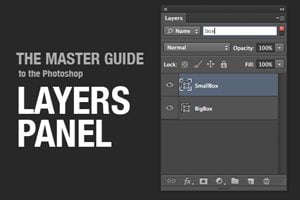
The Layers Panel in Photoshop is one of the single most important aspects of the software’s UI. Odds are, you’ve spent a good chunk of your life staring at and interacting with the Layers Panel, but how well do you really know it?

Today we’re going to take a deep dive into what the Layers Panel has to offer and how to make the most of it in your workflow. We’ll learn about everything from keyboard shortcuts to obscure customization features. Whether you’re a beginner or a pro, you’re bound to learn a few new tricks!
Build a Fun Photo Swap Animation With CSS Keyframes

CSS / 5 Sep 2012

Build a Fun Photo Swap Animation With CSS Keyframes

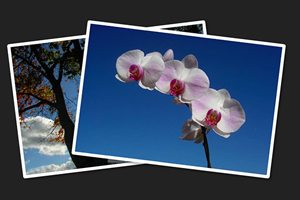
CSS keyframe animations open up a vast range of possibilities for what can be accomplished with CSS. Much more than simple, one-step transitions, keyframes can be used to achieve complex, multi-step animations that are quite impressive.

In today’s project, we’re going to start from scratch and build a stack of two photos that spread out and swap their stacking order when you hover over them. Along the way we’ll learn all about how to wield keyframes like a pro and juggle all of those head-spinning prefixes!

How to Turn Photographic Textures Into Masks in Photoshop

Software / 30 Jul 2012

How to Turn Photographic Textures Into Masks in Photoshop

Texture is a key element of design. Learning how to wield and apply textures effectively will really open up your level of skill and proficiency in Photoshop.

Today we’re going to learn about a super quick and easy way to take a photographic texture and turn it into a mask that affects the transparency of a layer. No matter how proficient you are with Photoshop, you should be able to pick up this technique and begin using it on your projects today.

CSS Hat: A Magic Button That Turns Photoshop Styles Into CSS

CSS / 13 Jun 2012

CSS Hat: A Magic Button That Turns Photoshop Styles Into CSS

Taking a design from Photoshop to the web in a click is not even a remotely new idea. For as long as there have been “web designers” there has been the dream of such a workflow. Today we’re going to look at yet another tool that makes this promise: CSS Hat.

CSS Hat is different than other apps that you’ve seen though. It’s not a full blown WYSIWYG aimed at allowing you to build an entire site without writing code, rather it’s a way to bust out a few quick CSS3 styles on a single element using the process that you’ve used for the past decade or more, right in Photoshop. Spoiler alert: it’s good. Really good. Read on to see why.

Build an Animated Photo Wall With CSS

CSS / 7 Jun 2012

Build an Animated Photo Wall With CSS

Today we’re going to embark on the adventure of building yet another awesome and fun CSS demo. This time we’ll create a big, seamless wall of photos. When the user hovers over an image, a transparent black overlay will fade it out as a text label fades in and the image zooms.

The result is pretty slick and I’ve also thrown in a bonus second version for those that make it all the way through the tutorial. Read on to get started!

Build an Infinite Scrolling Photo Banner With HTML and CSS

CSS / 3 Apr 2012

Build an Infinite Scrolling Photo Banner With HTML and CSS

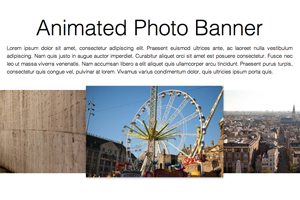
Today we’re going to embark on the challenge of creating an animated banner of photos that automatically scrolls horizontally through an infinite loop. The best part: we’re going to do it without a single line of JavaScript.

To make this banner truly useful, our goal will be to use individual photos dropped into our HTML, not simply one long CSS background that repeats. This is pretty tricky but we’ll walk you through exactly how it works. Let’s get started!

Mastering Multiple Photo Layouts

Layouts / 2 Mar 2012

Mastering Multiple Photo Layouts

Working with multiple photos and images can be a tricky prospect. Done carefully, the use of multiple images can help create an effective and masterful design for both print and web design projects. Some of the best examples of design using multiple photos can be found in the websites of professional photographers.

Consider dominance, number of photos, color, grouping and image quality when working with a variety of photos. Look at details and consider the feel of a project to get the best results when using many images in your project.

Super Sweet CSS 3D Text Effects With Sass and LESS

CSS / 27 Feb 2012

Super Sweet CSS 3D Text Effects With Sass and LESS

I was recently discussing the merits and various features of CSS preprocessors with a colleague. We covered all of the basics: how it’s great to have variables and how mixins can save you an incredible amount of coding time. When the conversation turned to some of the more obscure features though things got interesting. When I brought up the various color operations, my colleague boldly proclaimed that no “real designer” could ever find a legitimate excuse for using this feature and not picking his own colors manually.

In the words of Barney Stinson, “challenge accepted!” Today we’re going to create an awesome faux 3D text effect with pure CSS and then see why it’s a lot easier to do it with the color operations in Sass or LESS.

4 Fun CSS Image Effects You Can Copy and Paste

CSS / 16 Feb 2012

4 Fun CSS Image Effects You Can Copy and Paste

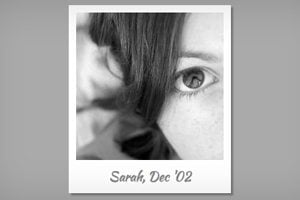
Once upon a time we relied purely on Photoshop to create fancy image effects. These days though we’re turning more and more to pure CSS to add eye candy to our images. Applying custom image treatments using code makes for an infinitely flexible workflow that’s easy to tweak at any time.

Today I’ll walk you through creating some extremely simple and fun CSS image tricks. From polaroids to vignettes, you won’t believe what we can pull off.

When the Photo Doesn’t Fit the Space: Tips and Tricks for Making It Work

Graphics / 12 Jan 2012

When the Photo Doesn’t Fit the Space: Tips and Tricks for Making It Work

You’ve been there a thousand times, staring at a big empty canvas that simply doesn’t seem to work with the photo that the client has provided. Perhaps you have a vertical space and a horizontal photo (or vice versa), or maybe the image is simply too small to resize without unacceptable quality loss. What now?

Today we’ll go over some tricks of the trade and teach you how to cope with images that don’t fit where you need them to. The next time you run into a problem, you’ll be ready!

The Ultimate Beginner’s Guide to Using Scatter Brushes in Photoshop

Software / 28 Dec 2011

The Ultimate Beginner’s Guide to Using Scatter Brushes in Photoshop

In web design we often focus on using Photoshop to create pixel perfect designs that are meticulously shaped and layered until they’re absolutely pristine. Repeated patterns, tiny strokes, complex gradients and reflections are trademarks of this design style.

But what if you’re going for something more organic? How can we use Photoshop to create complex and random particle arrangements that don’t look cheesy and contrived? The answer of course is to utilize scatter brushes. This awesome tool seems fairly simple on the surface but there’s a ton functionality and limitless possibilities to explore so even if you’re a Photoshop pro, read on to see some great ideas for how to use scatter brushes in your work.

Four Simple and Fun CSS Button Hover Effects for Beginners

CSS / 14 Dec 2011

Four Simple and Fun CSS Button Hover Effects for Beginners

Today we’re going to take a step back from advanced discussions about CSS preprocessors and return to some good old basics. We’ll work up four super simple CSS buttons, each with a unique animated hover effect.

Follow along with me and create your own fun button styles. Also feel free to grab my code and use it on your projects. If you’re a CSS newbie looking for a good way to make your buttons more interesting, this article is for you!