Search Results For: photo effects

What Is Adobe After Effects (And What Is It Used For?)

After Effects Templates / 19 Aug 2019

What Is Adobe After Effects (And What Is It Used For?)

Adobe After Effects is a video and animation-based tool that’s used to add elements to moving pictures and animations. Most designers use it to create titles, intros, and transition between clips for more seamless video production.

After Effects is part of the Adobe Creative Suite of products and is included in cloud plans. Full suite users already have access to this tool, or you can get it on its own if that’s all you need.

As with other Adobe tools, the great thing about using this set of tools is that functions and interacts have a look and feel that you are probably already used to, making it easier to learn on the fly.

Here’s a look at Adobe After Effects, what it is, and how to know if you should use it for projects.

How to Create Actions in Photoshop in 5 Minutes

Photoshop Actions / 19 Jun 2019

How to Create Actions in Photoshop in 5 Minutes

A Photoshop action can save time and effort when you perform some of the same edits and tasks repeatedly. You can record almost any command into an action that you can replay for later use on different files.

Here, we have step-by-step instructions so you can learn how to create actions in Photoshop. (It really only takes five minutes.)

In no time at all, you’ll have a helpful Photoshop action that can save you time every day!

19 Best Photoshop Tutorials for Designing Posters + Flyers

Inspiration / 15 May 2019

19 Best Photoshop Tutorials for Designing Posters + Flyers

What makes a great poster design? It’s often a mix of creativity and design elements that have a certain panache.

Poster and flyer design can be a lot of fun because you can often stretch your design muscles and try things you wouldn’t for other projects. It’s an opportunity to do something attention-grabbing and unique!

With that idea in mind, here are twenty different poster/flyer tutorials that you can try out. Plus, you’ll get a chance to try out some new design techniques along the way!

Affinity Photo vs Photoshop: Should You Switch?

Software / 25 Mar 2019

Affinity Photo vs Photoshop: Should You Switch?

Affinity Photo has been receiving rave reviews from designers and photographers alike, looking for a photo editing software solution that’s not crazy-expensive but has in-demand features. But can it replace Photoshop?

While Affinity Photo isn’t super-cheap, you only have to buy the software (and any add-ons you like) just once, making it a somewhat viable option if you don’t like the monthly subscription fees that come with Adobe Photoshop.

Here’s a look at a few of the reasons you might switch from Adobe Photoshop to Affinity Photo (and a few reasons why it might not be the best fit for you!)

10 Tips for Using Text Effects That Don’t Suck

Typography / 30 Apr 2018

10 Tips for Using Text Effects That Don’t Suck

Adding effects to typography can be a source of heartache for designers. Clients demand a drop shadow or embossing, and you’re stuck with text effects that threaten to ruin a project. What you need is an arsenal of text effects that don’t suck so you can help the client pivot to something a little more classy.

The trick to all of these effects is using them with purpose. Good typography doesn’t need “help.” If a font isn’t working alone, it’s not going to work with a bunch of techniques added either. (You’ll only make something bad even worse.)

The best text effects are nearly invisible to non-designers. Or text effects are used to add meaning to typography or lettering. Here are a few tips for using text effects that don’t suck with some pretty cool examples.

5 Tips for Mixing Photos & Illustrations in a Single Design

Graphics / 2 Nov 2016

5 Tips for Mixing Photos & Illustrations in a Single Design

Ready to take a design risk? Try mixing photos and illustrations in the same design project. A hand drawn element can add whimsy and interest to a design that includes photography. Conversely, a photo can make a more lighthearted illustrated design seem more real or important.

This technique can be a little difficult to imagine until you see a few examples of how it can work beautifully. Today’s we’re looking at this trend and providing tips and examples to help you develop creative ways to come up with a design of your own.

10 Easy Image Hover Effects You Can Copy and Paste

CSS / 16 Aug 2013

10 Easy Image Hover Effects You Can Copy and Paste

Hover effects are always a fun topic to explore. In the past, we’ve built some awesome examples of CSS hovers that were easy to copy and paste right into your code.

Today, we’re going to follow that up with ten new effects specifically built for use with images. Each example comes with an HTML and CSS snippet that you can steal and a live demo so you can see it in action.

The Master Guide to the Photoshop Layers Panel

Software / 10 Sep 2012

The Master Guide to the Photoshop Layers Panel

The Layers Panel in Photoshop is one of the single most important aspects of the software’s UI. Odds are, you’ve spent a good chunk of your life staring at and interacting with the Layers Panel, but how well do you really know it?

Today we’re going to take a deep dive into what the Layers Panel has to offer and how to make the most of it in your workflow. We’ll learn about everything from keyboard shortcuts to obscure customization features. Whether you’re a beginner or a pro, you’re bound to learn a few new tricks!

How to Turn Photographic Textures Into Masks in Photoshop

Software / 30 Jul 2012

How to Turn Photographic Textures Into Masks in Photoshop

Texture is a key element of design. Learning how to wield and apply textures effectively will really open up your level of skill and proficiency in Photoshop.

Today we’re going to learn about a super quick and easy way to take a photographic texture and turn it into a mask that affects the transparency of a layer. No matter how proficient you are with Photoshop, you should be able to pick up this technique and begin using it on your projects today.

CSS Hat: A Magic Button That Turns Photoshop Styles Into CSS

CSS / 13 Jun 2012

CSS Hat: A Magic Button That Turns Photoshop Styles Into CSS

Taking a design from Photoshop to the web in a click is not even a remotely new idea. For as long as there have been “web designers” there has been the dream of such a workflow. Today we’re going to look at yet another tool that makes this promise: CSS Hat.

CSS Hat is different than other apps that you’ve seen though. It’s not a full blown WYSIWYG aimed at allowing you to build an entire site without writing code, rather it’s a way to bust out a few quick CSS3 styles on a single element using the process that you’ve used for the past decade or more, right in Photoshop. Spoiler alert: it’s good. Really good. Read on to see why.

Build an Infinite Scrolling Photo Banner With HTML and CSS

CSS / 3 Apr 2012

Build an Infinite Scrolling Photo Banner With HTML and CSS

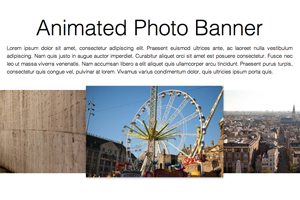
Today we’re going to embark on the challenge of creating an animated banner of photos that automatically scrolls horizontally through an infinite loop. The best part: we’re going to do it without a single line of JavaScript.

To make this banner truly useful, our goal will be to use individual photos dropped into our HTML, not simply one long CSS background that repeats. This is pretty tricky but we’ll walk you through exactly how it works. Let’s get started!

Super Sweet CSS 3D Text Effects With Sass and LESS

CSS / 27 Feb 2012

Super Sweet CSS 3D Text Effects With Sass and LESS

I was recently discussing the merits and various features of CSS preprocessors with a colleague. We covered all of the basics: how it’s great to have variables and how mixins can save you an incredible amount of coding time. When the conversation turned to some of the more obscure features though things got interesting. When I brought up the various color operations, my colleague boldly proclaimed that no “real designer” could ever find a legitimate excuse for using this feature and not picking his own colors manually.

In the words of Barney Stinson, “challenge accepted!” Today we’re going to create an awesome faux 3D text effect with pure CSS and then see why it’s a lot easier to do it with the color operations in Sass or LESS.