Search Results For: photo effects

Design Trend: Using Watercolor Patterns in Web Design

Graphics / 1 Oct 2018

Design Trend: Using Watercolor Patterns in Web Design

Add a little art to your web design with the watercolor trend. Watercolor techniques are a popular design option because they are fun, easy to use and work with a variety of different types of content.

Watercolor styles can be used in a number of ways to emphasize your content. Whether you are considering a watercolor look for your website framework or just want to experiment with the style, we have a collection of ideas, examples, and resources to help you get started.
3D Typography: An Inspiring Design Trend

Trends / 6 Aug 2018

3D Typography: An Inspiring Design Trend

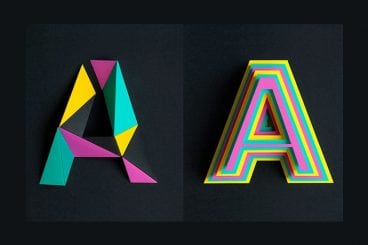
An injection of realism can take a design project to the next level. With so many VR and realistic style effects gaining popularity, it is no surprise that 3D typography is part of this design trend.

Three-dimensional typography has extra depth and can be a great display option. While 3D type isn’t necessarily made for readability, it is a fun design trend that is worth a try. Here’s a look at how to get started with 3D typography (with some pretty cool examples for inspiration).

80s Fonts: A Retro Typographic Trend (+ Examples)

Font Collections / 9 Jul 2018

80s Fonts: A Retro Typographic Trend (+ Examples)

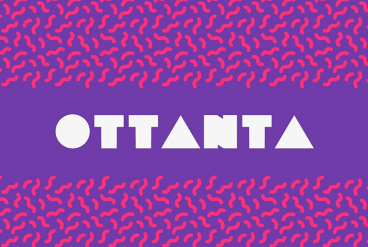
Everything about my childhood seems to be cool again. The Netflix hit Stranger Things seriously evokes feelings of the 1980s, people are buying classic Nintendo game consoles again, and everything 80s is totally rad, even when it comes to design projects.

And what makes that 80s connection quickly? It’s typography. This decade definitely had a pretty distinct feel. We’re taking a look at the 80s retro font trend with plenty of great typographic options for your projects.

Design Trend: Sliced Text & Typography

Trends / 11 Jun 2018

Design Trend: Sliced Text & Typography

Purists say that you should never alter typography. Lettering should appear as intended by the type designer, or you should select a different font altogether. While this is mostly true, the exception is in the sliced text trend.

The nifty effect makes type elements look like they’ve been cut with a precision tool and can add visual interest to logotypes, headlines and simple text blocks. Sliced text effects can vary from super subtle (such as a small bit of a letter that’s missing) to major parts of words missing altogether.

The thing to keep in mind when using sliced text is that words must always be readable – what point is there otherwise? – and you should pay close attention so that unintended letter combinations or words don’t appear due to slicing. Here’s a look at how to make it work for you with some examples of designs that do it well.

7 Tips for Finding the Perfect PowerPoint Presentation Template

PowerPoint Templates / 11 Apr 2018

7 Tips for Finding the Perfect PowerPoint Presentation Template

A great PowerPoint presentation template can wow audiences, and help you to build a slideshow quickly and easily. While you can create your own custom template, there’s a whole market of affordable PowerPoint templates that you can customize. But what should you be considering when deciding which one to choose?

PowerPoint templates are a great option for designers – or practically anyone – who wants to create a polished, professional-looking presentation that doesn’t take a lot of time to put together. Here’s what to look for to ensure that you are getting the perfect PowerPoint template for each specific presentation.

20+ Awesome Resources for Bootstrap Lovers

Bootstrap / 22 Mar 2018

20+ Awesome Resources for Bootstrap Lovers

Bootstrap has simply exploded in the web development community. There will always be skeptics and haters but on the whole, the project has been a smashing success and can constantly be seen at the top of the Forked and Watched charts at GitHub.

As a result of Bootstrap’s fame, lots of great related resources have been put forth by the development community. Today we’ve collected our favorites into a list of everything you need to get started with Bootstrap. From introductory tutorials to wireframing kits and custom generators, there’s something here for every Bootstrap lover.

The 3 Cs of User Interfaces: Color, Contrast, and Content

Web Standards / 7 Feb 2018

The 3 Cs of User Interfaces: Color, Contrast, and Content

There’s an old business model that many business strategists live by—the 3 Cs. It’s a reminder to focus on the company, customers and competitors. Many small businesses and websites also use this model. But for designers, the three Cs are a little different.

When creating user interfaces, you should focus on color, contrast, and content. These three elements are the foundation of good design. But each is a little more complex than it might seem from the surface. Here’s how to think about–and incorporate–the three Cs of user interfaces into your design projects.

Tips for Creating a Modern Monochrome Color Palette

Graphics / 9 Oct 2017

Tips for Creating a Modern Monochrome Color Palette

A monochrome color scheme isn’t always the first idea that comes to mind when starting a new design project. But single-color design projects can have a lot of impact and give the opportunity to branch out and try some new techniques.

Monochromatic projects, which consist of a color palette with just one color, can be striking because they aren’t as commonly seen as projects with more color variances. This alone can make your project stand out.

Design Inspiration for Scroll Actions

UX Design / 4 Sep 2017

Design Inspiration for Scroll Actions

Scrolling is a key component of any website design that extends beyond a single landing page. Anyone who thinks the scroll is dead needs to jump out of 2005!

Scroll actions move users through content vertically or horizontally and are a commonly accepted user pattern. The scroll is alive and well thanks to plenty of interesting design techniques and a shift toward accessing full websites on smaller screens. Let’s take a look!

8 Ways to Use Hand Drawn Icons & Elements

Graphics / 7 Aug 2017

8 Ways to Use Hand Drawn Icons & Elements

While there’s often a focus on pixel-perfect design elements, they aren’t suitable for everything. Sometimes you want something with a little more… whimsy. Something a little more authentic!

Hand drawn icons or elements can be just the right design technique to add something special to a project. While most designers won’t go crazy with elements that appear to be hand-drawn, a few touches can add a personal feel that users are drawn to.

It’s something that’s trending in web design as well. From a squiggle in an icon, to a full-experience that’s equal usability and art, hand drawn elements are a popular design option. Here are eight fresh ways to use this trend!

Neon Colors in Web Design: The Do’s and Don’ts

Graphics / 29 Jun 2017

Neon Colors in Web Design: The Do’s and Don’ts

Neon colors are tough to use without clashing with the rest of your design. They work great for signs and lights in real-world applications, but can present major issues in web design, unless carefully implemented.

Today, we’re going to look at ways to effectively use neon colors in your design work, with a list of do’s and don’ts to help you make the most of bold, bright color choices. You’ll be a neon ninja in no time, weaving it through your design work!

Design Trend: Waves and ‘Soft’ Lines

Graphics / 26 Jun 2017

Design Trend: Waves and ‘Soft’ Lines

There’s a softer design trend taking over website projects – waves and soft lines. Where backgrounds have been dominated by single “flat” color, we’re seeing a shift toward curved lines and waves.

The elements are lighter, softer and evoke a different overall feel for the design. What’s especially nice is that waves and softer lines can be used a lot of different ways so that each design feels totally different. (It’s one of those trends that can almost sneak up on you because it appears in so many forms.)

Here’s a look at the waves and “soft” lines trend in website design.