Search Results For: photoshop action

The Complete Guide to Special Characters

Typography / 21 Apr 2014

The Complete Guide to Special Characters

Not everything is as easy as ABC or 123. Sometimes your copy might require a character outside of the basic alphabet. That’s where special characters and glyphs come in. (Look around, they are more common than you might think at first.)

Depending on your workflow, inserting a glyph can be as simple as a keystroke or a multi-step process. Much of it depends on the software you are using, typography palette and how the final product will be published. Here, we are going to take a look at special characters, examples of use and tips for success.
How to Pull Off a Tilt Shift Effect With Webkit CSS Filters

CSS / 11 Oct 2013

How to Pull Off a Tilt Shift Effect With Webkit CSS Filters

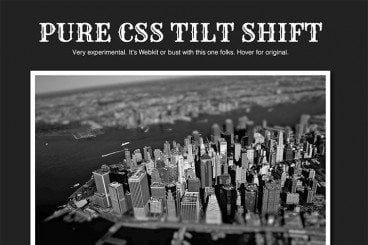
Thanks to mobile image editing apps like Instagram, the faux tilt shift fad seems to be at its height. But why should we let iPhones have all the fun? Let’s bust out a tilt shift effect using pure CSS.

In this tutorial, we’ll learn all about the new CSS filters in Webkit and how to implement an image mask in CSS. We’ll then use these techniques for our final tilt shift effect. We’re going to hit on all kinds of crazy stuff so read on and we’ll have some fun.

Perform a Split Reveal With CSS

CSS / 10 Jan 2013

Perform a Split Reveal With CSS

CSS can pull of a lot of really great image tricks: size manipulation, desaturation, even blur. One limitation that we run into though is that you can’t really slice an image into multiple parts. For instance, if you wanted to cut a photo in half and animate the separation, you couldn’t really do it with pure CSS. Could you?

Today we’re going to code up a work around that allows us to achieve this very trick without an ounce of JavaScript or extra files. Let’s see how it works.

How to Design the Perfect Twitter Header Image

Graphics / 20 Sep 2012

How to Design the Perfect Twitter Header Image

Twitter recently rolled out an updated design for profile pages, which allows you to insert a new “header photo” that sits on top of your feed, much like Facebook’s timeline cover image.

Today we’re going to dive in and see some examples of good Twitter profile images and discuss how you can design your own. I’ll even toss in a free template so you can get started right away.

Designing on a Retina Screen: My Thoughts on the Retina MacBook Pro

Graphics / 9 Jul 2012

Designing on a Retina Screen: My Thoughts on the Retina MacBook Pro

220.5 pixels per inch: 2,800 wide and 1,800 tall for a total of over five million pixels. That’s the screen that I work on now, full time. This gives rise to tons of questions: does Apple have any business making such a screen? Will it help or hinder the industry? Can you really do design work on that thing if you’re designing for non-retina screens?

Today I’m going to tell you all about my experience with the machine that threatens to change the way you do your job. I’ll hold nothing back as I rave about what I love and rant about what drives me nuts. Read along and see if you agree with my conclusions.

How to Organize Your Shoots and Catalogs in Lightroom

Lightroom Presets / 5 Jul 2012

How to Organize Your Shoots and Catalogs in Lightroom

Typically I stick to strictly design related topics, but today we’re going to stretch that a bit with a quick discussion on Adobe Photoshop Lightroom. Tons of designers take photos for their projects whether they consider themselves “photographers” or not so I’m sure lots of you will find this to be a useful topic.

The main struggle that I see with Lightroom users is simply organization. How can you keep multiple shoots separate? Where should you import your files? These are important questions and the answers aren’t very intuitive so today I’ll walk you through my basic process for keeping various shoots organized.

Ready or Not, Here Comes HD Web Design

HTML / 22 Mar 2012

Ready or Not, Here Comes HD Web Design

Apple is pushing the tech industry forward by increasing the pixel density on iPhone and iPad screens. This is great from a user’s perspective, but as a web designer or developer it literally threatens to completely change the way you build websites.

Are you ready for HD web design? Do you know how your sites will look on a new generation of high resolution screens? What steps can you take to prepare yourself and what skills will you need to stay relevant in the years to come? Read on to find out.

Use Gridpak to Roll Your Own Responsive Grid

Mobile / 6 Mar 2012

Use Gridpak to Roll Your Own Responsive Grid

I love finding free tools that are capable of making my job (and yours) just a little bit easier. The web developer community is positively overflowing with talented people who are more than willing to share their creations with the world while asking nothing in return.

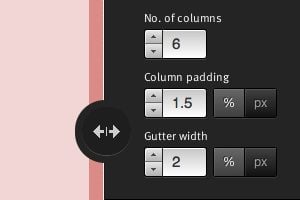
Today we’re going to look at one such tool from Erskine Design called Gridpak. With it we can quickly and easily generate our own responsive grid for building web pages that work well on lots of different screen sizes. It’s a little tricky to implement though so we’ll help you figure out how to set up your styles after you grab the download.

Do We Still Slice PSDs?

CSS / 24 Feb 2012

Do We Still Slice PSDs?

The other day a friend of mine said something that caught my attention, “I’m trying to learn how to slice a PSD.” It’s a simple enough statement. As soon as he said it, I knew exactly what he was talking about, and yet, there was something in there that didn’t quite set right.

Upon seeing my hesitation my friend responded with a question, “Do we still slice PSDs?” Great question! For beginners, jargon isn’t merely jargon, it implies a process and suggests a method of action. For this reason, it’s often helpful for more advanced developers to define their terms in a way that is meaningful to others. Today we’ll dive into the theory behind the process of converting a PSD to to a web page and end with a discussion on the ups and downs of designing in the browser.

Make It Snow on Your Website With CSS Keyframe Animations

CSS / 20 Dec 2011

Make It Snow on Your Website With CSS Keyframe Animations

The holiday season is at its peak and for some lucky people in weather appropriate climates, winter is in full swing. I live in Phoenix so real winter, and consequently snow, is really just a distant dream. Thus I am forced to turn to nerdery to get my fix!

Today we’re going to go over a super simple CSS technique that you can use to make it snow on your website. It’ll only take you a few minutes at the most and it serves as a great introduction to using multiple background images and keyframe animations in CSS.

What Is CSS? Back to Basics

CSS / 24 Oct 2011

What Is CSS? Back to Basics

This is the third article in our back to basics series where we’re taking a look at the absolute beginning concepts of web development. If you’re a designer with little to no knowledge of web programming, this series is for you.

In our first article, we went over what HTML is and in our second article we outlined the basic anatomy of an HTML document. Today we’ll jump to a new topic and answer a very important question: What is CSS?