Search Results For: photoshop

Horizontal Harmony in Design: Keep It Between the Lines

Layouts / 6 May 2014

Horizontal Harmony in Design: Keep It Between the Lines

Horizontal harmony. It’s one of those things that you seem to only notice when it is missing. Horizontal harmony is the relationship between elements across a design. It’s more than lines and rules; it’s also an invisible grid creates a sense of place for design elements.

How can you create horizontal harmony? While some techniques are easier than others, it is not an overwhelming concept. It just takes a little planning. By thinking about things such as a baseline grid, space between lines of text, positioning of elements and the overall aesthetic, horizontal harmony is just part of the design process.
The Complete Guide to Special Characters

Typography / 21 Apr 2014

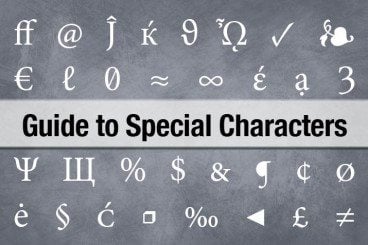
The Complete Guide to Special Characters

Not everything is as easy as ABC or 123. Sometimes your copy might require a character outside of the basic alphabet. That’s where special characters and glyphs come in. (Look around, they are more common than you might think at first.)

Depending on your workflow, inserting a glyph can be as simple as a keystroke or a multi-step process. Much of it depends on the software you are using, typography palette and how the final product will be published. Here, we are going to take a look at special characters, examples of use and tips for success.

How to Pull Off a Tilt Shift Effect With Webkit CSS Filters

CSS / 11 Oct 2013

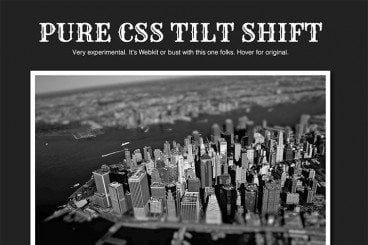
How to Pull Off a Tilt Shift Effect With Webkit CSS Filters

Thanks to mobile image editing apps like Instagram, the faux tilt shift fad seems to be at its height. But why should we let iPhones have all the fun? Let’s bust out a tilt shift effect using pure CSS.

In this tutorial, we’ll learn all about the new CSS filters in Webkit and how to implement an image mask in CSS. We’ll then use these techniques for our final tilt shift effect. We’re going to hit on all kinds of crazy stuff so read on and we’ll have some fun.

Pros and Cons of Working With Design Kits

Graphics / 23 Sep 2013

Pros and Cons of Working With Design Kits

Design kits seem to be everywhere these days. From UI kits, to templates and grids, to complete design kits, what makes these tools so popular (and what are the disadvantages)?

Today we’re going to take a look at the pros and cons of using different types of design kits, and even show you a few kits in the examples that might be worth trying out for various purposes.

10 Printing Terms You Need to Know

Business / 7 Aug 2013

10 Printing Terms You Need to Know

More and more designers these days are working in a variety of mediums — both digital and print. But it can take a different set of specifications to put together a successful project for each. Print design has its own jargon.

Understanding how printing works (and how to speak the language of printers) is important for any designer. Don’t think this applies to you because most of your business is web-based? Consider this: At some point a client will ask for print components to go with the website, whether they are business cards or posters or just a great handout for presentations. Knowing the printing basics and terminology will help you bridge the gap. Here are ten key terms you need to know.

Create Shaped Avatars With CSS and Webkit

CSS / 29 Jun 2013

Create Shaped Avatars With CSS and Webkit

In case you haven’t noticed, square avatars are so 2010. These days circles are all the rage. Every app worth its salt, from Path to Basecamp, is jumping on board this fad and waving goodbye to the squares who are stuck in the past.

Ever the forward thinker, I asked myself, “what’s next?” Let’s look beyond squares and circles and into the future of the avatar! Using CSS and Webkit, we can use pretty much any shape as the mask for an avatar. Let’s see how.

How to Center Anything With CSS

CSS / 6 Mar 2013

How to Center Anything With CSS

Recently, we took a dive into the very core concepts behind CSS layout and explored the differences between absolute and relative positioning. We’re going to follow that up with another CSS layout talk, this time based around a fundamental question that almost every new developer asks: how do you center something?

There are a bunch of different types of web elements and layout situations, each calling for a unique solution for centering (both vertically and horizontally). Today we’ll go over a bunch of these scenarios so you can wrap your mind around how they work and come away with the confidence to center anything!

Code a Spinning Circular Menu With CSS

CSS / 16 Jan 2013

Code a Spinning Circular Menu With CSS

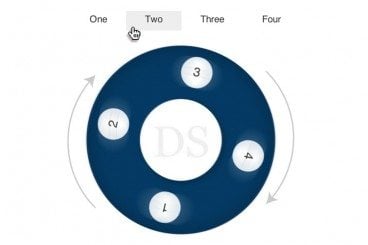
Don’t be a square, break outside your boring box and try on a circle for size. Today we’re going to build a circular navigation menu that spins to different points as the user hovers over an anchor.

Along the way we’ll have to overcome several obstacles like how to structure our HTML to be conducive to a remote hover and how to position all of the elements just right so that everything works. It’s a fun challenge and there’s a lot to learn, let’s get started!

Perform a Split Reveal With CSS

CSS / 10 Jan 2013

Perform a Split Reveal With CSS

CSS can pull of a lot of really great image tricks: size manipulation, desaturation, even blur. One limitation that we run into though is that you can’t really slice an image into multiple parts. For instance, if you wanted to cut a photo in half and animate the separation, you couldn’t really do it with pure CSS. Could you?

Today we’re going to code up a work around that allows us to achieve this very trick without an ounce of JavaScript or extra files. Let’s see how it works.

Battle of the LESS Mixin Libraries: LESS Elements vs. LESS Hat vs. Bootstrap

CSS / 8 Oct 2012

Battle of the LESS Mixin Libraries: LESS Elements vs. LESS Hat vs. Bootstrap

LESS is a friendly, easily-approachable CSS preprocessor. Though ultimately, Sass and Stylus are more powerful and robust, LESS has a certain charm that keeps it as a forerunner in the battle of the preprocessors.

If you’re a Sass fan, then you can take advantage of Compass, an incredible framework that makes coding with complex CSS3 properties a breeze. But what about LESS users? Where’s their Compass? Today we’ll look at three awesome mixin libraries that will help fill that void.

How to Avoid Stupid Screw-Ups With Adobe Template Files

Software / 1 Oct 2012

How to Avoid Stupid Screw-Ups With Adobe Template Files

Don’t you hate it when you use some important file as a template and then accidentally save over it? I used to do this all the time and it frustrated me to no end.

Fortunately, Adobe has invented these great little template file types that fundamentally function differently than your normal files to make sure you don’t screw anything up. Read on to see how they work.