Articles - Page 126

Browse hundreds of articles, tips, and inspiring design collections. Find helpful design advice, or the perfect resource for your next project.

Was My Design Plagiarized (Or Is That Just Flattery)?

Business / 3 Dec 2013

Was My Design Plagiarized (Or Is That Just Flattery)?

Is nothing original anymore? It’s a concept we designers talk about all the time. All original ideas “have been used already”. But is that true? (I, for one, am not sure I actually believe it.) And if it is true are we all plagiarizing other designs on a daily basis?

All of these are ideas that are thrown around loosely, but have quite serious implications. So how do you know if your design idea was plagiarized? Or is a similar concept just the most sincere form of flattery? Let’s dig a little deeper today…
Build a Super Easy CSS Slider With Thumbnails

CSS / 15 Nov 2013

Build a Super Easy CSS Slider With Thumbnails

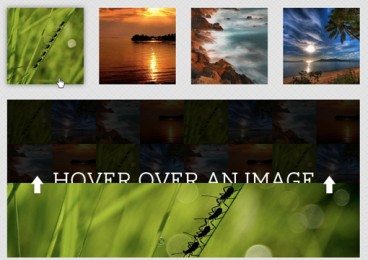
Today’s project is another exploration of the types of practical applications that you can achieve with a little ingenuity and some fairly basic CSS. You’ll be blown away by how much you can achieve with just a few lines of code.

The final result with be a great way to display a strip of small image thumbnails that the user can hover to see larger images. Let’s dive in and see how it works.

Build a Freaking Awesome Pure CSS Accordion

CSS / 8 Nov 2013

Build a Freaking Awesome Pure CSS Accordion

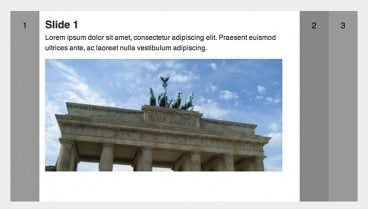
Who has two thumbs and loves to push the bounds of CSS? This guy. Let’s jump into a project that does just that. It’s pretty experimental and won’t pass the semantic police, but it’ll teach you a heck of a lot about advanced CSS tactics and will be tons of fun.

What we’re going to build is a pure CSS horizontal accordion slider. You’ll be able to insert as many slides as you want, each with unique content and each accessible via a click event, all without a lick of JavaScript. Impossible you say? Never!

5 Steps to Drastically Improve Your CSS Knowledge in 24 Hours

CSS / 18 Oct 2013

5 Steps to Drastically Improve Your CSS Knowledge in 24 Hours

You’ve been coding for a while now and know your way around a CSS file. You’re certainly no master, but with enough fiddling you can get where you want to go. You’re wondering though if you’ll ever get past that point where CSS is such a struggle. Will you ever be able to bust out a complex layout without ultimately resorting to trial and error to see what works and what doesn’t?

The good news is that you can indeed get past that frustrating point where you know enough CSS to code a website, but lack the solid foundation that allows you to code without the annoyance of not exactly understanding how you’re going to get where you’re going, and this point is a lot closer than you think. I propose that there are five topics that will drastically boost your understanding of CSS. Spend some time reading about each over the next twenty-four hours and you’ll change the way you code forever.

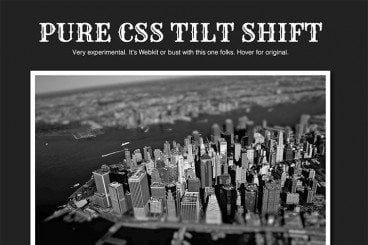
How to Pull Off a Tilt Shift Effect With Webkit CSS Filters

CSS / 11 Oct 2013

How to Pull Off a Tilt Shift Effect With Webkit CSS Filters

Thanks to mobile image editing apps like Instagram, the faux tilt shift fad seems to be at its height. But why should we let iPhones have all the fun? Let’s bust out a tilt shift effect using pure CSS.

In this tutorial, we’ll learn all about the new CSS filters in Webkit and how to implement an image mask in CSS. We’ll then use these techniques for our final tilt shift effect. We’re going to hit on all kinds of crazy stuff so read on and we’ll have some fun.

Designing With Circles: Tips and Advice

Graphics / 3 Oct 2013

Designing With Circles: Tips and Advice

Once shunned by designers, circles seem to be making a comeback. The perfectly round shape – and its oblong counterparts – can be difficult to work with. The shape does not stack as well as the more standard rectangle and creates a much different overall feel.

The circle is a perfect shape, meaning that it is the same no matter how you look at it. It is complete and in harmony with nature – consider how many natural elements are circle-based. So, as a designer, how can you make circles work for you?

5 Traits of Successful Minimalism

Minimalist Graphic Design / 2 Oct 2013

5 Traits of Successful Minimalism

At first glance, minimalist websites might look like they’ve just been slapped together as quickly as possible. After all, they’re plain and simple, and most people tend to associate lots of detail with good craftsmanship. But the same rules just don’t apply to the online world.

It only takes a small amount of user interaction to quickly reveal the quality of a minimalist site. This is because the original idea that fueled the rise of minimalism was that functionality is inherently beautiful. A design that clarifies and reveals the structure of a website can be just as appealing as one that obscures its purposes behind fancy decorative additions. Furthermore, it often yields a much better user experience, because those unnecessary distractions are eliminated.

Pros and Cons of Working With Design Kits

Graphics / 23 Sep 2013

Pros and Cons of Working With Design Kits

Design kits seem to be everywhere these days. From UI kits, to templates and grids, to complete design kits, what makes these tools so popular (and what are the disadvantages)?

Today we’re going to take a look at the pros and cons of using different types of design kits, and even show you a few kits in the examples that might be worth trying out for various purposes.

10 Easy Image Hover Effects You Can Copy and Paste

CSS / 16 Aug 2013

10 Easy Image Hover Effects You Can Copy and Paste

Hover effects are always a fun topic to explore. In the past, we’ve built some awesome examples of CSS hovers that were easy to copy and paste right into your code.

Today, we’re going to follow that up with ten new effects specifically built for use with images. Each example comes with an HTML and CSS snippet that you can steal and a live demo so you can see it in action.

10 Printing Terms You Need to Know

Business / 7 Aug 2013

10 Printing Terms You Need to Know

More and more designers these days are working in a variety of mediums — both digital and print. But it can take a different set of specifications to put together a successful project for each. Print design has its own jargon.

Understanding how printing works (and how to speak the language of printers) is important for any designer. Don’t think this applies to you because most of your business is web-based? Consider this: At some point a client will ask for print components to go with the website, whether they are business cards or posters or just a great handout for presentations. Knowing the printing basics and terminology will help you bridge the gap. Here are ten key terms you need to know.

Current Color Trends: Muted Pastels

Graphics / 30 Jul 2013

Current Color Trends: Muted Pastels

Of late, you may have noticed a crop of new site designs have a softer and lighter look. After all the rainbow brights and even neon or fluorescent hues that have been so popular of late, it seems that some designers are taking a more subtle approach by using lighter or muted colors.

Although the same basic treatments are still being utilized — like colorized photography or color blocking — the new hues are making for a more refined and understated variation on these themes. Today we’re going to delve into this trend a little more, and explore various design examples and approaches.

The Importance of Designing for Readability

Mobile / 22 Jul 2013

The Importance of Designing for Readability

Text is not an afterthought in the design process. It should be your first consideration.

Readability should be one of the top concerns when it comes to any design project. If text can’t be read, then why are you designing in the first place? Good design delivers content in a way that is understandable; readability is a big part of comprehension. Today we’ll be discussing how you can plan a design around the words, so that your projects are easy to read.