Search Results For: visual effects

How to Tell a Story With Design

Inspiration / 30 Jul 2014

How to Tell a Story With Design

Design is a method of expression. It communicates a visual message to those who see it. It also communicates a story, whether implied or clearly stated.

As a designer, it is your job to make sure that story is clear. The design story should fall in line with the story of the company, brand, website, game, bottled drink or whatever you are working with. Telling a story is important to create a lasting impression and make your “thing” more memorable than all the others out there.
Using Lines and Curves in Design Projects

Graphics / 7 Jul 2014

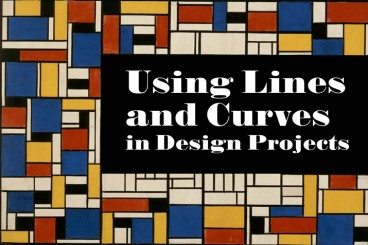
Using Lines and Curves in Design Projects

Some of the most subtle parts of a design can be the most important. Think about some of the details in design projects such as lines and curves. These simple shapes can be used in the foreground, background lettering or as a dominant art element.

Not every line is created the same. From thickness to orientation to amount of curvature, these simple shapes can have quite a bit of meaning. So before you draw that first line, here’s a primer and tips for using lines and curves in design projects.

The Science Behind Color and Emotion

Graphics / 30 Jun 2014

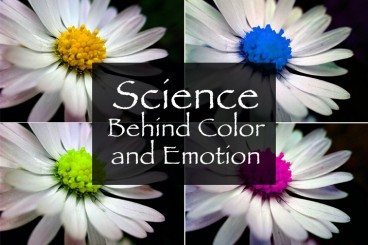
The Science Behind Color and Emotion

Color resonates with people in different ways. We all have a favorite color or color that we use more during specific periods of life. But the color you use in a design project can say a lot about the work itself. That’s a scientific fact.

The science behind our emotional connections to color is a complicated one. But it is becoming more clear through anecdotal knowledge and scientific experimentation. Here are five hypotheses and a fifth-grade level experiment you can try to help us better design with color and understand its emotional impact.

Making Vintage Design Work for You

Inspiration / 19 Feb 2014

Making Vintage Design Work for You

Vintage textures and palettes are in. They are popping up in a variety of uses from large-scale design projects to small details in a logo or background texture. This dated-style technique has really made a comeback.

Today, we will look at how you can create and establish a great palette for a vintage-style design from color to type to texture choices.

5 Traits of Successful Minimalism

Minimalist Graphic Design / 2 Oct 2013

5 Traits of Successful Minimalism

At first glance, minimalist websites might look like they’ve just been slapped together as quickly as possible. After all, they’re plain and simple, and most people tend to associate lots of detail with good craftsmanship. But the same rules just don’t apply to the online world.

It only takes a small amount of user interaction to quickly reveal the quality of a minimalist site. This is because the original idea that fueled the rise of minimalism was that functionality is inherently beautiful. A design that clarifies and reveals the structure of a website can be just as appealing as one that obscures its purposes behind fancy decorative additions. Furthermore, it often yields a much better user experience, because those unnecessary distractions are eliminated.

Create Shaped Avatars With CSS and Webkit

CSS / 29 Jun 2013

Create Shaped Avatars With CSS and Webkit

In case you haven’t noticed, square avatars are so 2010. These days circles are all the rage. Every app worth its salt, from Path to Basecamp, is jumping on board this fad and waving goodbye to the squares who are stuck in the past.

Ever the forward thinker, I asked myself, “what’s next?” Let’s look beyond squares and circles and into the future of the avatar! Using CSS and Webkit, we can use pretty much any shape as the mask for an avatar. Let’s see how.

How to Choose Effective and Attractive Icons in Your Designs

Graphics / 20 May 2013

How to Choose Effective and Attractive Icons in Your Designs

Icons can be considered one of the universalities of web design; almost any website benefits from the addition of at least a few of them. So it’s tempting to assume that if you sprinkle in a handful of these little pictures, your job is done. But there’s a lot more to it than that: good icons should feel like they’re visually integrated into the group of images that they’re in, as well as into the site design as a whole. They need to have a conceptual clarity and purpose that goes beyond being mere eye candy. Any icon that doesn’t serve a stated purpose, or doesn’t convey the right concept in its imagery, is one that needs to be reconsidered.

Of course, there’s room for interpretation and generalization with any kind of imagery, but icons are not mere illustrations that are used purely to break up space and add interest: they’re visual metaphors that can invest meaning into a subject at a single glance; and as such, they’re a powerful tool for improving user experiences.

The Master Guide to the Photoshop Layers Panel

Software / 10 Sep 2012

The Master Guide to the Photoshop Layers Panel

The Layers Panel in Photoshop is one of the single most important aspects of the software’s UI. Odds are, you’ve spent a good chunk of your life staring at and interacting with the Layers Panel, but how well do you really know it?

Today we’re going to take a deep dive into what the Layers Panel has to offer and how to make the most of it in your workflow. We’ll learn about everything from keyboard shortcuts to obscure customization features. Whether you’re a beginner or a pro, you’re bound to learn a few new tricks!

Best and Worst Design: 50 U.S. State Websites

Inspiration / 31 May 2012

Best and Worst Design: 50 U.S. State Websites

In the past, we took a look at fifty of the best and worst university websites from around the United States, a post which launched an interesting discussion about how web design projects can be destroyed by committees and politics, even if talented designers are leading up the team.

Today we’re following that up with a similar discussion on official state websites. Which U.S. states have the absolute best looking websites and which have sites that look like they haven’t been updated since Clinton was in the Oval Office? Read on to see how your state ranked.

Are Hover Events Extinct?

Mobile / 26 Apr 2012

Are Hover Events Extinct?

Odds are, :hover was the very first pseudo class selector that you ever learned. Heck, it might be the only one you ever learned. We all love this lovely little feature and use it constantly as a way to create enriched user experiences.

My question today could change the way you think about hover forever: “Does the ubiquity of touchscreens render hover events obsolete?” Put another way, did the iPhone kill :hover? Read on to see how iOS handles a CSS hover event, what that means for you as a developer, and how you should or shouldn’t be using hover events in your designs.

Practical Tips for Utilizing Columns of Text in Your Layouts

Layouts / 10 Feb 2012

Practical Tips for Utilizing Columns of Text in Your Layouts

Designing around large blocks of type can be tough and more designers are taking the “fewer-is-better” approach when working with columns and large blocks of text. When using a mass of type, such as in a book, text-laden website or print project, much of the emphasis is more on the readability than the actual look of the type.

Typefaces are important but even more important can be the number of columns used in combination with the words. The number of columns you use in a project can vary depending on a number of factors such as typeface and style used, type of project, font size and gutter width and proportion of other elements.

Build a Fun Trivia Game With the CSS Active Selector

CSS / 11 Jan 2012

Build a Fun Trivia Game With the CSS Active Selector

We’ve done a ton of fun stuff recently with the :hover selector. From button hover effects for beginners to more advanced hover tutorials and even onto using hovers with multiple backgrounds. Today we’re moving on and learning about a related but equally awesome selector that often gets overlooked.

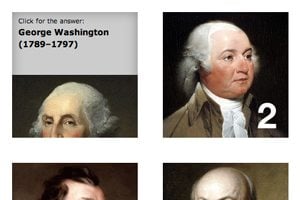
With :active, we can control the state of an object while it’s being clicked. Typically, this takes the simple form of changing a link’s color while the mouse is pressed down, but we’re going to do something much more interesting. Follow along as we build a super cool, pure CSS presidential trivia game.