UX Design

Tips for creating designs that give the user a delightful, clear, and well-planned experience with a high-quality UX (user experience).

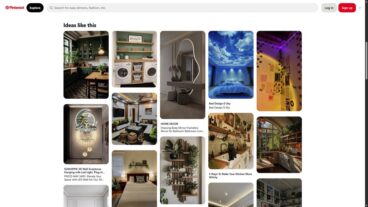
How Card-Based Layouts Shape Modern UX

UX Design / 25 Aug 2025

How Card-Based Layouts Shape Modern UX

Card-based design has become one of the most popular UI patterns across the web and for good reason.

From mobile apps and dashboards to news websites and online stores, cards offer a flexible and clean way to organize content that’s easy to browse, understand, and interact with.

These modular blocks of content make it simple to display images, text, buttons, and links in a way that feels intuitive and responsive across all screen sizes.

But beyond just looking neat, card-based layouts play a big role in shaping how users experience and interact with digital products.

In this post, we’ll explore why card-based layouts work so well, how they influence user experience, and how to design cards that make content more usable and engaging.
Designing for Touch: How Finger-Friendly UI Enhances UX

UX Design / 27 Jul 2025

Designing for Touch: How Finger-Friendly UI Enhances UX

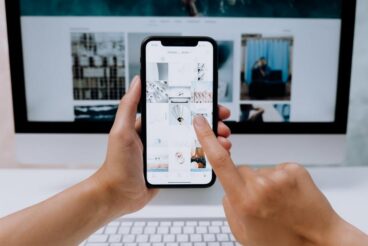
With mobile devices dominating the way we interact with apps and websites, touch-based design has become more important than ever.

Whether it’s tapping a button, swiping through a gallery, or dragging a slider, users expect smooth and intuitive interactions that feel natural on their fingertips.

That’s why designing for touch isn’t just about layout—it’s about usability, comfort, and a frictionless user experience.

In this article, we’ll look at what it means to create finger-friendly interfaces, why it matters, and how designers can build touch-first experiences that feel effortless for users across all devices.

How to Use Figma’s Smart Animate to Prototype Microinteractions

Figma Templates / 21 Jun 2025

How to Use Figma’s Smart Animate to Prototype Microinteractions

Microinteractions might be small, but they make a big impact on how users experience your designs.

Whether it’s a button that responds to a click, a progress bar that animates smoothly, or a subtle hover effect on a card, these details help bring interfaces to life and make them feel more responsive and polished.

Figma’s Smart Animate feature gives designers an easy way to prototype these kinds of microinteractions, without writing a single line of code.

In this guide, we’ll take a deep dive into how to use Smart Animate effectively, when it works best, and how to level up your prototypes so they feel like real, dynamic products.

How to Conduct a Visual Design Audit (And Why You Should)

UX Design / 16 Jun 2025

How to Conduct a Visual Design Audit (And Why You Should)

Over time, even the most thoughtfully designed brand or product can start to drift.

As new pages, features, and marketing materials are added, inconsistencies in colors, typography, imagery, and layout can sneak in.

What starts as a polished, cohesive system can slowly turn into a patchwork of mismatched styles.

That’s where a visual design audit comes in.

A visual design audit is a structured review of your product’s visual language, everything from your logo and typography to UI components, imagery, and spacing. It helps you spot inconsistencies, clean up your design system, and ensure your brand looks and feels unified across every touchpoint.

In this post, we’ll look at why conducting a visual design audit is valuable, what to include in your audit, and how to do one effectively.

Mega Menus Revisited: UX Best Practices in 2025

UX Design / 11 Jun 2025

Mega Menus Revisited: UX Best Practices in 2025

Navigation is one of the first things users interact with on a website, and when it’s done well, they barely even notice it.

In 2025, mega menus continue to play a big role in navigation design for organizing content-heavy websites, but they’ve evolved.

Today’s mega menus are cleaner, smarter, and more mobile-friendly than ever before. If your site has lots of pages or product categories, a mega menu might just be your best option.

But like any design element, mega menus can hurt the user experience if they’re overdone or poorly implemented.

In this post, we explore the latest best practices for designing mega menus in 2025 and how to keep your navigation clear, accessible, and easy to use.

Personalized Email Design: Merging Data With Good Design

UX Design / 31 May 2025

Personalized Email Design: Merging Data With Good Design

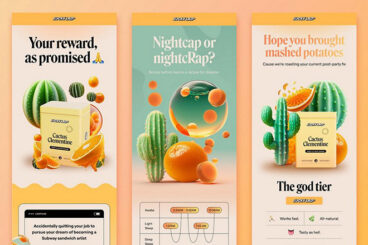
We all know the feeling of scrolling through a crowded inbox, skimming subject lines, and only clicking on the emails that actually feel relevant.

That’s where personalization comes in. But personalization isn’t just about inserting someone’s first name. It’s about using smart data and thoughtful design to create emails that feel tailored, timely, and worth opening.

When personalization meets great design, the result is more than just better click rates.

It’s a deeper connection with your audience. You’re not just sending emails, you’re starting conversations, offering value, and showing users you understand what they care about.

In this post, we’ll explore how to merge data and design effectively to create personalized emails that look great and perform even better.

Mobile Microcopy: Writing UI Text for Tiny Screens

UX Design / 24 May 2025

Mobile Microcopy: Writing UI Text for Tiny Screens

In mobile UI design, every word counts.

With limited space and even less user attention, writing microcopy for mobile interfaces is more than just squeezing content into smaller screens; it’s about making every message clear, helpful, and human.

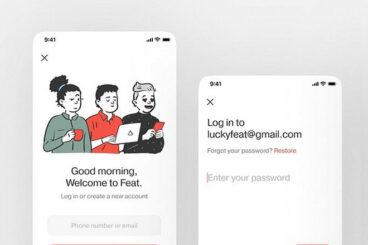
Mobile microcopy includes things like button labels, placeholder text, error messages, onboarding hints, and confirmation notes. These small pieces of text may not seem like a big deal, but they have a huge impact on the user experience.

They guide people through actions, reduce friction, and help apps feel more intuitive.

In this post, we take a look at how to write effective UI text for mobile, the challenges that come with small screens, and tips for making microcopy clear, friendly, and useful.

Microinteractions in Motion: The Next Evolution of Mobile UX

UX Design / 24 Feb 2025

Microinteractions in Motion: The Next Evolution of Mobile UX

In the world of mobile apps, small details make a big difference. This is why microinteractions are a huge part of UX and UI design.

Microinteractions have long been a staple of great user experience (UX) design, but with advancements in motion design and mobile technology, they are evolving into a key differentiator in modern apps.

They are no longer just aesthetic enhancements—they help guide users, provide instant feedback, and make interfaces feel more responsive and intuitive.

In this article, we’ll explore how mobile apps are using sophisticated microinteractions and motion design to create more engaging user experiences, and why this evolution matters for the future of mobile UX.

Motion in Design: How Animation Enhances User Experience

UX Design / 7 Jan 2025

Motion in Design: How Animation Enhances User Experience

In today’s fast-paced digital landscape, static websites with just images and videos are not enough to maintain people’s attention. Users now expect more engaging experiences with interactions and animations that bring designs to life.

This is why motion design has been a big part of website and user interface designs. It helps take designs beyond just visuals and information to turn them into memorable, dynamic user experiences.

Today, we explore the world of motion design to see how animation enhances user experience and boosts user interactions as well as engagement. Let’s dive in.

Color Psychology in Action: Choosing Colors That Influence User Behavior

UX Design / 19 Nov 2024

Color Psychology in Action: Choosing Colors That Influence User Behavior

There’s a close connection between the traffic lights and the “sale” signs you see in stores and online. Can you guess what it is?

From the early days of our childhood, we are taught to stop at traffic lights when they turn Red and to always pay close attention to them. When we grow up, we unknowingly follow the same rule whenever we see a sign or an ad using that same color.

Have you noticed how every “sale” sign is designed using a Red background? Because it instantly commands attention!

There’s a psychology behind the colors we see in the designs around us. Designers and marketers have been using this concept to create more impactful branding designs and advertising campaigns for decades.

But is color psychology a real thing? How does it work? Can you use it in your own design projects? Let’s find out.

Is UX Design a Good Career? Tips & Ideas on Getting Started

UX Design / 2 Jan 2024

Is UX Design a Good Career? Tips & Ideas on Getting Started

Picking a good career path to pursue is a challenging task these days. Especially with the rise of AI, the future of many careers is uncertain. Rest assured, you don’t have to worry about that when following a career in UX design.

While many careers are at risk of being replaced by AI, User Experience Design (UXD) is a career path that will stay strong for a long time. Because, well, who knows better about what humans want than humans?

So to answer the question: Is UX Design a good career? Yes, it is!

If you’re thinking about getting started as a UX designer this year, you’ve made a wise decision. In this getting started guide, we’ll give you helpful tips and ideas on where and how to start your journey.

10+ Examples of Web AR Experiences Done Well

UX Design / 11 May 2023

10+ Examples of Web AR Experiences Done Well

Web-based augmented reality is a growing trend in website design that allows users to interact with realistic experiences from desktops or phones in-browser with no additional app required. This technology takes a little bit of everything and often includes HTML5, Web Audio, WebGL, and WebRTC to develop.

The result can be pretty impressive and leads to a level of engagement and interaction that keeps users wanting more.

WebAR is short for Web-based Augmented Reality, and it’s a relatively new technology that does not require a mobile application to function. Users can access AR experiences directly from their smartphones using the native camera and mobile web browser. This seamless user experience is one of the main reasons WebAR is rapidly growing in popularity.

Here’s a look at some examples of websites using Web AR to inspire your projects.