Search Results For: style

Code a Useful Expanding Vertical Navigation Menu

Navigation / 6 Feb 2012

Code a Useful Expanding Vertical Navigation Menu

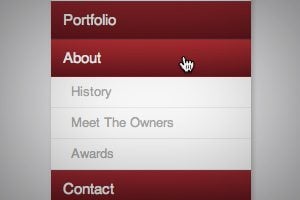
Today we have yet another awesome step-by-step CSS project for you! This time around we’re going to build a super useful expanding vertical navigation menu. It’s a great way to hide a lot of links in a fairly small space and the animations will add a nice touch to your site.

Even if you’re a complete beginner, you should be able to pull this off. I’ll guide you along every step of the way and explain how each chunk of code works so you can implement these same techniques in future projects and deepen your understanding of CSS. Let’s get started!

Why Almost Is a Dirty Word in Design

Graphics / 31 Jan 2012

Why Almost Is a Dirty Word in Design

Almost. It seems innocent enough right? Surely there’s no evil lurking in those six letters. You might even see this as a positive word. However, as a designer, you should always be on guard when this word can describe certain aspects of your work.

Read on to see why “almost” can be a dirty word and how it just might be bringing down the quality of your work. We’ll also take a look at two underlying foundations of good design that provide ready solutions to solve your “almost” design woes.

Code an Awesome Animated Download Button With CSS3

CSS / 30 Jan 2012

Code an Awesome Animated Download Button With CSS3

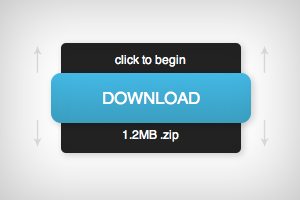
Follow along as we create a simple and fun download button using some fancy CSS3. Our button will use lots of fun goodies including border-radius, box-shadow, linear-gradients, z-index and transitions to achieve a unique double sliding drawer effect on hover.

As we go, I’ll discuss why some techniques that you might think to use should be avoided. Transitions are tricky to work with and are quite prone to refuse to work with certain properties. Read on to find out more.

Pick the Right Typefaces for Your Project

Typography / 26 Jan 2012

Pick the Right Typefaces for Your Project

Sometimes the most daunting part of a new project can be the brainstorming phase. Thinking of color schemes and font selections can be inspiring in your head, but really tough when you start mixing and matching elements on paper or for your website.

Understanding some of the history of fonts and typography can help make any project a little easier. Learn how to pair different typefaces to get desired effect every time and learn what things to avoid. Sharp typography and font selections can really make or break just about any project.

Addictive UX: Why Pinterest Is So Dang Amazing

Business / 25 Jan 2012

Addictive UX: Why Pinterest Is So Dang Amazing

Today we’re going to examine a very specific example of good design and discuss what makes it so successful. Along the way we’ll discover the importance of good design and how to structure experiences that turn users into addicts.

We’ll hone our sights in on Pinterest and perform a seriously in-depth analysis to see why this seemingly generic idea seems to stand so far out from the competition. The ultimate conclusions will equip you to design experiences that your users will absolute love.

Beating Borders: The Bane of Responsive Layout

CSS / 18 Jan 2012

Beating Borders: The Bane of Responsive Layout

Responsive design often requires setting your widths using percentages. This is easy enough to accomplish, that is until you start throwing borders into the mix. If your columns and total width are set using percentages, a static border size wreaks havoc on your layout.

Today we’re going to look at a couple of different ways to beat this problem. You’ll learn how to create a completely fluid layout that doesn’t mind extra borders or padding one bit.

New Logos for the Marlins, Orioles and Jays: Did They Get Better or Worse?

Graphics / 17 Jan 2012

New Logos for the Marlins, Orioles and Jays: Did They Get Better or Worse?

With a new year always comes new branding attempts. Organizations want a fresh face to signal progress and ongoing evolution and branding is the vehicle that designers use to achieve this goal.

As we all know quite well, this is a risky venture with large entities. If it goes well, your customers (or fans in this case) love you for it. If it doesn’t, you’re setting yourself up for plenty of public ridicule. Today we’re going to venture into the world of sports and check out three new Major League Baseball team logo designs. Which teams are updating their look for the new year? Were they successful or is the result a surefire embarrassment? Read on to find out!

Build a Fun Trivia Game With the CSS Active Selector

CSS / 11 Jan 2012

Build a Fun Trivia Game With the CSS Active Selector

We’ve done a ton of fun stuff recently with the :hover selector. From button hover effects for beginners to more advanced hover tutorials and even onto using hovers with multiple backgrounds. Today we’re moving on and learning about a related but equally awesome selector that often gets overlooked.

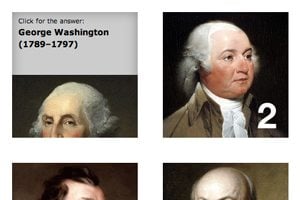
With :active, we can control the state of an object while it’s being clicked. Typically, this takes the simple form of changing a link’s color while the mouse is pressed down, but we’re going to do something much more interesting. Follow along as we build a super cool, pure CSS presidential trivia game.

How to Build a Responsive Thumbnail Gallery

CSS / 3 Jan 2012

How to Build a Responsive Thumbnail Gallery

Recently I set out to build a responsive thumbnail gallery. I expected it to take me a few minutes, but in reality it took me a few hours to work through. We’ll walk through a similar process today to help you get your mind wrapped around how it works.

One major component of mastering responsive design is to figure out how to approach specific tasks and adjust to problems as they arise within the context of larger projects. One day you’ll be working on a project and will need a responsive gallery and you’ll remember this post on that very topic.

Journey Into Mordor With CSS

CSS / 29 Dec 2011

Journey Into Mordor With CSS

Today’s project is silly and fun, but it does have a real point and educational purpose. In a recent article, I explored five ways to use multiple CSS background images to create cool hover effects. I had one idea in that article that I didn’t get to simply because its complexity merited a standalone explanation.

This article then is an extension of that previous discussion. We’ll be using multiple backgrounds to create a cool cinematic effect where someone traverses a map while the vantage point zooms out. The best and most nerd-tastic way to show this off is of course to use the familiar tale of Frodo crossing Middle Earth to arrive at Mount Doom in Mordor. Let’s get started.

The Ultimate Beginner’s Guide to Using Scatter Brushes in Photoshop

Software / 28 Dec 2011

The Ultimate Beginner’s Guide to Using Scatter Brushes in Photoshop

In web design we often focus on using Photoshop to create pixel perfect designs that are meticulously shaped and layered until they’re absolutely pristine. Repeated patterns, tiny strokes, complex gradients and reflections are trademarks of this design style.

But what if you’re going for something more organic? How can we use Photoshop to create complex and random particle arrangements that don’t look cheesy and contrived? The answer of course is to utilize scatter brushes. This awesome tool seems fairly simple on the surface but there’s a ton functionality and limitless possibilities to explore so even if you’re a Photoshop pro, read on to see some great ideas for how to use scatter brushes in your work.

Make It Snow on Your Website With CSS Keyframe Animations

CSS / 20 Dec 2011

Make It Snow on Your Website With CSS Keyframe Animations

The holiday season is at its peak and for some lucky people in weather appropriate climates, winter is in full swing. I live in Phoenix so real winter, and consequently snow, is really just a distant dream. Thus I am forced to turn to nerdery to get my fix!

Today we’re going to go over a super simple CSS technique that you can use to make it snow on your website. It’ll only take you a few minutes at the most and it serves as a great introduction to using multiple background images and keyframe animations in CSS.